


 v0.3.2
flutter_switch
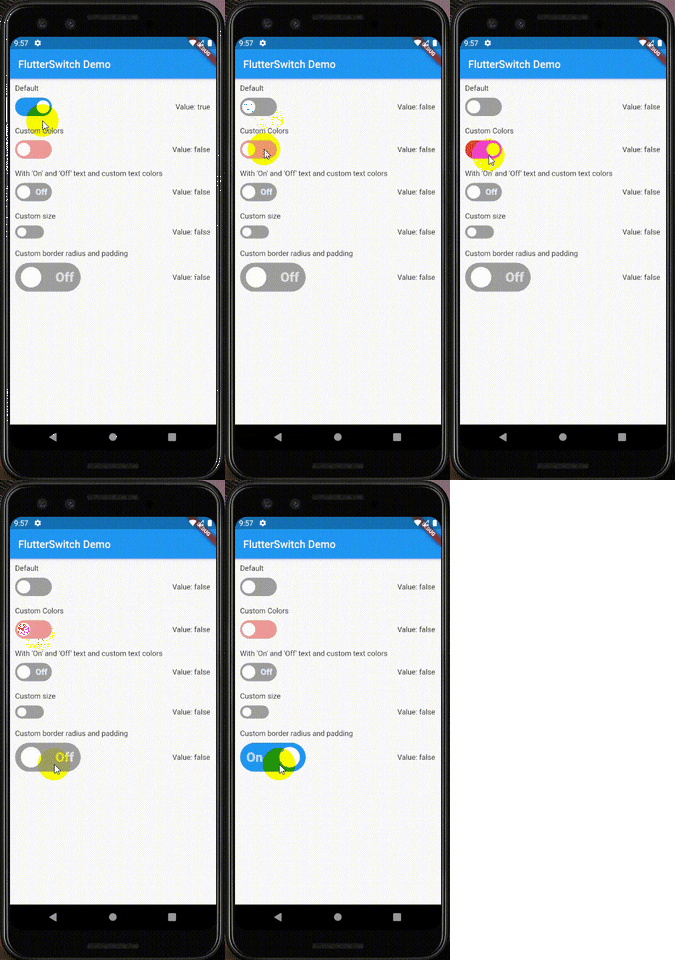
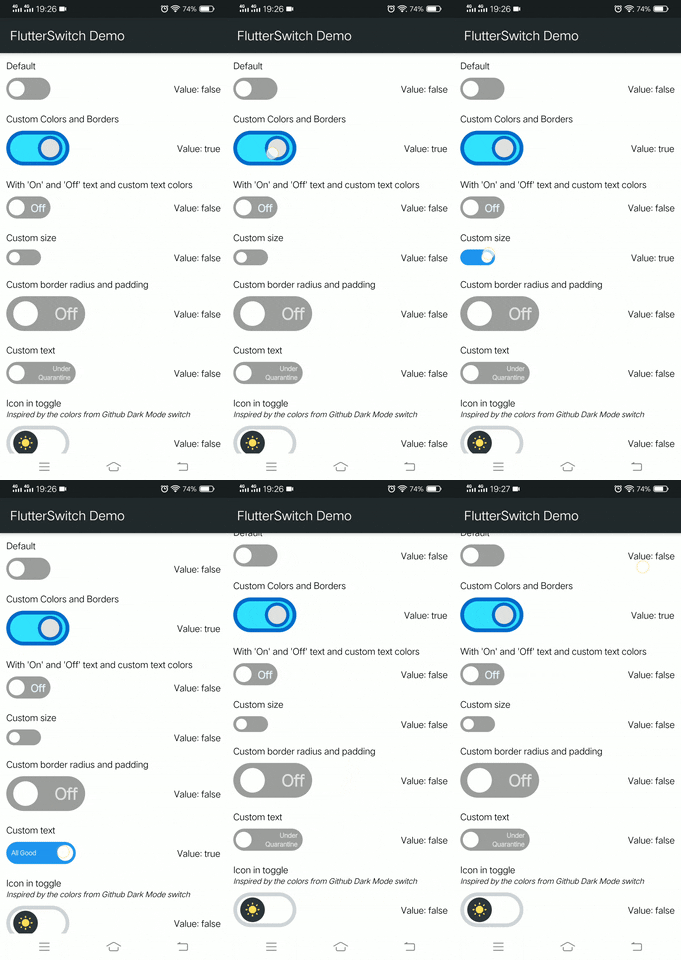
一個可自訂的開關小部件,可具有自訂的高度和寬度、邊框、邊框圓角、顏色、切換大小、切換內部的自訂文字和圖示。
634喜歡 14萬近 30 天下載150Pub 分數
AndroidiOSWebmacOSWindowsLinux
一個為 Flutter 創建的自訂開關套件。

以下為英文專案原文快照,最新內容請造訪 GitHub。


An easy to implement custom switch created for Flutter. Give it a custom height and width, border for the switch and toggle, border radius, colors, toggle size, a choice to display an 'On' and 'Off' text and able to add an icon inside the toggle.



Video version: https://youtu.be/JqJnxjE6Efc
Add this to your package's pubspec.yaml file:
dependencies:
  flutter_switch: ^0.3.1
You can install packages from the command line with Flutter:
$ flutter pub get
Import in your project:
import 'package:flutter_switch/flutter_switch.dart';
class MyHomePage extends StatefulWidget {
  @override
  _MyHomePageState createState() => _MyHomePageState();
}

class _MyHomePageState extends State<MyHomePage> {
  bool status = false;

  @override
  Widget build(BuildContext context) {
    return Scaffold(
      appBar: AppBar(
        title: Text("FlutterSwitch Demo"),
      ),
      body: Center(
        child: Container(
          child: FlutterSwitch(
            width: 125.0,
            height: 55.0,
            valueFontSize: 25.0,
            toggleSize: 45.0,
            value: status,
            borderRadius: 30.0,
            padding: 8.0,
            showOnOff: true,
            onToggle: (val) {
              setState(() {
                status = val;
              });
            },
          ),
        ),
      ),
    );
  }
}
Contributions to this project is very much welcome. Let's work together to maintain and improve the project Simply Fork the repository, Commit and Push your changes and create a new Pull Request.
Don't forget to try out the example project under the ./example folder.
Also test your changes by running this command.
$ flutter test
If you have some suggestions, you can reach me at romero.nicholejohn@gmail.com
BSD 3-Clause License

Copyright (c) 2020, Nichole John Romero
All rights reserved.

Redistribution and use in source and binary forms, with or without
modification, are permitted provided that the following conditions are met:

    1. Redistributions of source code must retain the above copyright notice, this
    list of conditions and the following disclaimer.

    2. Redistributions in binary form must reproduce the above copyright notice,
    this list of conditions and the following disclaimer in the documentation
    and/or other materials provided with the distribution.

    3. Neither the name of the copyright holder nor the names of its
    contributors may be used to endorse or promote products derived from
    this software without specific prior written permission.

THIS SOFTWARE IS PROVIDED BY THE COPYRIGHT HOLDERS AND CONTRIBUTORS "AS IS"
AND ANY EXPRESS OR IMPLIED WARRANTIES, INCLUDING, BUT NOT LIMITED TO, THE
IMPLIED WARRANTIES OF MERCHANTABILITY AND FITNESS FOR A PARTICULAR PURPOSE ARE
DISCLAIMED. IN NO EVENT SHALL THE COPYRIGHT HOLDER OR CONTRIBUTORS BE LIABLE
FOR ANY DIRECT, INDIRECT, INCIDENTAL, SPECIAL, EXEMPLARY, OR CONSEQUENTIAL
DAMAGES (INCLUDING, BUT NOT LIMITED TO, PROCUREMENT OF SUBSTITUTE GOODS OR
SERVICES; LOSS OF USE, DATA, OR PROFITS; OR BUSINESS INTERRUPTION) HOWEVER
CAUSED AND ON ANY THEORY OF LIABILITY, WHETHER IN CONTRACT, STRICT LIABILITY,
OR TORT (INCLUDING NEGLIGENCE OR OTHERWISE) ARISING IN ANY WAY OUT OF THE USE
OF THIS SOFTWARE, EVEN IF ADVISED OF THE POSSIBILITY OF SUCH DAMAGE.
Thanks goes to these wonderful people (emoji key):
 Nickr 💻 📖 🚧 ⚠️ |
 Lucas Eduardo 💻 |
 Douglas Ramos 💻 |
 Daniyil Yevtyushkin 💻 ⚠️ |
 Maksim Nikolaev 💻 |
This project follows the all-contributors specification. Contributions of any kind welcome!
依賴清單 2 項
{"sdk":"flutter"}{"sdk":"flutter"}先依使用情境篩選,再比較專案活躍情況,最後到原始儲存庫確認使用要求。
“A repository is the most basic element of GitHub.”
GitHub Docs — About repositories ↗