
school-ui-toolkit
一個基本的 UI 工具包,幫助您開始 Flutter 應用程式開發。

- 星標
- 130
- 分支
- 31
- 最近推送(UTC)
- 2020年10月30日
- 專案狀態
- 未封存
原始 README
以下為英文專案原文快照,最新內容請造訪 GitHub。
Basic UI Toolkit [Theme: School]

Descrption
A basic UI toolkit to get you started with flutter application development.
Widget List:
- SchoolToolkitButton: Button with a busy indicator
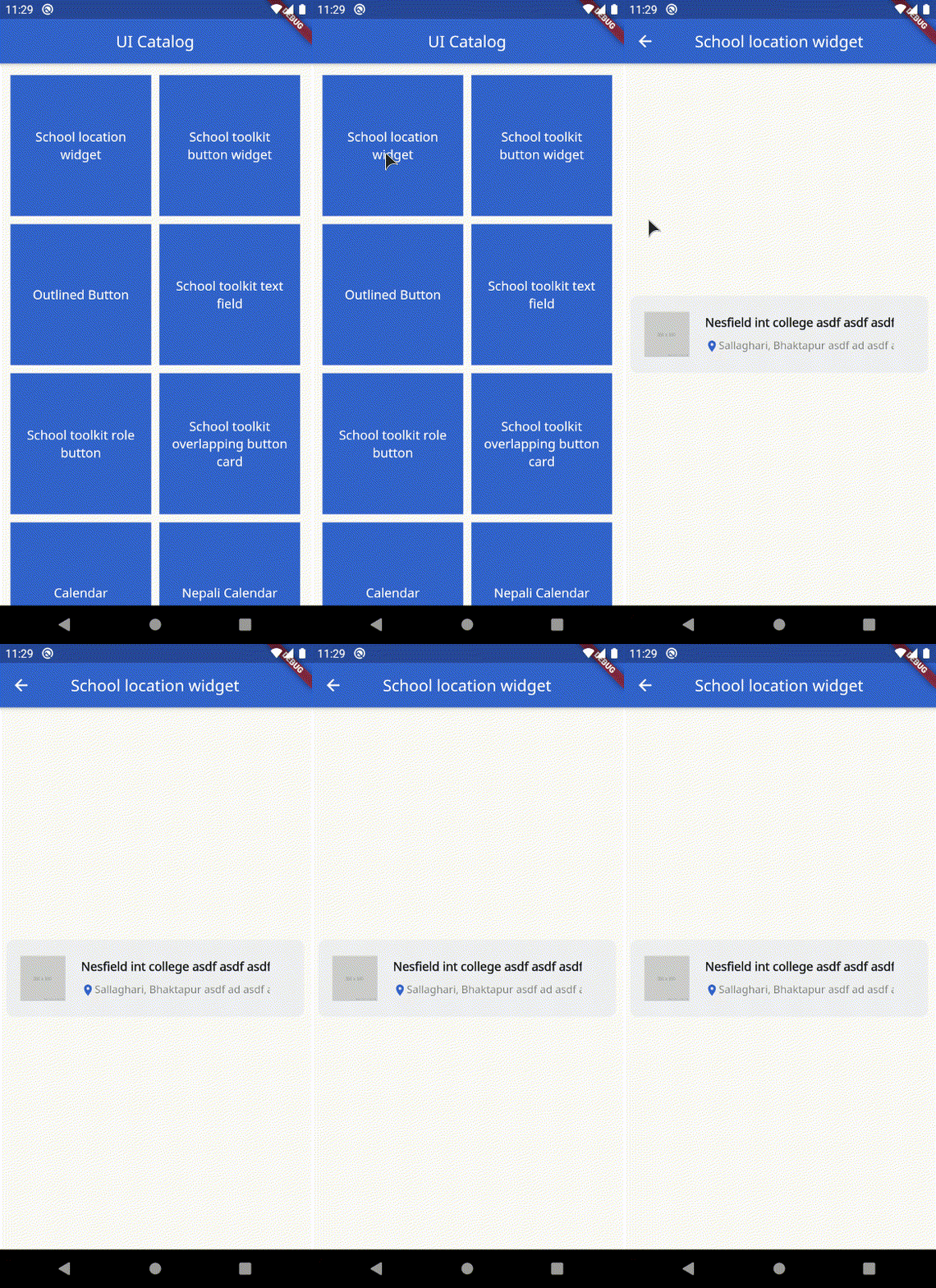
- SchoolLocationWidget: Card to display school information
- OutlinedButton: Button with only outline border with a busy indicator
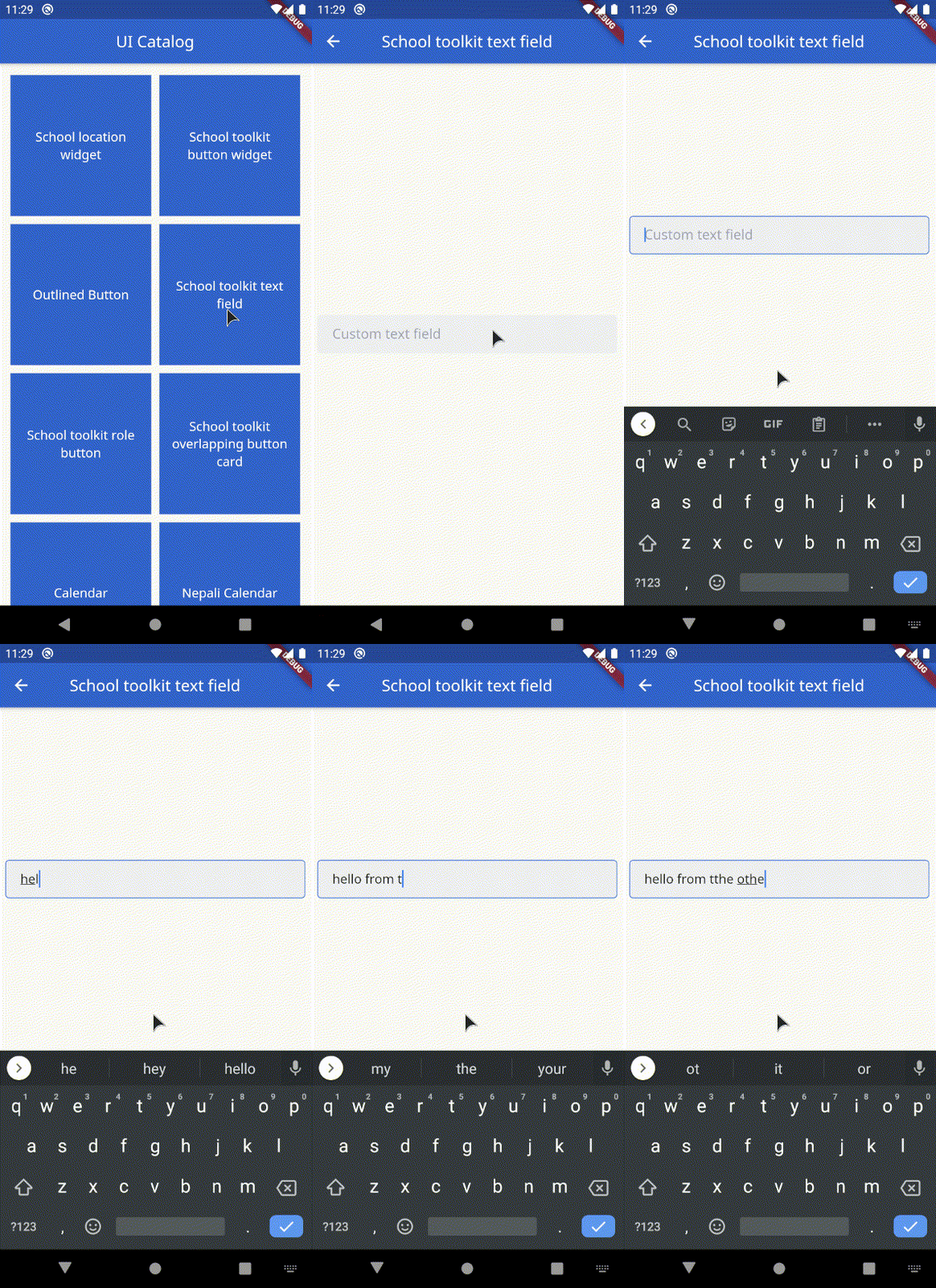
- SchoolToolkitTextField: Custom text field
- SchoolToolkitRoleButton: Animated role selection button
- OverlappingButtonCard: Overlapping container with a hovering button on the bottom
- Calendar: Calendar with two view states: [expanded(shows the entire calendar), shrink(shows only a week)]
- NepaliCalendar: Nepali Calendar with two view states: [expanded(shows the entire calendar), shrink(shows only a week)]
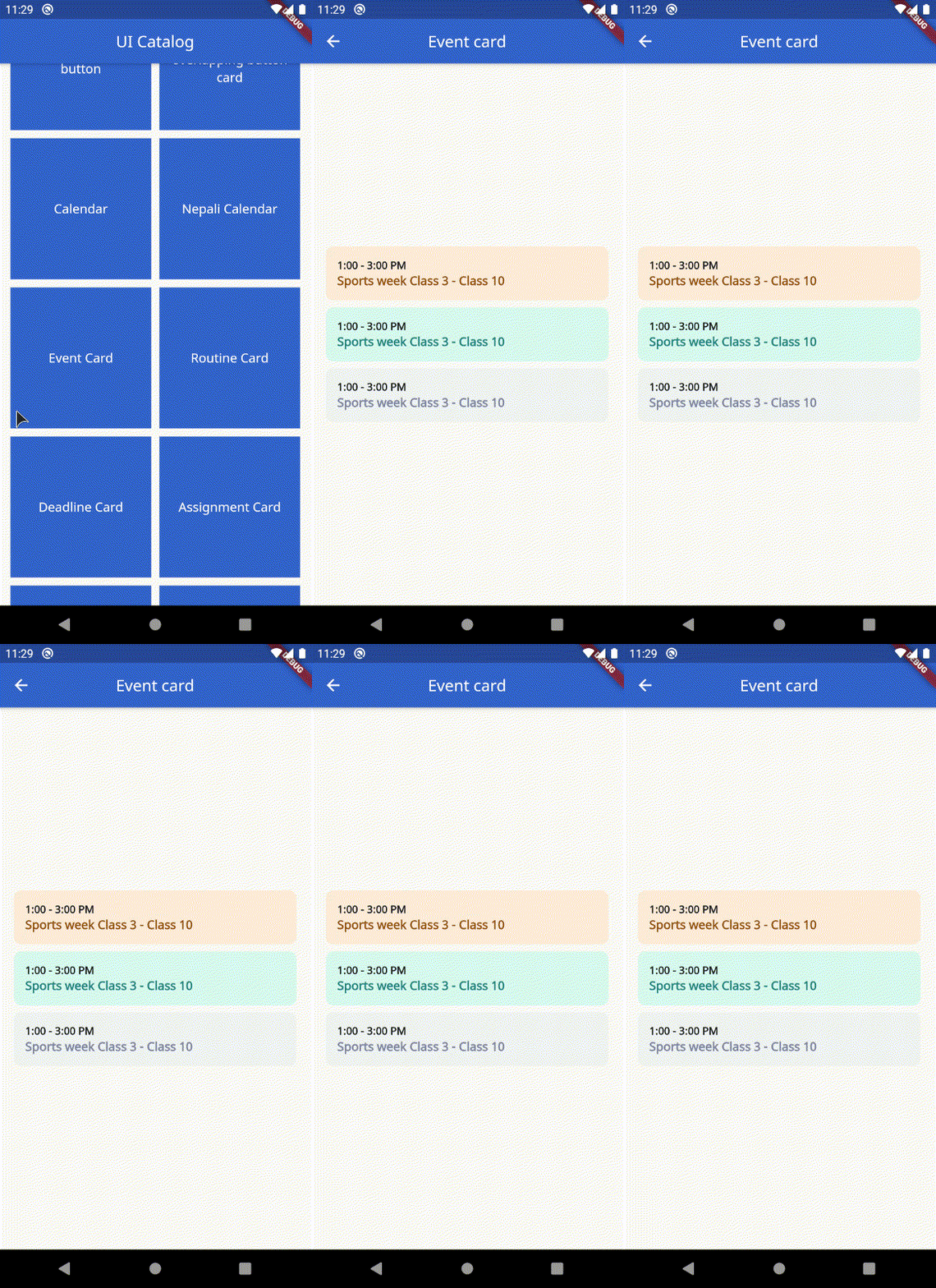
- EventCard: Displays the time and event
- RoutineCard: Displays the Name of class, Subject, Time and Professor.
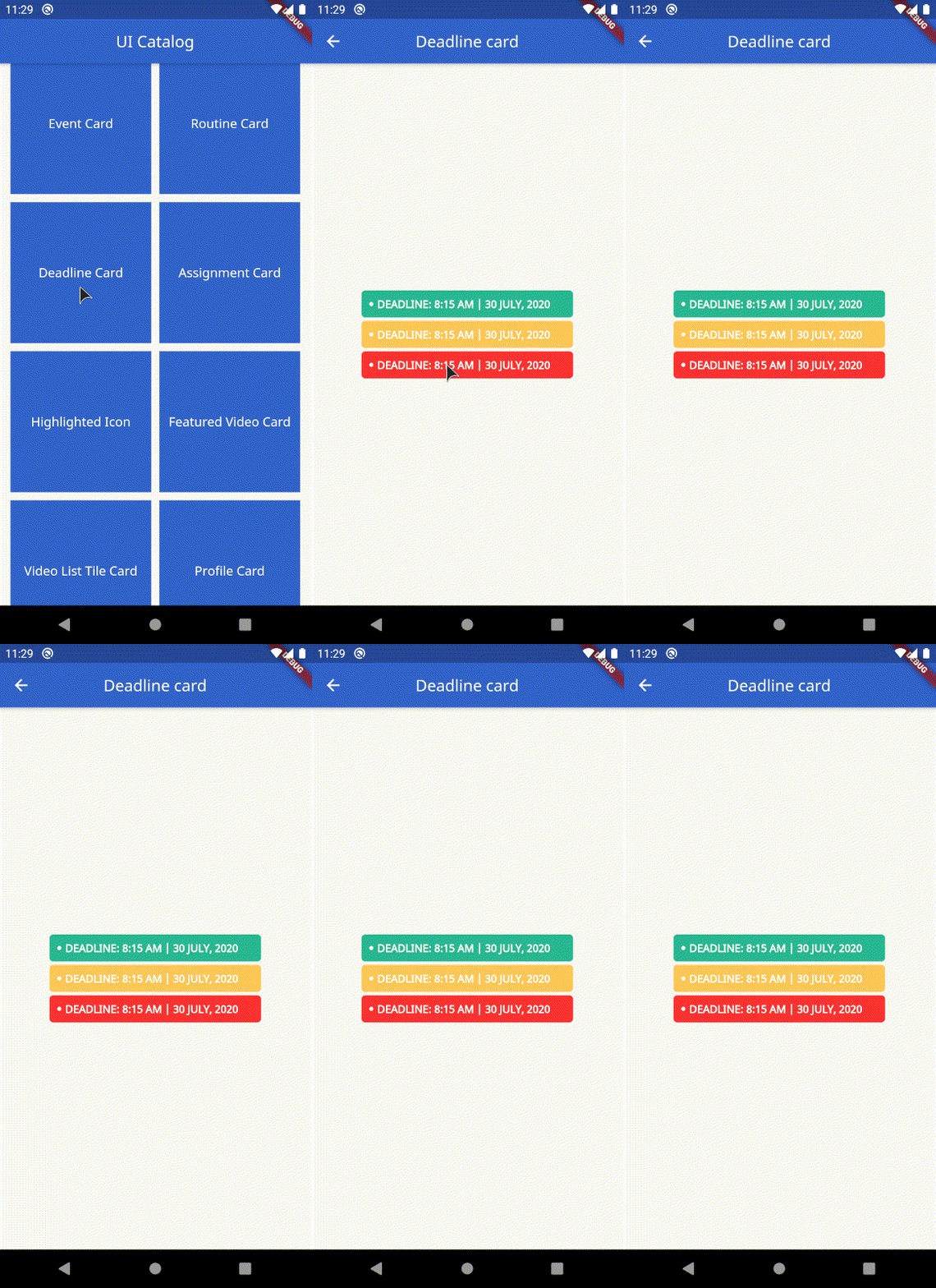
- DeadlineCard: Display a deadline
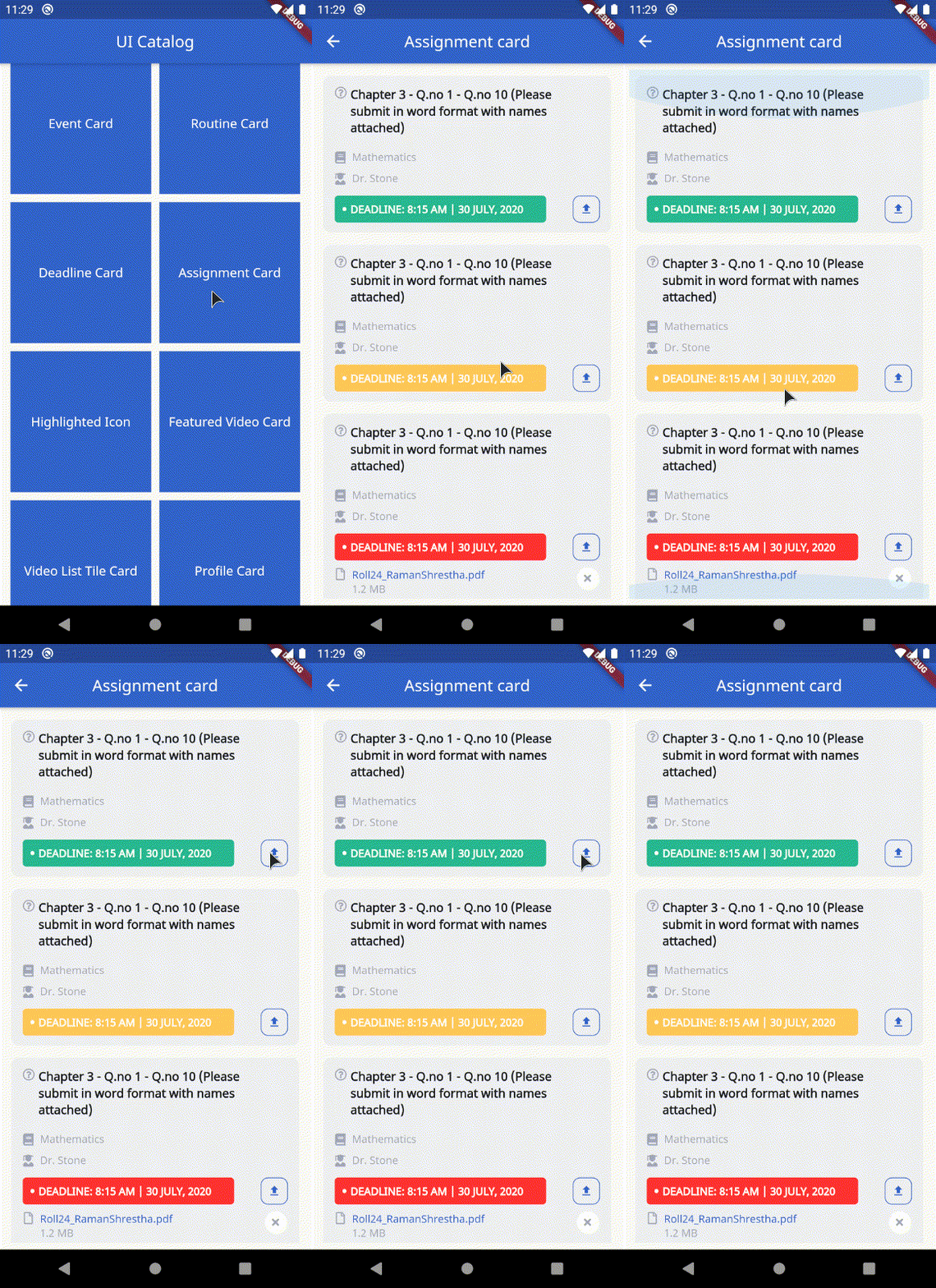
- AssignmentCard: Displays the assignment, deadline, subject with optional parameters to handle upload
- HighlightedIcon: Custom container that highlights the icon passed. Takes in an optional busy parameter to display loading indicator.
- FeaturedVideoCard: Display a featured video thumbnail with a title.
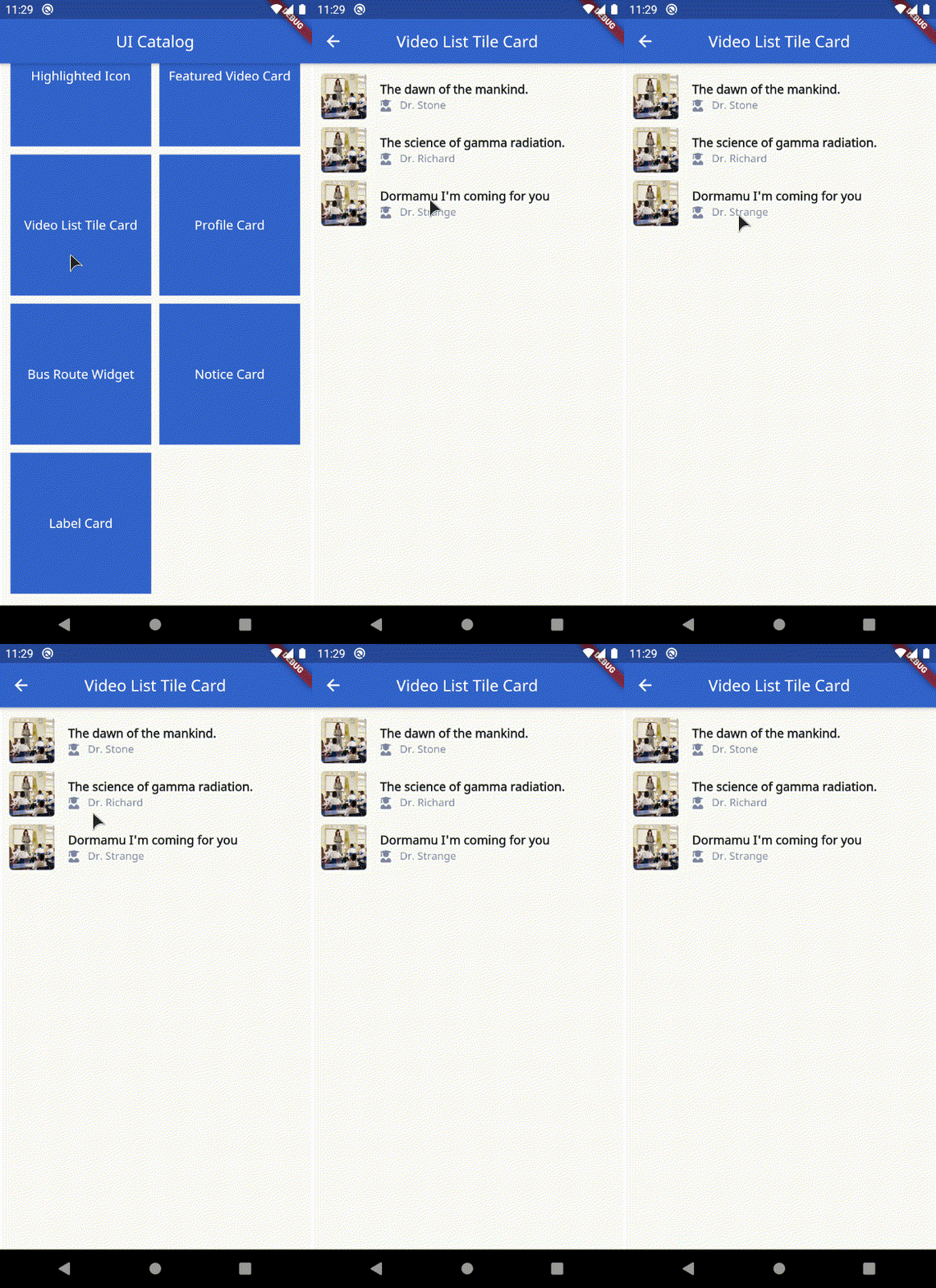
- VideoListTileCard: Display a listtile with thumbnail, title and author.
- ProfileCard: Custom profile card.
- BusRouteWidget: Display a bus route. Takes in title and a subtitle.
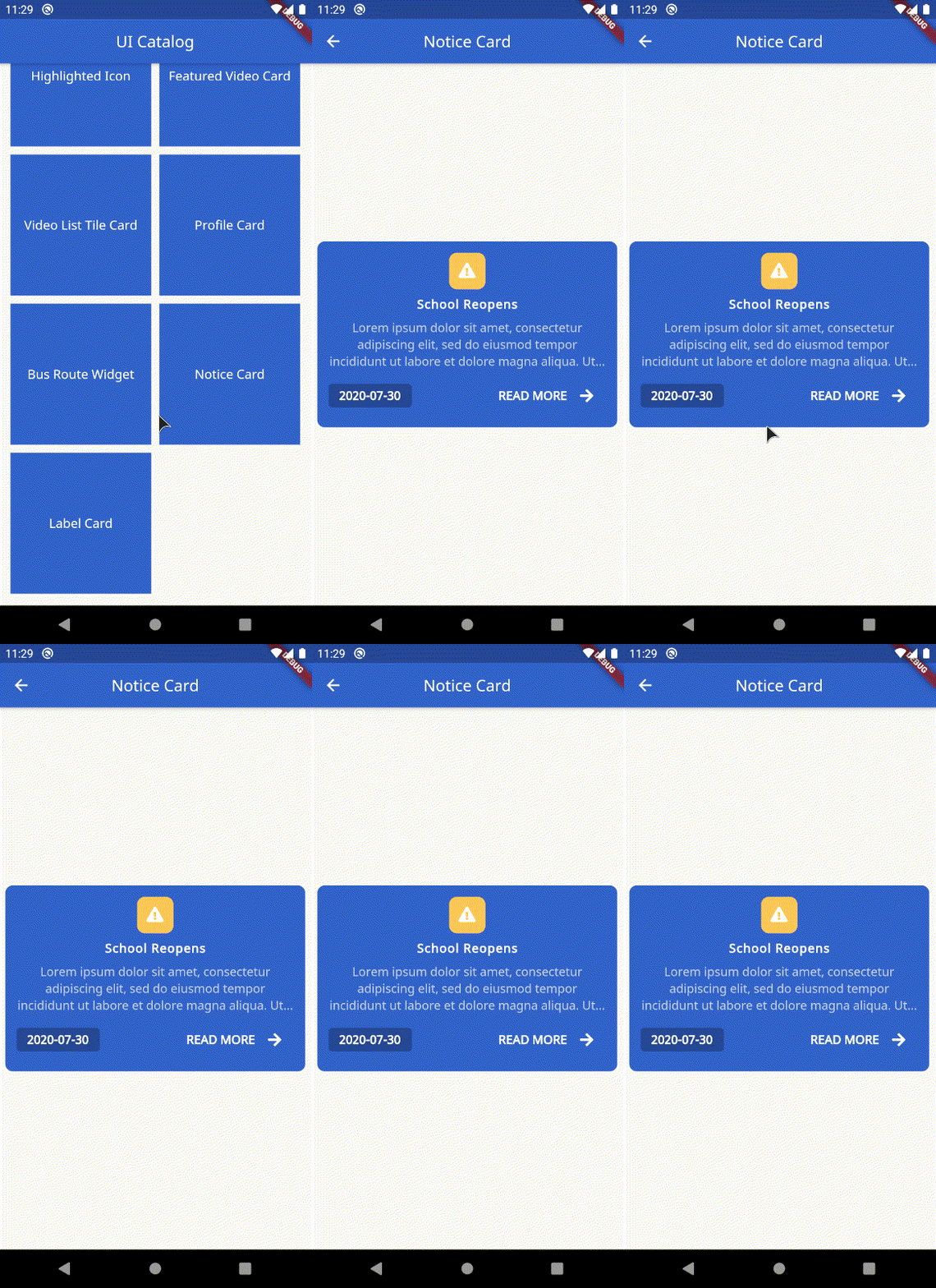
- NoticeCard: Custom notice widget that takes in title, subtitle, formatted date string with exposed on tap handler.
- LabelCard: Display a custom text label. Takes in label string, width, height, text style and color.
Example
The example file contains a catalog for all the available widgets.
SchoolToolkitButton
SchoolToolkitButton(
    onPressed: () {
        // handle on pressed
    },
    busy: true, // defaults to false
    label: 'Text Label'.toUpperCase(),
),

SchoolLocationWidget
SchoolLocationWidget(
    imageURL: 'http://via.placeholder.com/350x350',
    address: 'Area 69',
    name: 'Alien High School',
),
OutlinedButton
OutlinedButton(
    onPressed: () {
        // handle on pressed
    },
    busy: true, // defaults to false
    label: 'Edit Info'.toUpperCase(),
),

SchoolToolkitTextField
SchoolToolkitTextField(
    hint: 'Custom text field',
    controller: ...,
    errorText: ...,
    key: ...,
    label: ...,
    obscureText: ...,
    onChanged: ...,
    onFieldSubmitted: ...,
    onSaved: ...,
    onTap: ...,
),
SchoolToolkitRoleButton
SchoolToolkitRoleButton(
    iconData: FontAwesomeIcons.userGraduate,
    label: 'Student'.toUpperCase(),
    selected: true, // defaults to false
),

OverlappingButtonCard
OverlappingButtonCard(
    width: 354,
    height: 589,
    label: 'Button label'.toUpperCase(),
    onPressed: () {
        // handle on presssed
    },
    chld: ...,
    padding: ..., // optional field
),

Calendar
Calendar(
    startExpanded: true, // set this to false if you need the calendar to be built shrinked (show only active week)
    onDateSelected: (date) {
        print('Selected date: $date');
        // handle date selection
    },
    onNextMonth: (date) {
        print('Next month: $date');
        // handle on next month.
    },
    onPreviousMonth: (date) {
        print('Previous month: $date');
        // handle previous month
    },
    calendarEvents: [
        CalendarEvent.fromDateTime(
            dateTime: DateTime.now(),
            color: SchoolToolkitColors.red,
        ),
    ],
    recurringEventsByDay: [
        CalendarEvent.fromDateTime(
            dateTime: DateTime(2020, 7, 1),
            color: SchoolToolkitColors.blue,
        ),
        CalendarEvent.fromDateTime(
            dateTime: DateTime(2020, 7, 2),
            color: SchoolToolkitColors.red,
        ),
    ],
    recurringEventsByWeekday: [
        CalendarEvent.fromWeekDay(
            weekDay: DateTime.sunday,
            color: SchoolToolkitColors.green,
            holiday: true,
        ),
    ],
),

NepaliCalendar
Important: Please note the date returned by the NepaliCalendar methods use the NepaliDateTime instead of DateTime class
NepaliCalendar(
    startExpanded: true, // set this to false if you need the calendar to be built shrinked (show only active week)
    onDateSelected: (date) {
        print('Selected date: $date');
        // handle date selection
    },
    onNextMonth: (date) {
        print('Next month: $date');
        // handle on next month.
    },
    onPreviousMonth: (date) {
        print('Previous month: $date');
        // handle previous month
    },
    calendarEvents: [
        NepaliCalendarEvent.fromDateTime(
            dateTime: NepaliDateTime.now(),
            color: SchoolToolkitColors.red,
        ),
    ],
    recurringEventsByDay: [
        NepaliCalendarEvent.fromDateTime(
            dateTime: NepaliDateTime(2020, 7, 1),
            color: SchoolToolkitColors.green,
        ),
    ],
    recurringEventsByWeekday: [
        NepaliCalendarEvent.fromWeekDay(
            weekDay: 1,
            color: SchoolToolkitColors.brown,
        ),
    ],
),

EventCard
EventCard(
    event: 'Sports week Class 3 - Class 10',
    time: '1:00 - 3:00 PM',
    secondaryColor: SchoolToolkitColors.lighterGrey,
    primaryColor: SchoolToolkitColors.grey,
),
RoutineCard
RoutineCard(
    classTopic: 'Fundamentals of Mathematics',
    classType: 'Theory Class',
    subject: 'Mathematics',
    professor: 'Mr. Ram Prasad Yadav',
    time: '8:00 - 9:00 AM',
),

DeadlineCard
 DeadlineCard(
    deadline: DateTime.now(),
    secondaryColor: ..., // optional
    primaryColor: ..., // optional
),
AssignmentCard
AssignmentCard(
    // optional, if deadline is not passed, deadline card will not be shown
    deadline: DateTime.now(),
    question:
        'Chapter 3 - Q.no 1 - Q.no 10 (Please submit in word format with names attached)',
    subject: 'Mathematics',
    teacher: 'Dr. Stone',
    deadlineBackgroundColor: SchoolToolkitColors.red,
    onUploadHandler: () {
        print('Handle upload');
        // optional, if null is passsed upload button will be hidden
    },
    // optional
    fileList: [
        FileWrapper(
            fileName: 'assignment-information.pdf',
            fileSize: '11.5 KB',
            onTap: () {
            print('Handle on tap');
            },
        ),
    ],
),
HighlightedIcon
HighlightedIcon(
    icon: Icons.class_,
    busy: true, // optional. If busy is set to true, displays a loading indicator instead of the icons passed.
),

FeaturedVideoCard
FeaturedVideoCard(
    title: 'Professor KPR Lecture - Neuroscience Lecture 32',
    thumbnailURL:
        'https://www.teachermagazine.com.au/files/ce-image/cache/1c03ffc10fd4ef6a/Cognitive_load_theory_-_teaching_strategies_855_513_60.jpg',
    onTap: () {
        print('Handling on tap');
    },
),

VideoListTileCard
VideoListTileCard(
    author: 'Dr. Richard',
    title: 'The science of gamma radiation.',
    margin: EdgeInsets.all(5.0),
    thumbnailURL:
        'https://www.teachermagazine.com.au/files/ce-image/cache/1c03ffc10fd4ef6a/Cognitive_load_theory_-_teaching_strategies_855_513_60.jpg',
    color: ..., // Optional. use to set the background color of the tile
    onTap: ..., // Optional. use to handle on tap
    padding: ..., // Optional. use to add desired padding
    showIcon: ..., // Optional. set this to flase if you don't want the icon besides the author.
),
ProfileCard
ProfileCard(
    imageURL:
        'https://cdn1.iconfinder.com/data/icons/female-avatars-vol-1/256/female-portrait-avatar-profile-woman-sexy-afro-2-512.png',
    email: 'email@email.com',
    name: 'Dr. Steven Stones',
    phoneNumber: '9843XXXXXX',
    post: 'Sorceror',
    margin: EdgeInsets.all(5.0), // optional
),

BusRouteWidget
InformationTileWidget(
    margin: EdgeInsets.all(5.0),
    icon: FontAwesomeIcons.bus,
    biggerTitle: true,
    title: 'Bus Route 1',
    subTitle: 'Tinkune-Dhobhighat-NewRoad',
    iconColor: Colors.white,
    rounded: false,
    iconBackgroundColor: SchoolToolkitColors.blue,
    onTap: ..., // Optional.
),

NoticeCard
NoticeCard(
    date: DateFormat('yyyy-MM-dd').format(DateTime.now()),
    title: 'School Reopens',
    subTitile:
        'Lorem ipsum dolor sit amet, consectetur adipiscing elit, sed do eiusmod tempor incididunt ut labore et dolore magna aliqua. Ut enim ad minim veniam, quis nostrud exercitation ullamco laboris nisi ut aliquip ex ea commodo consequat. Duis aute irure dolor in reprehenderit in voluptate velit esse cillum dolore eu fugiat nulla pariatur.',
    onTap: () {
        // Handle readmore
    },
),
LabelCard
LabelCard(
    label: 'Text label',
    color: SchoolToolkitColors.red,
    height: ..., // Optional
    width: ..., // Optional
    textStyle: ..., // Optional
),

Support
Like what you see? Support me by buying me a coffee :)

License
MIT License

GitHub 作者
BugTheDebugger ↗
語言DartSwiftKotlinObjective-C
分類
使用的依賴
依賴清單 7 項
- flutter
{"sdk":"flutter"} - flutter_screenutil
^3.2.0 - cached_network_image
^2.2.0+1 - font_awesome_flutter
^8.8.1 - intl
^0.16.1 - nepali_date_picker
^4.1.0 - flutter_test開發依賴
{"sdk":"flutter"}
如何選擇適合專案的儲存庫?
先依使用情境篩選,再比較專案活躍情況,最後到原始儲存庫確認使用要求。
- 透過儲存庫名稱、作者或描述搜尋,再依技術分類縮小範圍。
- 綜合星標、分支與最近推送比較專案;星標反映社群關注,不保證品質。
- 使用前在 GitHub 確認 README、授權條款與 Issues。
來源與維護
“A repository is the most basic element of GitHub.”
GitHub Docs — About repositories ↗