

 v1.0.0
marquee_list
一個用於以跑馬燈樣式顯示項目列表的 Marquee 列表小部件
53喜歡 784近 30 天下載150Pub 分數
AndroidiOSWebmacOSWindowsLinux
burhanrashid52/marquee_list open-source repository details.

以下為英文專案原文快照,最新內容請造訪 GitHub。
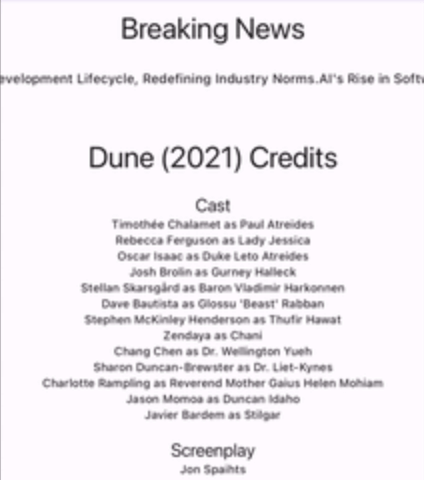
A Flutter Marquee list widget to display a list of items in a marquee style.
Use this widget in your Flutter app to:
scrollDirection.scrollDuration.import 'package:marquee_list/marquee_list.dart';
//....
child: MarqueeList(
scrollDirection: Axis.horizontal, // By default, it's horizontal
children: [
Text("Text 1"),
Text("Text 2"),
Text("Text 3"),
Text("Text 4"),
],
),
//....
import 'package:marquee_list/marquee_list.dart';

//....
   child: MarqueeList(
     scrollDirection: Axis.vertical, // Change direction to vertical
     children: [
       Text("Text 1"),
       Text("Text 2"),
       Text("Text 3"),
       Text("Text 4"),
     ],
   ),
//....
import 'package:marquee_list/marquee_list.dart';

//....
   child: MarqueeList(
     scrollDuration: const Duration(seconds: 3), // Default is 1 second
     children: [
       Text("Text 1"),
       Text("Text 2"),
       Text("Text 3"),
       Text("Text 4"),
     ],
   ),
//....
onScrollEnd callbackimport 'package:marquee_list/marquee_list.dart';
//....
child: MarqueeList(
scrollDirection: Axis.horizontal,
onScrollEnd: () {
// Do something when the scroll ends
},
children: [
Text("Text 1"),
Text("Text 2"),
Text("Text 3"),
Text("Text 4"),
],
),
//....
Contributions are welcome! Here is a curated list of how you can help:
Copyright (c) 2024 Burhanuddin Rashid
Permission is hereby granted, free of charge, to any person obtaining a copy of this software and associated documentation files (the "Software"), to deal in the Software without restriction, including without limitation the rights to use, copy, modify, merge, publish, distribute, sublicense, and/or sell copies of the Software, and to permit persons to whom the Software is furnished to do so, subject to the following conditions:
The above copyright notice and this permission notice shall be included in all copies or substantial portions of the Software.
THE SOFTWARE IS PROVIDED "AS IS", WITHOUT WARRANTY OF ANY KIND, EXPRESS OR IMPLIED, INCLUDING BUT NOT LIMITED TO THE WARRANTIES OF MERCHANTABILITY, FITNESS FOR A PARTICULAR PURPOSE AND NONINFRINGEMENT. IN NO EVENT SHALL THE AUTHORS OR COPYRIGHT HOLDERS BE LIABLE FOR ANY CLAIM, DAMAGES OR OTHER LIABILITY, WHETHER IN AN ACTION OF CONTRACT, TORT OR OTHERWISE, ARISING FROM, OUT OF OR IN CONNECTION WITH THE SOFTWARE OR THE USE OR OTHER DEALINGS IN THE SOFTWARE.
依賴清單 3 項
{"sdk":"flutter"}{"sdk":"flutter"}^3.0.0先依使用情境篩選,再比較專案活躍情況,最後到原始儲存庫確認使用要求。
“A repository is the most basic element of GitHub.”
GitHub Docs — About repositories ↗