
cometchat-uikit-flutter
適用於 Flutter 的語音與視訊通話及文字聊天應用

- 星標
- 544
- 分支
- 43
- 最近推送(UTC)
- 2026年9月10日
- 專案狀態
- 未封存
原始 README
以下為英文專案原文快照,最新內容請造訪 GitHub。

CometChat UIKit for Flutter
CometChat UIKit for Flutter provides pre-built UI components to quickly add chat, voice, and video calling features to your Flutter application.
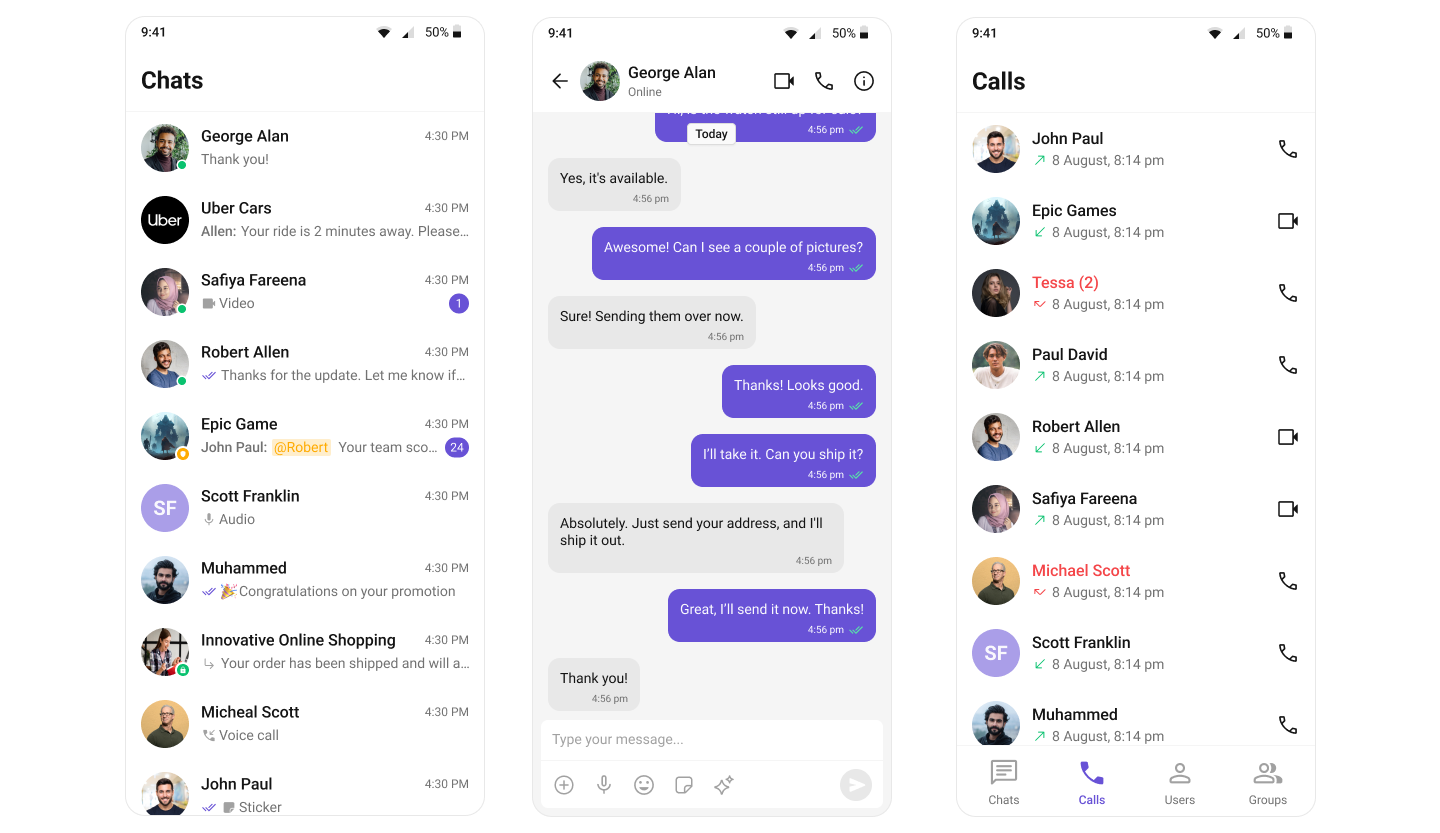
Repository Structure
| Directory | Description |
|---|---|
| packages/cometchat_uikit | The open source UIKit package (local setup, structure, tests) |
| packages/cometchat_uikit/skills | Kiro AI skills for consumers and contributors |
| examples/sample_app | Sample app demonstrating UIKit usage |
| examples/ai_sample_app | AI-powered sample app with CometChat AI agents |
Prerequisites
- Flutter SDK >= 3.27.0
- Dart SDK >= 3.6.0
- iOS 16.0+ / Android 5.0+
- A CometChat account with App ID and Auth Key
Getting Started
- Sign up at the CometChat Dashboard and create a new app.
- Note your App ID, Region, and Auth Key from the dashboard.
- Clone this repository and navigate to the sample app:
git clone https://github.com/cometchat/cometchat-uikit-flutter.git
cd cometchat-uikit-flutter/examples/sample_app
flutter pub get
flutter run
- On first launch, enter your App ID, Region, and Auth Key in the credentials screen.
Installation
Add the UIKit to your project's pubspec.yaml:
dependencies:
  cometchat_chat_uikit: ^6.1.0
Then run:
flutter pub get
Documentation
Refer to our official documentation for detailed setup and usage guides.
Help and Support
For issues running the project or integrating with our UI Kit, consult our documentation or create a support ticket or seek real-time support via the CometChat Dashboard.
License
This project is licensed under the terms of the LICENSE file.

GitHub 作者
CometChat ↗
語言DartKotlinSwiftJavaRuby
分類
所在榜單
如何選擇適合專案的儲存庫?
先依使用情境篩選,再比較專案活躍情況,最後到原始儲存庫確認使用要求。
- 透過儲存庫名稱、作者或描述搜尋,再依技術分類縮小範圍。
- 綜合星標、分支與最近推送比較專案;星標反映社群關注,不保證品質。
- 使用前在 GitHub 確認 README、授權條款與 Issues。
來源與維護
“A repository is the most basic element of GitHub.”
GitHub Docs — About repositories ↗