
 v2.3.0
fl_paging
一個新的 Flutter 套件支援 ListView、GridView 與 NestedScrollView 的分頁
27喜歡 168近 30 天下載125Pub 分數
AndroidiOSmacOSWindowsLinux
一個小型庫,支援在 Flutter 中為 ListView - GridView 載入無限資料。

{"sdk":"flutter"}^3.0.0^2.0.22.13.0{"sdk":"flutter"}^2.4.15^3.0.6以下為英文專案原文快照,最新內容請造訪 GitHub。
Pub Package
Star on GitHub
style: effective dart
MIT License
A Flutter package that supports pagination(load infinite) for ListView, GridView
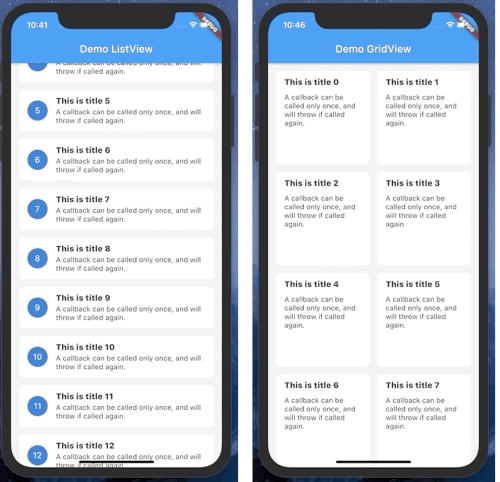
| https://raw.githubusercontent.com/dangngocduc/flutter_paging/HEAD/demo/list_view2.gif | https://raw.githubusercontent.com/dangngocduc/flutter_paging/HEAD/demo/grid_view.gif | https://raw.githubusercontent.com/dangngocduc/flutter_paging/HEAD/demo/sliver_demo.gif |
To create a PagingListView or PagingGridView you will need create class which extended from PageKeyedDataSource.
When extended from PageKeyedDataSource, you will need override 2 methods is loadInitial and loadPageAfter.
Output of those function is a Tuple2 with item1 is List is List of data, end item2 is next page index.
Example: if your list start with page index is 0. -> on loadInitial output is Tuple2([...], 1) 1 is next page when load more item.
Example:
class ListViewDataSource extends paging.PageKeyedDataSource<int, Note> {
  NoteRepository noteRepository;

  ListViewDataSource(this.noteRepository);

  @override
  Future<Tuple2<List<Note>, int>> loadInitial(int pageSize) async {
    return Tuple2(await noteRepository.getNotes(0), 1);
  }

  @override
  Future<Tuple2<List<Note>, int>> loadPageAfter(int params, int pageSize) async {
    return Tuple2(await noteRepository.getNotes(params), params + 1);
  }
}
To display on UI, currently you can use PagingListView or PagingGridView.
Example:
      ListViewDataSource dataSource = ListViewDataSource(NoteRepository());

      PagingListView<Note>(
        itemBuilder: (context, data, child) => NoteWidget(data),
        pageDataSource: dataSource,
      ),