

 v1.0.0
find_dropdown
簡單且穩健的 FindDropdown,具備項目搜尋功能,可使用離線項目清單或過濾 URL 進行輕鬆自訂。
82喜歡 143近 30 天下載70Pub 分數
平台暫無資料
簡單且強大的下拉選單,具備項目搜尋功能,可使用離線項目清單或過濾 URL,方便輕鬆自訂。

以下為英文專案原文快照,最新內容請造訪 GitHub。

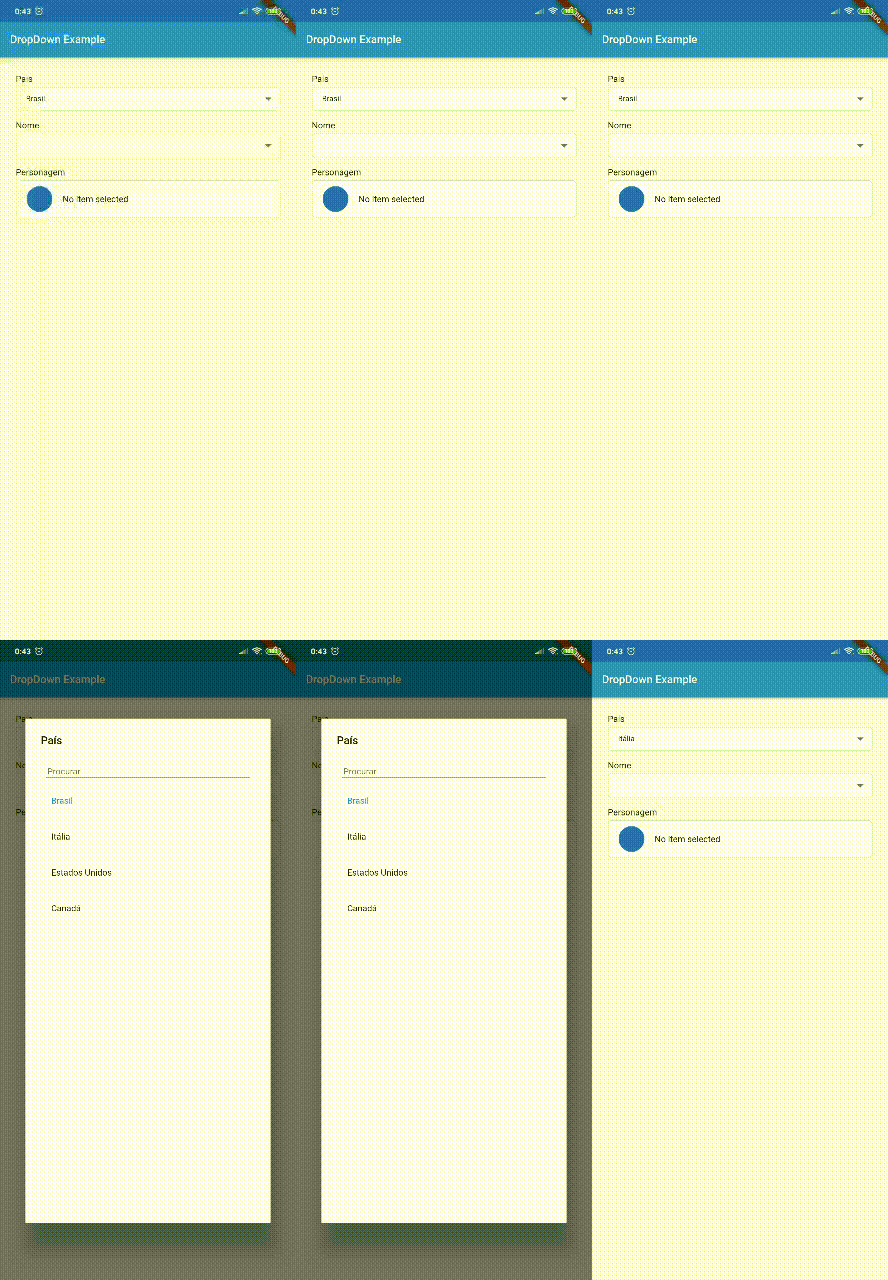
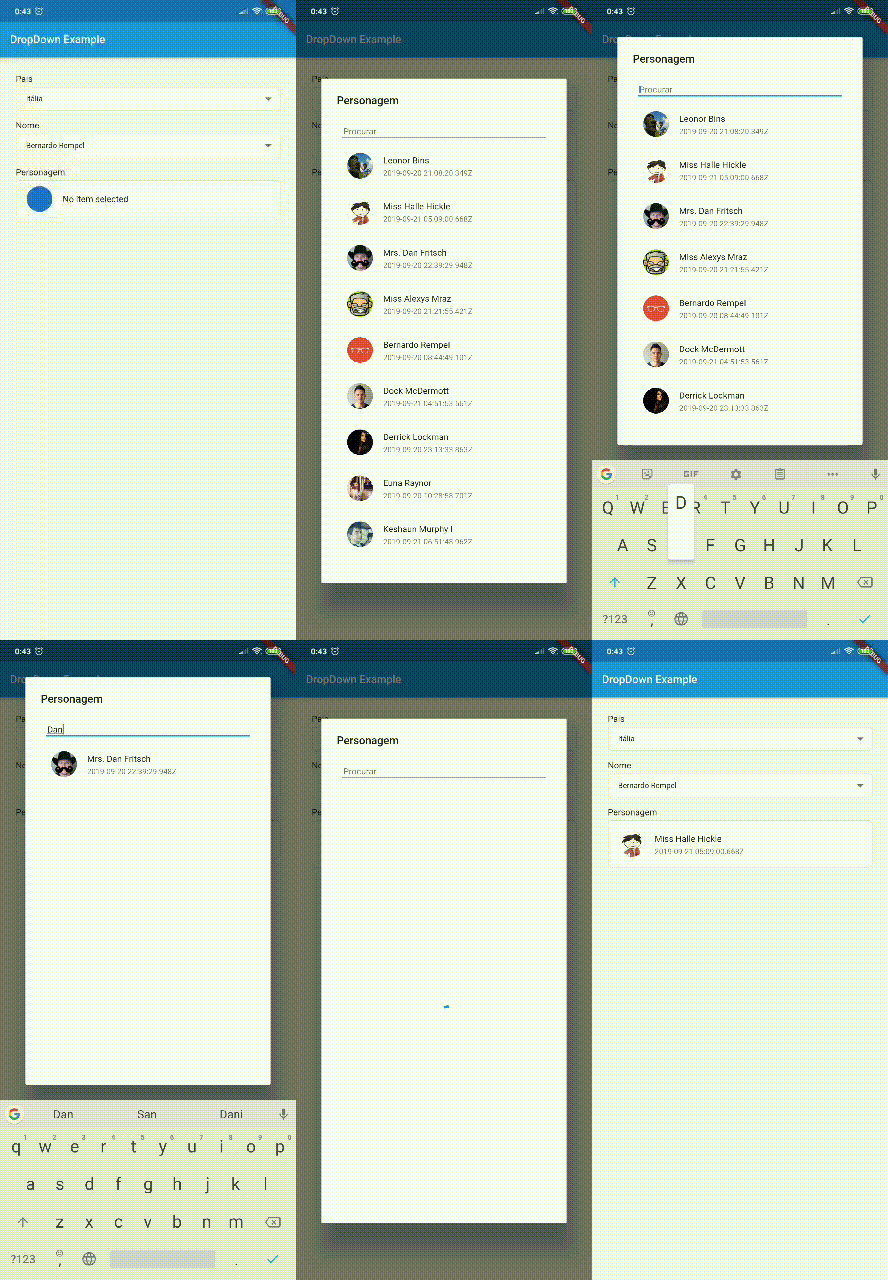
Simple and robust FindDropdown with item search feature, making it possible to use an offline item list or filtering URL for easy customization.


If you use rxdart in your project in a version lower than 0.23.x, use version 0.1.7+1 of this package. Otherwise, you can use the most current version!
Null Safety Version: 1.0.0 or more
Non Null Safety Version: 0.2.3 or less
RxDart 0.23.x or less: 0.1.7+1
find_dropdown: <lastest version>
import 'package:find_dropdown/find_dropdown.dart';
FindDropdown(
  items: ["Brasil", "Itália", "Estados Unidos", "Canadá"],
  label: "País",
  onChanged: (String item) => print(item),
  selectedItem: "Brasil",
);
FindDropdown<String>.multiSelect(
  items: ["Brasil", "Itália", "Estados Unidos", "Canadá"],
  label: "País",
  onChanged: (List<String> items) => print(items),
  selectedItems: ["Brasil"],
);
FindDropdown(
  items: ["Brasil", "Itália", "Estados Unidos", "Canadá"],
  label: "País",
  onChanged: (String item) => print(item),
  selectedItem: "Brasil",
  validate: (String item) {
    if (item == null)
      return "Required field";
    else if (item == "Brasil")
      return "Invalid item";
    else
      return null; //return null to "no error"
  },
);
FindDropdown<UserModel>(
  label: "Nome",
  onFind: (String filter) async {
    var response = await Dio().get(
        "http://5d85ccfb1e61af001471bf60.mockapi.io/user",
        queryParameters: {"filter": filter},
    );
    var models = UserModel.fromJsonList(response.data);
    return models;
  },
  onChanged: (UserModel data) {
    print(data);
  },
);
var countriesKey = GlobalKey<FindDropdownState>();

Column(
  children: [
    FindDropdown<String>(
      key: countriesKey,
      items: ["Brasil", "Itália", "Estados Unidos", "Canadá"],
      label: "País",
      selectedItem: "Brasil",
      showSearchBox: false,
      onChanged: (selectedItem) => print("country: $selectedItem"),
    ),
    RaisedButton(
      child: Text('Limpar Países'),
      color: Theme.of(context).primaryColor,
      textColor: Theme.of(context).primaryIconTheme.color,
      onPressed: () => countriesKey.currentState?.clear(),
    ),
  ],
)
var countriesKey = GlobalKey<FindDropdownState>();

Column(
  children: [
    FindDropdown<UserModel>(
      label: "Nome",
      onFind: (String filter) => getData(filter),
      searchBoxDecoration: InputDecoration(
        hintText: "Search",
        border: OutlineInputBorder(),
      ),
      onChanged: (UserModel data) {
        print(data);
        countriesKey.currentState.setSelectedItem("Brasil");
      },
    ),
    FindDropdown<String>(
      key: countriesKey,
      items: ["Brasil", "Itália", "Estados Unidos", "Canadá"],
      label: "País",
      selectedItem: "Brasil",
      showSearchBox: false,
      onChanged: (selectedItem) => print("country: $selectedItem"),
    ),
  ],
)
You can customize the layout of the FindDropdown and its items. EXAMPLE
To customize the FindDropdown, we have the dropdownBuilder property, which takes a function with the parameters:
BuildContext context: current context;T item: Current item, where T is the type passed in the FindDropdown constructor.To customize the items, we have the dropdownItemBuilder property, which takes a function with the parameters:
BuildContext context: current context;T item: Current item, where T is the type passed in the FindDropdown constructor.bool isSelected: Boolean that tells you if the current item is selected.To use a template as an item type, you need to implement toString, equals and hashcode, as shown below:
class UserModel {
  final String id;
  final DateTime createdAt;
  final String name;
  final String avatar;

  UserModel({this.id, this.createdAt, this.name, this.avatar});

  @override
  String toString() => name;

  @override
  operator ==(o) => o is UserModel && o.id == id;

  @override
  int get hashCode => id.hashCode^name.hashCode^createdAt.hashCode;

}
依賴清單 3 項
^2.0.1{"sdk":"flutter"}{"sdk":"flutter"}先依使用情境篩選,再比較專案活躍情況,最後到原始儲存庫確認使用要求。
“A repository is the most basic element of GitHub.”
GitHub Docs — About repositories ↗