

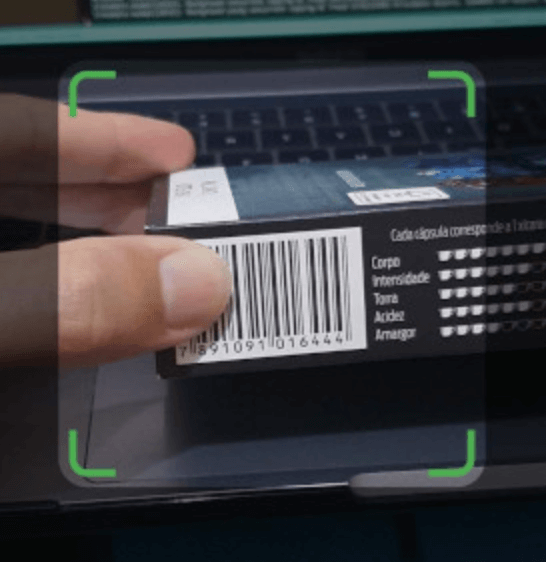
 v0.2.1
barras
一個簡單且可自訂的條碼掃描套件,適用於 Android 和 iOS。它在 iOS 上使用 AVCaptureSession,在 Android 上使用 ZXing。
32喜歡 77近 30 天下載150Pub 分數
AndroidiOS
一個簡單且可自訂的條碼掃描 Flutter 套件,適用於 Android 和 iOS。它在 iOS 上使用 AVCaptureSession,在 Android 上使用 ZXing。

以下為英文專案原文快照,最新內容請造訪 GitHub。
This document is also available in: English | Português
Barras is a simple and customizable barcode scanning Flutter package for Android and iOS. It uses AVCaptureSession in iOS and ZXing in Android.
Please bear in mind that Barras is experimental, in early development stage.
Barras requires camera usage permission, on both iOS and Android. This must be implemented by you, considering any alternatives that you may be already using for user permission requests.
If you are not handling permissions yet, there are good plugins to do it, like permission_handler.
Besides that, Barras depends on the following:
Add Barras dependency to the pubspec.yaml file:
dependencies:
  barras: ^0.2.1
Import it in your code:
import 'package:barras/barras.dart';
Simply call the scan method, and we are good to go:
// Open the barcode reading page. Returned data will be null if
// Cancel button is pressed, or if user navigates back
final data = await Barras.scan(context);
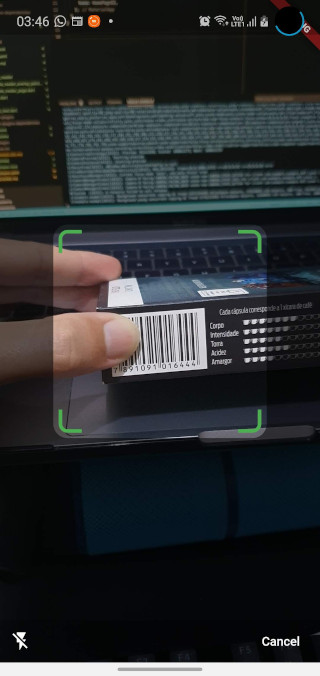
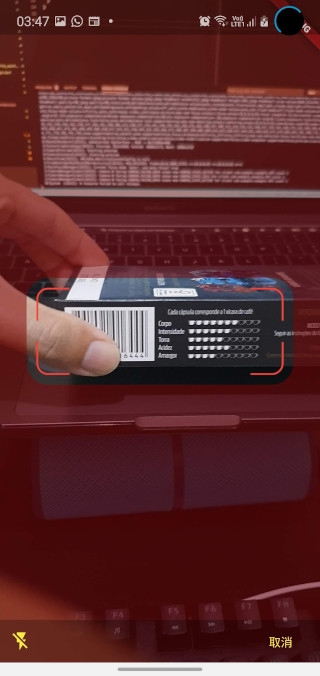
You can also customize the appearance of the barcode capture page:
// Open the barcode reading page. Customize the appearance, changing the
// viewfinder color, size and blinking speed. Returned data will be null
// if Cancel button is pressed, or if user navigates back
final data = await Barras.scan(
  context,
  viewfinderHeight: 120,
  viewfinderWidth: 300,
  scrimColor: Color.fromRGBO(128, 0, 0, 0.5),
  borderColor: Colors.red,
  borderRadius: 24,
  borderStrokeWidth: 2,
  buttonColor: Colors.yellow,
  borderFlashDuration: 250,
  cancelButtonText: "取消",
  successBeep: false,
);
You can check a working example app in the example folder.
依賴清單 5 項
{"sdk":"flutter"}^1.0.2^2.0.1^1.0.0{"sdk":"flutter"}先依使用情境篩選,再比較專案活躍情況,最後到原始儲存庫確認使用要求。
“A repository is the most basic element of GitHub.”
GitHub Docs — About repositories ↗