
flutter-quizstar
這是一個帶有計時器的Flutter測驗應用
- 星標
- 219
- 分支
- 74
- 最近推送(UTC)
- 2022年1月12日
- 專案狀態
- 未封存
原始 README
以下為英文專案原文快照,最新內容請造訪 GitHub。
Quizstar !
This is a Complete Quiz App in FLUTTER using a lot of features such as
-
Multiple Screens
-
Timer (30 sec By Default)
-
Button Color Changes On Click
-
Result Page
-
Questions From JSON
-
Random Questions Genration Added
And a lot more...
Watch The Complete Tutorial Here
In English
In Hindi
Star It And Play With The Code
Here Are A Few Screenshots From The App
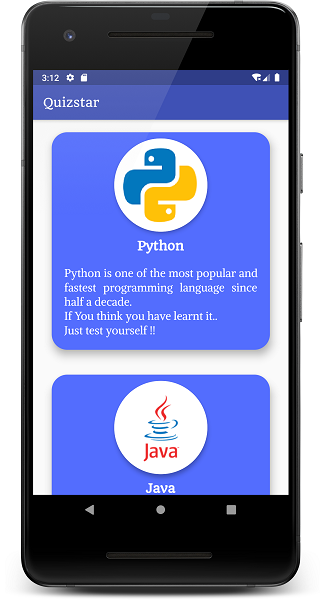
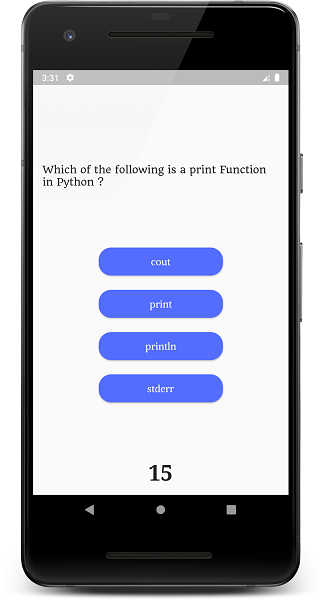
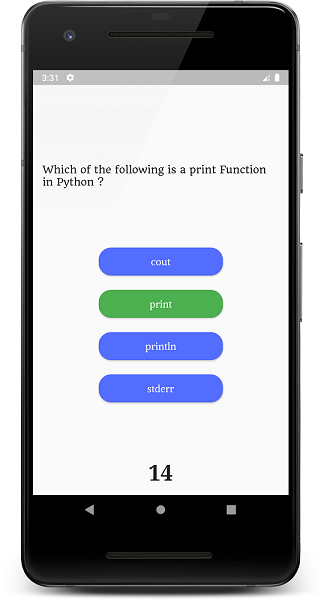
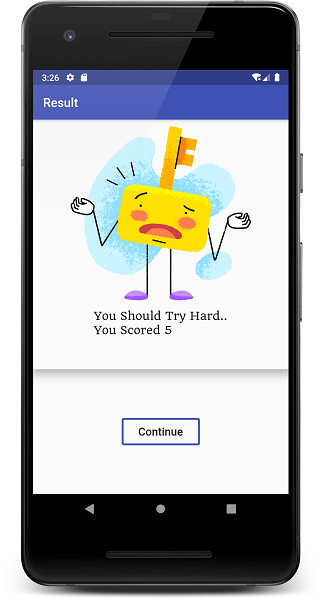
Latest Commit
- Migrated To AndroidX
- Added Array Random Generation By Default as Most Of You Were Asking This
Changelog/Commit 01
-
Updated Descriptions
-
Added JSON Files to Open for Diffrent Cards / Languages
-
Fixed The Code for Checking Answers..
Changelog/Commit 02
- Updated Code To Pick Questions Randomly
  // extra variable to iterate
  int j = 1;
  // to create the array elements randomly use the dart:math Module
  // --- CODE ---
  // ----- USE THIS IS CODE IF YOU WANT TO GENERATE ARRAY RANDOMLY -----

    // import 'dart:math';
    //   var random_array;
    //   var distinctIds = [];
    //   var rand = new Random();
    //     for (int i = 0; ;) {
    //     distinctIds.add(rand.nextInt(10));
    //       random_array = distinctIds.toSet().toList();
    //       if(random_array.length < 10){
    //         continue;
    //       }else{
    //         break;
    //       }
    //     }
    //   print(random_array);

  var random_array = [1, 6, 7, 2, 4, 10, 8, 3, 9, 5];
- Changed Button Click Timer To 1 Second ( 2 sec Earlier )
Timer(Duration(seconds: 1), nextquestion);
- Many Asked How To Increase And Decrease timer Timer ! Just Change The Timer Variable's Value
int timer = 30;
Changelog/Commit 03
- Migrated To AndroidX
- Added Array Random Generation By Default as Most Of You Were Asking This
Changelog/Commit 04
-
Solved An Issue Of Cheating LoopHole : https://github.com/desi-programmer/flutter-quizstar/issues/2
-
Disabled Multiple Button Pressed After Answering
Changelog/Commit 05
Coming Soon

GitHub 作者
Prince ↗
語言DartKotlinSwiftObjective-C
使用的依賴
依賴清單 3 項
- flutter
{"sdk":"flutter"} - cupertino_icons
^0.1.2 - flutter_test開發依賴
{"sdk":"flutter"}
所在榜單
如何選擇適合專案的儲存庫?
先依使用情境篩選,再比較專案活躍情況,最後到原始儲存庫確認使用要求。
- 透過儲存庫名稱、作者或描述搜尋,再依技術分類縮小範圍。
- 綜合星標、分支與最近推送比較專案;星標反映社群關注,不保證品質。
- 使用前在 GitHub 確認 README、授權條款與 Issues。
來源與維護
“A repository is the most basic element of GitHub.”
GitHub Docs — About repositories ↗