
simutil
用於 Android 模擬器、iOS 模擬器和實體裝置的工具:從桌面應用程式、TUI 與 CLI 啟動、串流、控制、錄製與自動化它們

- 星標
- 1201
- 分支
- 137
- 最近推送(UTC)
- 2026年10月26日
- 專案狀態
- 未封存
原始 README
以下為英文專案原文快照,最新內容請造訪 GitHub。

SimUtil
Everyday utilities for Android emulators, iOS simulators and real devices
Launch, stream, control, record, test and clean up, from one desktop app or the command line.


Mobile development means juggling Android Studio, Xcode, adb, simctl,
scrcpy and a pile of scripts just to get a device up and look at it.
SimUtil puts those chores in one place, without opening an IDE:
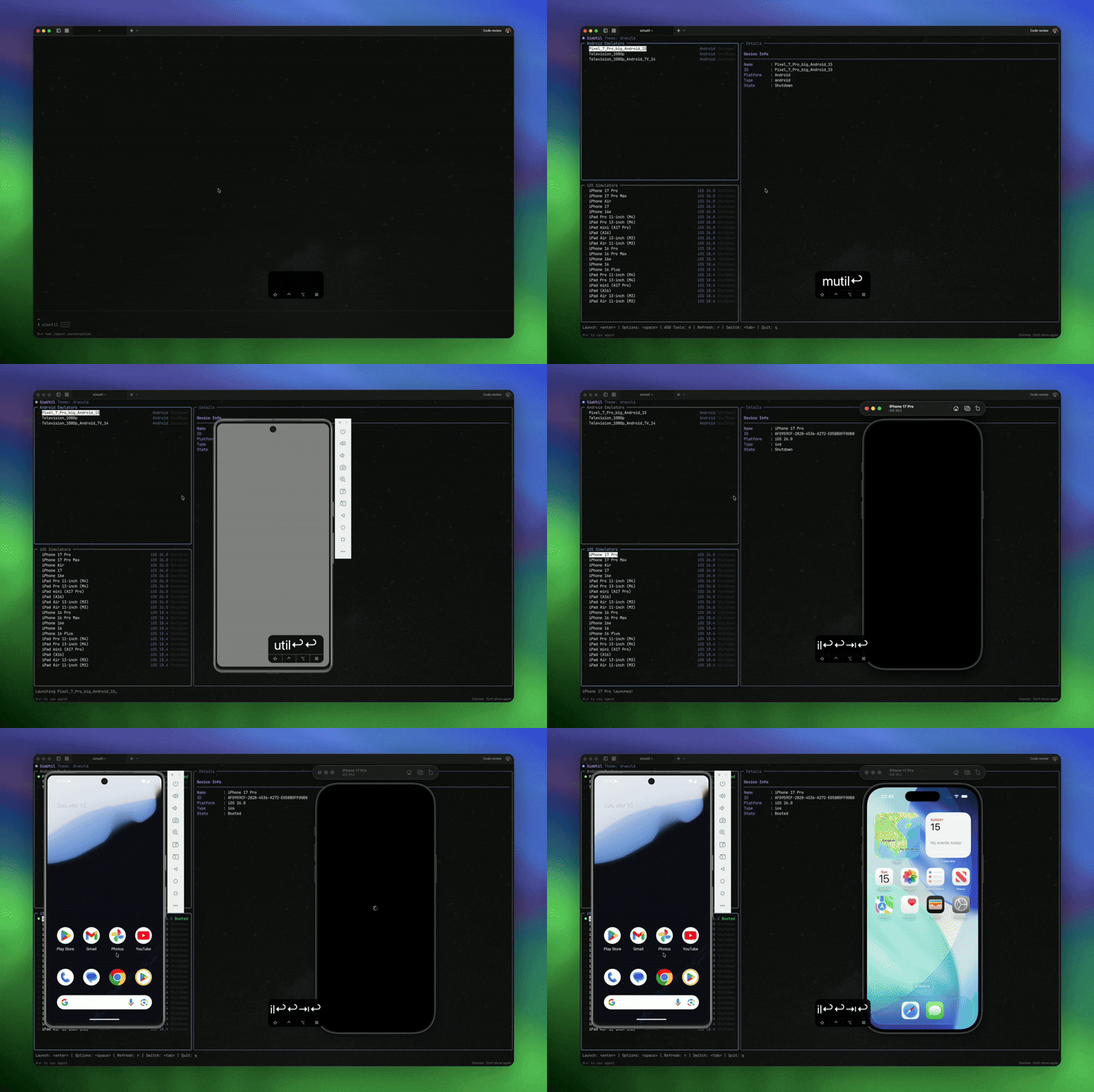
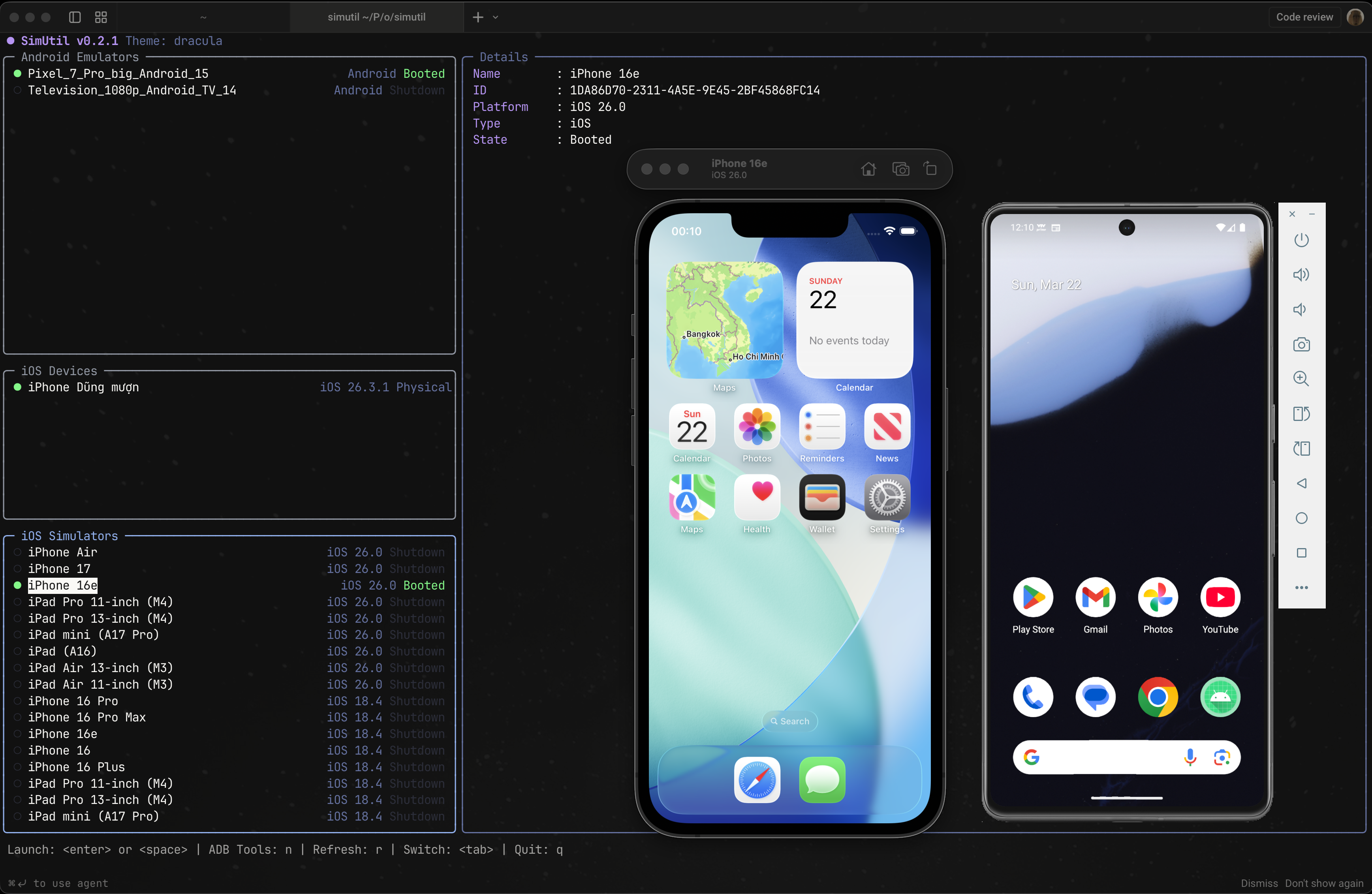
- SimUtil Desktop — stream and control many devices side by side (emulators, simulators, real Android phones and real iPhones / iPads), record them, run scenarios across them, and let AI agents drive them over MCP.
simutilCLI — list, launch and shut down devices, connect over Wi-Fi, read Logcat and run your own tools from scripts or the terminal.- Dart packages — the same device services (
adb,simctl,devicectl) as libraries for your own tooling.
Runs on macOS, Linux and Windows. iOS features need macOS (Xcode).
https://github.com/user-attachments/assets/b0463741-6d31-496d-99a8-264a5e69457a
Utilities
| Utility | Desktop | CLI | |
|---|---|---|---|
| Devices | Start / stop emulators and simulators, headless or with their window | ✓ | ✓ |
| Android launch options: cold boot, no audio | ✓ | ✓ | |
| Wipe data or delete an emulator / simulator | ✓ | ||
| Slim iOS simulators (about 1 GB of memory instead of 4 GB) | ✓ | ||
| Stream & control | Many devices side by side, grid or spotlight layout | ✓ | |
| Real Android phones over USB or Wi-Fi | ✓ | ||
| Touch, swipe, navigation buttons and keyboard typing on every stream | ✓ | ||
| Real iPhones / iPads connected by USB: device frame, screenshots, recording with sound (view only, macOS) | ✓ | ||
| Built-in scrcpy server, no separate install | ✓ | ||
| Connect | Wireless ADB by QR code, pairing code or IP | ✓ | ✓ |
| Capture | Screenshot one device or the whole grid | ✓ | |
| Record one device or the whole grid (native 60 fps on macOS) | ✓ | ||
| Apps | Install by dropping an .apk / .app / .ipa on a device |
✓ | |
| Convert an iPhone build so it runs on a simulator (Apple Silicon) | ✓ | ||
| Test & automate | Scenario studio: YAML steps (tap by label, swipe, type, assert) on many devices at once | ✓ | |
| MCP server for Claude Code, Codex, Cursor, Gemini CLI, VS Code | ✓ | ||
| JSON output and a full command schema for scripts and agents | ✓ | ||
| Debug | Logcat with filtering | ✓ | |
| Custom tools (scrcpy, Maestro, scripts) as YAML plugins | ✓ | ||
| Clean up | Clear Xcode DerivedData after a size preview (macOS) | ✓ | ✓ |
Install
SimUtil Desktop
Installers are on the releases page
(app-v* tags). The app updates itself in place from where you installed it.
macOS (Monterey or later; pulls in adb and ffmpeg):
brew update
brew tap dungngminh/simutil
brew install --cask simutil-desktop
Or download SimUtil-macos.dmg and drag SimUtil into Applications.
Windows: run SimUtil-windows-x64-setup.exe from the
latest desktop release.
The installer offers to install Android platform-tools and FFmpeg.
Linux (x86_64 AppImage; installs adb, ffmpeg and FUSE, re-run to update):
curl -fsSL https://raw.githubusercontent.com/dungngminh/simutil/main/app/packaging/linux/install.sh | bash
More, including the MCP tool list: app/README.md.
simutil CLI
# macOS / Linux
curl -fsSL https://raw.githubusercontent.com/dungngminh/simutil/main/install.sh | bash

# Homebrew
brew tap dungngminh/simutil && brew install simutil

# pub.dev
dart pub global activate simutil
Windows (PowerShell):
powershell -ExecutionPolicy Bypass -Command "iwr -useb https://raw.githubusercontent.com/dungngminh/simutil/main/install.ps1 | iex"
simutil upgrade updates it the same way you installed it. simutil checks for
a new release at most once a day; set SIMUTIL_NO_UPDATE_CHECK=1 to turn that off.
CLI usage
simutil list -v                    # devices on every platform, grouped
simutil list --json                # for scripts and agents
simutil launch <device-id>         # boot (alias: start)
simutil launch <id> -c --no-audio  # cold boot, no audio (Android)
simutil launch <id> --headless     # no emulator window / Simulator app
simutil shutdown <device-id>       # alias: stop
simutil wipe <device-id>           # erase data of a shut-down device (asks y/N)
simutil delete <device-id> -y      # delete it; -y skips the prompt
simutil android device list -r     # running adb devices only
simutil plugin run scrcpy mirror -d emulator-5554
simutil schema                     # every command as JSON, for agents
Run simutil with no arguments for an interactive device picker with ADB
tools, Logcat and plugins. simutil <command> --help lists each command's flags.
Plugins
Wire external tools (scrcpy, Maestro, your own scripts) to a device in
~/.simutil/settings.yaml, no code changes needed:
plugins:
  - id: scrcpy
    label: scrcpy
    availability:
      command: scrcpy
      args: [--version]
    commands:
      - id: mirror
        label: Screen Mirror
        command: scrcpy
        args: [-s, "{device.id}"]
        platforms: [android]
        requires_running: true
Full reference: docs/plugins.md.
Supported platforms
| Host OS | Android emulators & devices | iOS simulators & devices |
|---|---|---|
| macOS | Yes | Yes (requires Xcode) |
| Linux | Yes | No |
| Windows | Yes | No |
iOS support uses Apple's tools (xcrun simctl, xcrun devicectl), which only
exist on macOS. On Xcode 27+, a simulator opens in DeviceHub.app; earlier
versions use Simulator.app.
Packages
Monorepo (pub workspace); each package is versioned and published separately:
| Package | Contents |
|---|---|
app |
SimUtil Desktop: multi-device streaming, recording, scenarios, MCP server |
simutil |
The simutil CLI |
simutil_core |
Models, CommandExec, DeviceService |
simutil_adb |
Android: devices, wireless ADB, scrcpy session, Logcat |
simutil_apple |
Apple: simulators, physical devices, Xcode cache |
simutil_plugins |
YAML plugin catalog and runner |
simutil_shared |
Shared app layer: settings, app state, changelog |
simutil_h264 |
Native H.264 decoding into Flutter textures |
Contributing
git clone https://github.com/dungngminh/simutil.git
cd simutil
flutter pub get              # whole workspace, desktop app included
dart run melos run check     # analyze + Dart and Flutter tests
cd app && flutter run -d macos
Fork, branch, open a Pull Request. Architecture notes: docs/ai/architecture.md.
License
MIT — see LICENSE

Dzung Nguyen Minh ↗
分類
使用的依賴
依賴清單 1 項
- melos開發依賴
^8.3.0
所在榜單
如何選擇適合專案的儲存庫?
先依使用情境篩選,再比較專案活躍情況,最後到原始儲存庫確認使用要求。
- 透過儲存庫名稱、作者或描述搜尋,再依技術分類縮小範圍。
- 綜合星標、分支與最近推送比較專案;星標反映社群關注,不保證品質。
- 使用前在 GitHub 確認 README、授權條款與 Issues。
來源與維護
“A repository is the most basic element of GitHub.”
GitHub Docs — About repositories ↗