

v1.1.4
pdf_flutter
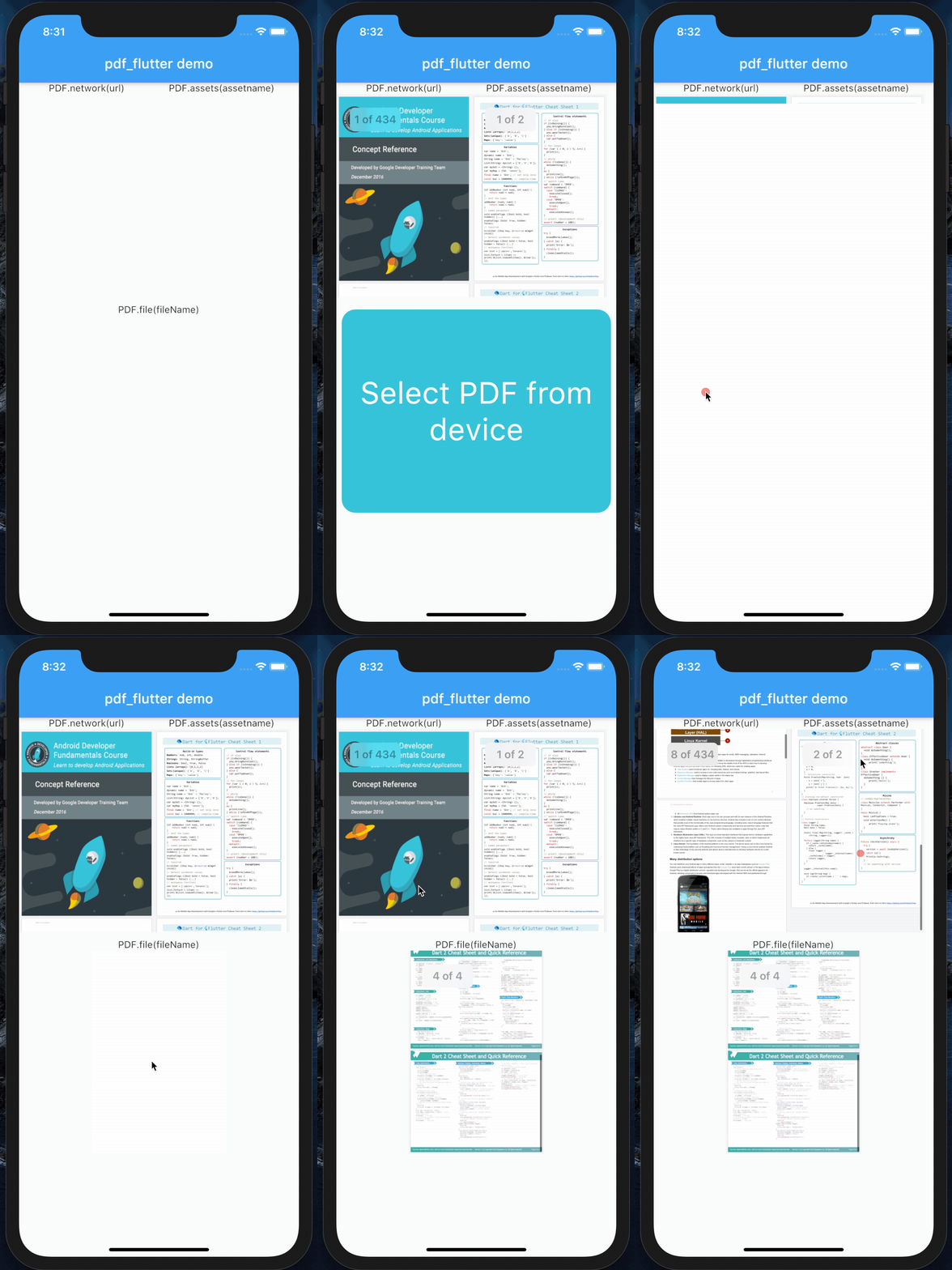
像在Flutter Widget中顯示圖像一樣,輕鬆地從網路、檔案和資源中顯示PDF。
71喜歡 39近 30 天下載40Pub 分數
平台暫無資料
用於顯示PDF的Flutter小部件

以下為英文專案原文快照,最新內容請造訪 GitHub。

Inspired by Pdf_Viewer_Plugin 😇 Wrapped around AndroidPdfViewer on Android. 🙏🏼
pdf_flutteron pubspec.ymldependencies:
pdf_flutter: ^version
Add this on ios/Runner/info.plist:
    <key>io.flutter.embedded_views_preview</key>
    <true/>
    PDF.network(
            'https://raw.githubusercontent.com/FlutterInThai/Dart-for-Flutter-Sheet-cheet/master/Dart-for-Flutter-Cheat-Sheet.pdf',
            height: 500,
            width: 300,
            maxAndroidZoom: widget.maxAndroidZoom,
            midAndroidZoom: widget.midAndroidZoom,
            minAndroidZoom: widget.minAndroidZoom,
    )
    File fileName;
    PDF.file(
        fileName,
        height: 200,
        width: 100,
        maxAndroidZoom: widget.maxAndroidZoom,
        midAndroidZoom: widget.midAndroidZoom,
        minAndroidZoom: widget.minAndroidZoom,
    )
    PDF.assets(
        "assets/pdf/demo.pdf",
        height: 200,
        width: 100,
        maxAndroidZoom: widget.maxAndroidZoom,
        midAndroidZoom: widget.midAndroidZoom,
        minAndroidZoom: widget.minAndroidZoom,
    )
Here are the steps to fix:
    1. Add proguard-rules.pro file if its not already there

    2. Inside of the proguard-rules.pro file put this:
        -keep class com.shockwave.**
        -keepclassmembers class com.shockwave.** { *; }

    3.In app/build.gradle add this:

        shrinkResources true
        minifyEnabled true
        proguardFiles getDefaultProguardFile('proguard-android.txt'), 'proguard-rules.pro'
依賴清單 6 項
{"sdk":"flutter"}^3.3.0^0.13.4^2.0.9{"sdk":"flutter"}^1.11.0先依使用情境篩選,再比較專案活躍情況,最後到原始儲存庫確認使用要求。
“A repository is the most basic element of GitHub.”
GitHub Docs — About repositories ↗