v6.0.1
firebase_crashlytics
Firebase Crashlytics 的 Flutter 插件。它會將未捕獲的錯誤報告至 Firebase 控制台。
1330喜歡 247萬近 30 天下載160Pub 分數
AndroidiOSmacOS
一款移動版井字棋遊戲

以下為英文專案原文快照,最新內容請造訪 GitHub。
A mobile game built in Flutter. You can find it published on stores:
This game was built using the game_template
that you'll find in github.com/flutter/samples.
Note: The name of the game in app stores is "Tic Tac Toe Puzzle Game". Because that's what it is, and because every other variation of "Tic Tac Toe" is already taken.
To make it easier for everyone to play with the sample, it's currently published as a web demo, too, in two versions:
To run the app in debug mode:
flutter run
Code is organized in a loose and shallow feature-first fashion.
In lib/src, you'll therefore find directories such as ads, ai, audio
or main_menu. Nothing fancy, but usable.
The state management approach is intentionally low-level. That way, it's easy to
take this project and run with it, without having to learn new paradigms, or having
to remember to run flutter pub run build_runner watch. You are,
of course, encouraged to use whatever paradigm, helper package or code generation
scheme to build on top of this project.
The following assumes using FVM. Just remove fvm from the commands if you
don't use FVM for Flutter version management.
To build and publish to github.io:
fvm flutter pub global run peanut \
--web-renderer canvaskit \
--extra-args "--base-href=/tictactoe/" \
&& git push origin --set-upstream gh-pages
To build the app for iOS (and open Xcode when finished):
fvm flutter build ipa --bundle-sksl-path warmup_2022-05-12_ios.sksl.json && open build/ios/archive/Runner.xcarchive
To build the app for Android (and open the folder with the bundle when finished):
fvm flutter build appbundle --bundle-sksl-path warmup_2024-01-30_android_pixel5.sksl.json && open build/app/outputs/bundle/release
To update the warmup_2022-04-27_xxx.sksl.json files used in the commands above,
use the official SkSL shader warmup guide.
The game, despite being simple, uses shaders all over the place for the "drawing ink" effect. In my testing, the performance is fine on most reasonable devices, but why not make it even better?
Note: You can remove the --bundle-sksl-path warmup_xxx.json part
of the commands above if you're in a place where you care more about
development speed than performance. For example, when you need a quick
turnaround for some testing and can't be bothered to manually
re-capture the shaders.
Updating the launcher icon:
fvm flutter pub run flutter_launcher_icons
Firebase Crashlytics 的 Flutter 插件。它會將未捕獲的錯誤報告至 Firebase 控制台。
一個用於應用內購買的 Flutter 外掛程式。透過 App Store 和 Google Play 暴露應用內購買的 API。
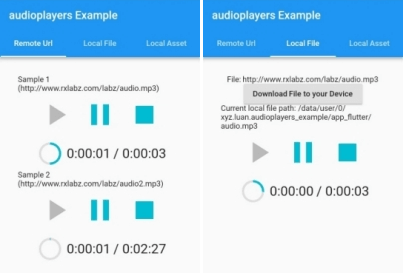
一個用於同時播放多個音訊檔案的 Flutter 插件
Google 移動廣告的 Flutter 插件,支援橫幅、插頁式(全螢幕)、獎勵式及原生廣告
一個支援 Game Center 和 Google Play 遊戲服務的新 Flutter 插件。
依賴清單 16 項
{"sdk":"flutter"}^5.1.0^1.0.2^13.1.0^1.1.0^6.0.2^2.0.13^2.1.1^3.0.3^4.0.0^4.0.0^3.0.1{"sdk":"flutter"}^0.13.1^3.0.1^1.19.0先依使用情境篩選,再比較專案活躍情況,最後到原始儲存庫確認使用要求。
“A repository is the most basic element of GitHub.”
GitHub Docs — About repositories ↗