

v1.2.0
flutter_asset_generator
透過掃描 pubspec.yaml 中定義的資源,產生資源檔案,模擬 R 檔案的簡短名稱。
112喜歡 8200近 30 天下載130Pub 分數
AndroidiOSmacOSWindowsLinux
產生一個R檔案以映射所有資產。支援影像預覽。

以下為英文專案原文快照,最新內容請造訪 GitHub。
English | 中文文档
Automatically generate the dart file for pubspec.yaml
The purpose of this library is to help flutter developers automatically generate asset corresponding dart files to help developers release their hands from this meaningless job, and the open source community has a lot of the same functionality.
This library is based on dartlang's build library.
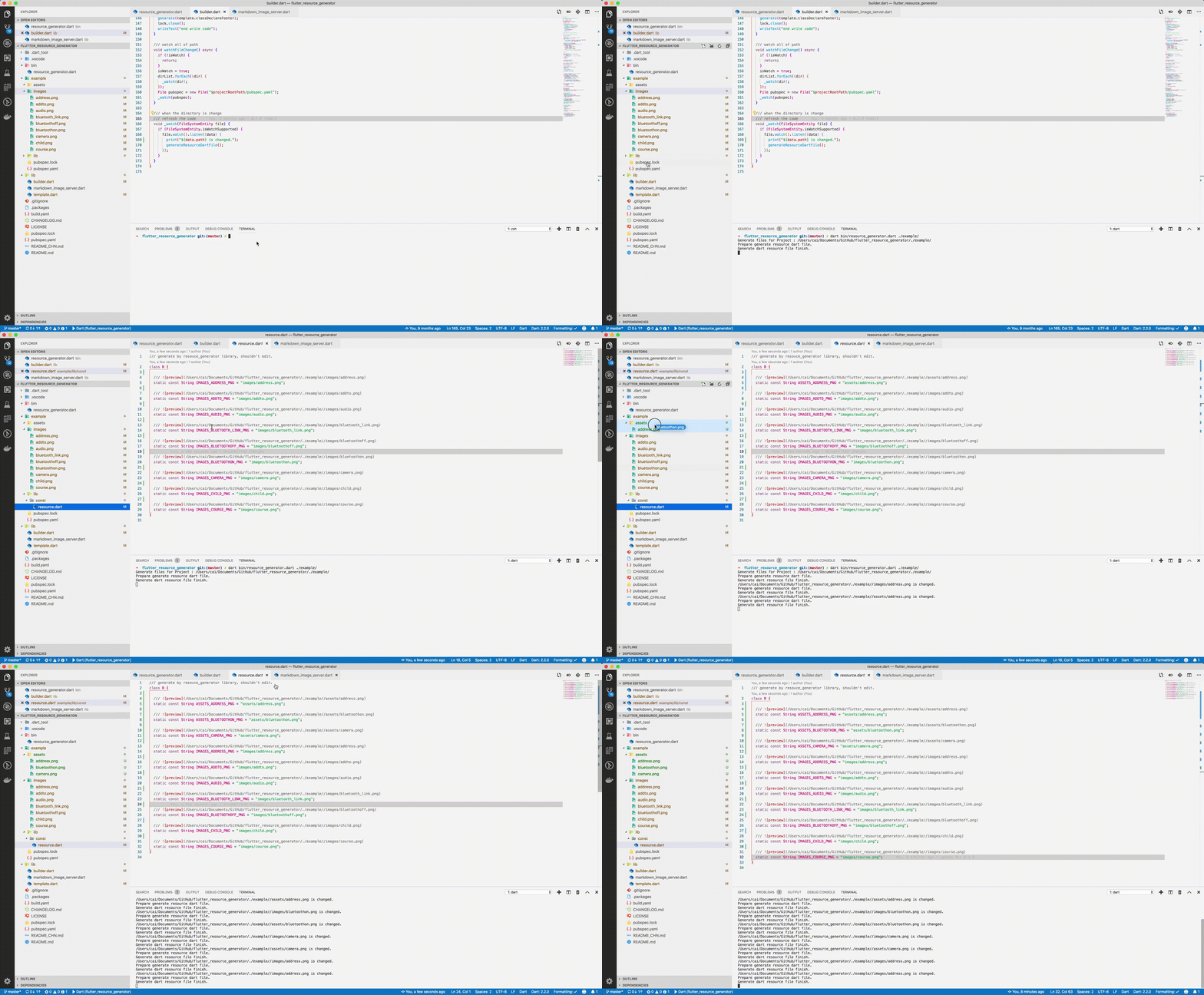
Add dart to your $PATH environment.
git clone https://github.com/fluttercandies/flutter_asset_generator
cd flutter_asset_generator
dart pub get
dart bin/asset_generator.dart $flutter_project
dart pub global activate flutter_asset_generator

# or

dart pub global activate -s git https://github.com/fluttercandies/flutter_asset_generator.git
fgen
or
fgen -s $flutter_projectUse $ fgen -h or $ fgen --help see usage document.
fgen -h
-w, --[no-]watch    Continue to monitor changes after execution of orders.
                    (defaults to on)

-p, --[no-]preview  Generate file with preview comments.
                    (defaults to on)

-o, --output        Your resource file path.
                    If it's a relative path, the relative flutter root directory
                    (defaults to "lib/const/resource.dart")

-s, --src           Flutter project root path
                    (defaults to ".")

-n, --name          The class name for the constant.
                    (defaults to "R")

-h, --[no-]help     Help usage

-d, --[no-]debug    debug info
Space, '.' and '-' in the path will be converted to _. @ will be converted to _AT_.
convert filed name example:
images/1.png => IMAGES_PNG
images/hello_world.jpg => IMAGES_HELLO_WORLD_JPG
images/hello-world.jpg => IMAGES_HELLO_WORLD_JPG
Errors will occur in the following situations:
images/
├── main_login.png
├── main/
    ├── login.png
Because the two field names will be exactly the same.
The location of the configuration file is conventional.
Configuration via commands is not supported.
The specified path is fgen.yaml in the flutter project root directory.
Install YAML Support plugin.
Config your vscode settings.json file.
It can be used to prompt the configuration file.
{
  "yaml.schemas": {
    "https://raw.githubusercontent.com/fluttercandies/flutter_asset_generator/master/fgen_schema.json": ["fgen.yaml"]
  }
}
The file is yaml format, every element is glob style.
The name of the excluded file is under the exclude node, and the type is a string array. If no rule is included, it means no file is excluded.
The include node is the name of the file that needs to be imported, and the type is a string array. If it does not contain any rules, all file are allowed.
In terms of priority, exclude is higher than include, in other words:
First import the file according to the include nodes, and then exclude the files.
File names can be replaced according to the configuration file as shown below:
replace:
  - from: “
    to:
  - from: ”
    to:
  - from: ’
    to:
  - from: (
    to:
  - from: )
    to:
  - from: "!"
    to:
exclude:
  - "**/add*.png"
  - "**_**"

include:
  - "**/a*.png"
  - "**/b*"
  - "**/c*"
assets
├── address.png           # exclude by "**/add*.png"
├── address@at.png        # exclude by "**/add*.png"
├── bluetoothon-fjdfj.png
├── bluetoothon.png
└── camera.png

images
├── address space.png     # exclude by "**/add*.png"
├── address.png           # exclude by "**/add*.png"
├── addto.png             # exclude by "**/add*.png"
├── audio.png
├── bluetooth_link.png    # exclude by **_**
├── bluetoothoff.png
├── child.png
└── course.png
/// Generate by [asset_generator](https://github.com/fluttercandies/flutter_asset_generator) library.
/// PLEASE DO NOT EDIT MANUALLY.
class R {
const R._();
/// 
static const String ASSETS_BLUETOOTHON_FJDFJ_PNG = 'assets/bluetoothon-fjdfj.png';
/// 
static const String ASSETS_BLUETOOTHON_PNG = 'assets/bluetoothon.png';
/// 
static const String ASSETS_CAMERA_PNG = 'assets/camera.png';
/// 
static const String IMAGES_AUDIO_PNG = 'images/audio.png';
/// 
static const String IMAGES_BLUETOOTHOFF_PNG = 'images/bluetoothoff.png';
/// 
static const String IMAGES_CHILD_PNG = 'images/child.png';
/// 
static const String IMAGES_COURSE_PNG = 'images/course.png';
}
Since version 1.1.0:
Next command config option also support in config file.
But the command line option has a higher priority than the config file.
watch: false
# watch: true

preview: false

output: lib/const/r.dart
# output: lib/const/resource.dart

name: RRR
先依使用情境篩選,再比較專案活躍情況,最後到原始儲存庫確認使用要求。
“A repository is the most basic element of GitHub.”
GitHub Docs — About repositories ↗