

 v5.3.0+3
dio_log
一個插件,可捕獲請求並在應用內檢視,提供請求複製和JSON展開等功能
61喜歡 418近 30 天下載140Pub 分數
AndroidiOSWebmacOSWindowsLinux
Dio網絡請求庫的log顯示外掛

以下為英文專案原文快照,最新內容請造訪 GitHub。

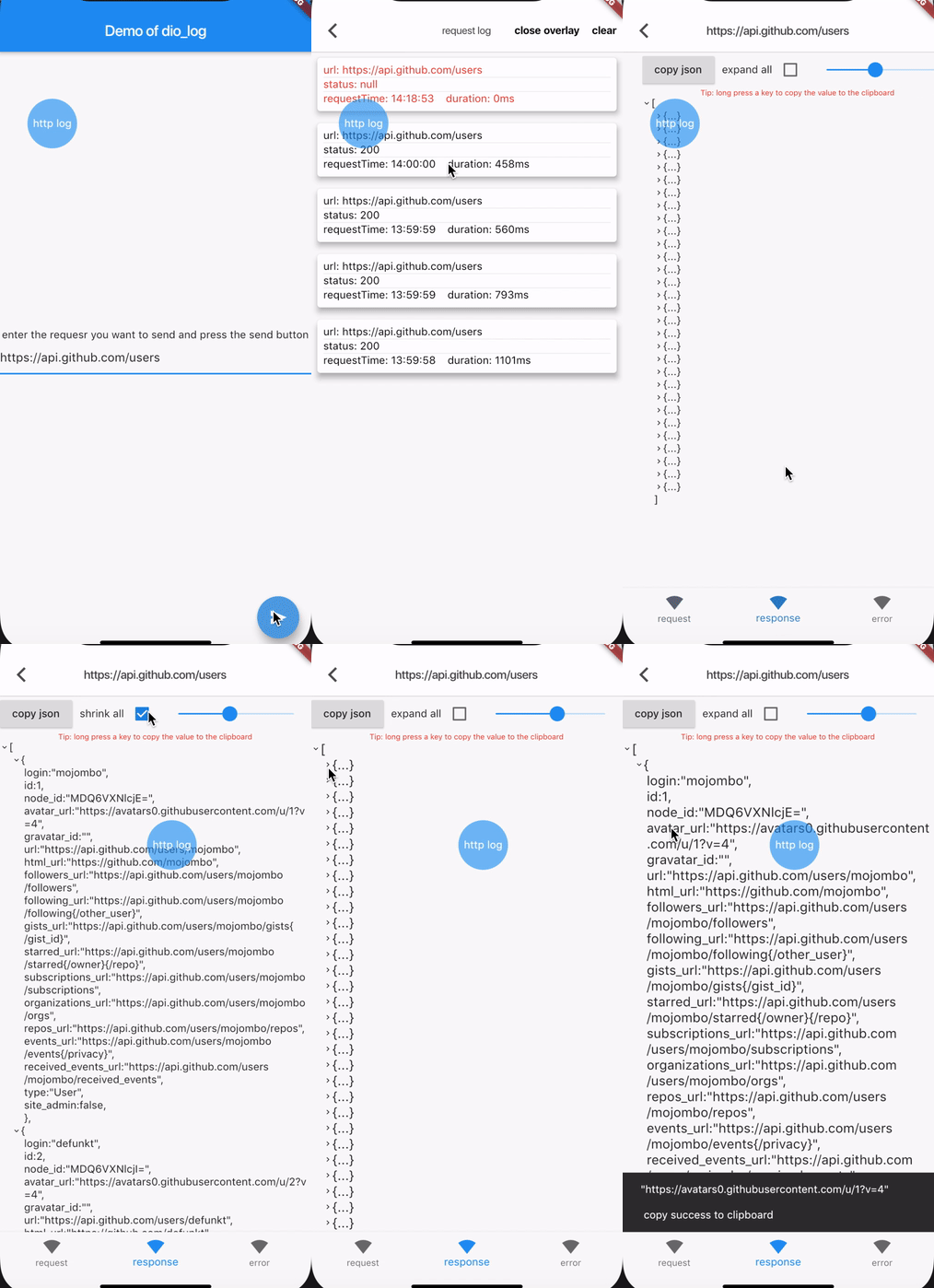
HTTP Inspector tool for Dart which can debugging http requests. Currently, DIO based HTTP capture is implemented. Of course, you can implement an Interceptor instead of a DiologInterceptor to adapt to other HTTP clients.
Add this to your package's pubspec.yaml file:
dependencies:
  dio_log: 5.3.0+1
dio.interceptors.add(DioLogInterceptor());
// Display overlay button
showDebugBtn(context, btnColor: Colors.blue);
// Cancel overlay button
dismissDebugBtn();
// Check overlay button state
debugBtnIsShow()
Navigator.of(context).push(
  MaterialPageRoute(
    builder: (context) => HttpLogListWidget(),
  ),
);
// Sets the maximum number of entries for logging
LogPoolManager.getInstance().maxCount = 100;
// Add custom error detection
LogPoolManager.getInstance().isError = (res) => res.resOptions==null;
// Disable Log Printing
DioLogInterceptor.enablePrintLog = false;
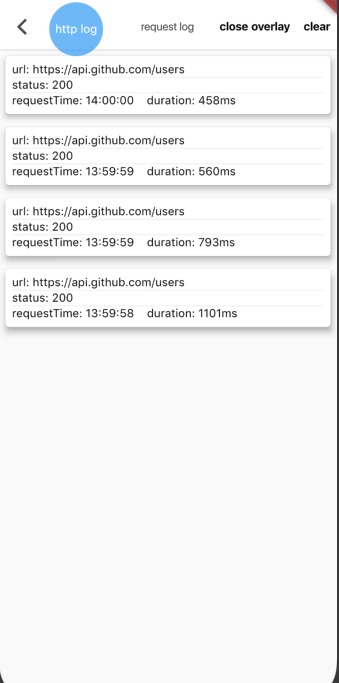
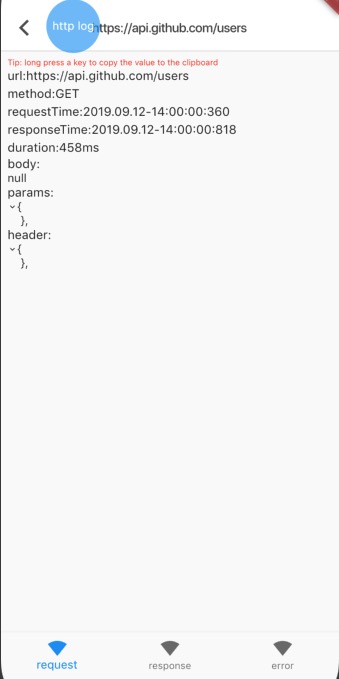
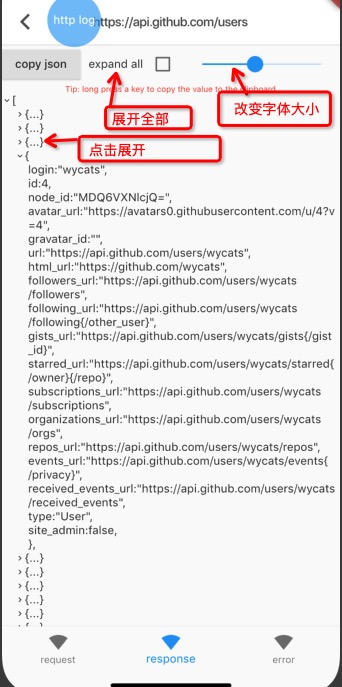

依賴清單 3 項
{"sdk":"flutter"}^5.3.0{"sdk":"flutter"}先依使用情境篩選,再比較專案活躍情況,最後到原始儲存庫確認使用要求。
“A repository is the most basic element of GitHub.”
GitHub Docs — About repositories ↗