

 v11.6.0
flutter_quill
一個為 Android、iOS、Web 和桌面平台打造的富文字編輯器。它是 Flutter 的 WYSIWYG 編輯器與 Quill 元件。
2160喜歡 35.5萬近 30 天下載150Pub 分數
AndroidiOSmacOSWindowsLinux
使用 Flutter 和 Appwrite 的 Google Docs 克隆版本

以下為英文專案原文快照,最新內容請造訪 GitHub。
This project is a demo application showing how to create a rich text editing experience, similar to Google Docs, using Flutter, Appwrite, and Flutter-Quill. This is meant to serve as a demo on how to use these tools. Please see the video tutorial for a step-by-step walkthrough. Beginner friendly 😎
Collaborate with other users on the same document in real-time.

Easily create and re-open documents. Everything is saved to your Appwrite database.

Easy authentication using Appwrite.

Packages used in this project.

Appwrite is an open-source alternative to Firebase and makes it possible to easily integrate authentication and add a backend database for your application. Appwrite also makes it possible to add real-time listeners to your database quickly.
Appwrite sponsored this project and tutorial
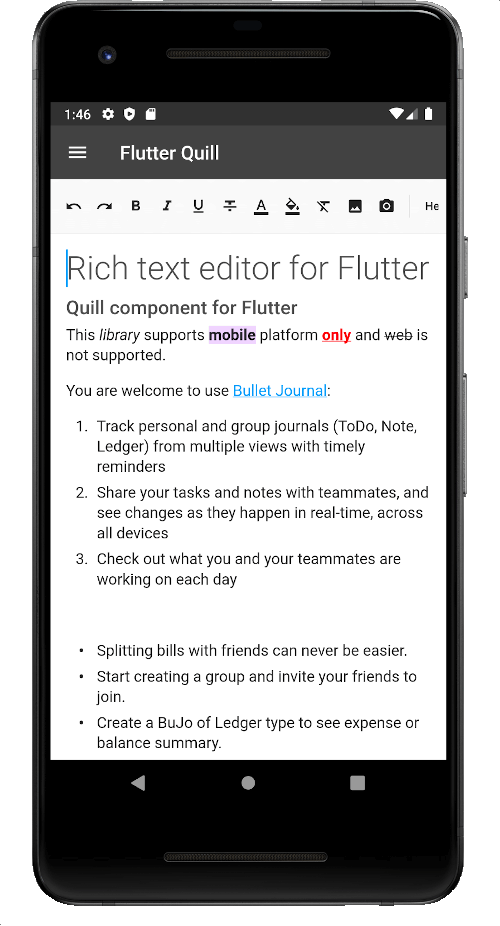
FlutterQuill is a rich text editor and a Quill component for Flutter. This package makes it easy to sync incremental changes to other editors (real-time changes).
Honorable Mentions: SuperEditor
Riverpod is an excellent choice for a state management solution in your Flutter application, and this tutorial demonstrates multiple scenarios where Riverpod truly shines. If you've not used it before, this project may change your mind. The video tutorial highlights numerous excellent features and demos how to structure and organize your providers.
Routemaster simplifies the complexity of Flutter's 2.0 Navigator. This project creates two separate route maps:
Riverpod, and the authentication state from Appwrite, determine which routes to allow.
Equatable: A Dart package that helps implement value-based equality without needing to explicitly override == and hashCode.
The project is split into multiple sections to make the tutorial easy to follow.
For a complete step-by-step guide, see: https://youtu.be/0_GJ1w_iG44
For the most up-to-date code: see the master branch.
The tutorial sections are extracted as dedicated branches on Github, meaning you can easily follow along and always have the latest code before starting new sections.
一個為 Android、iOS、Web 和桌面平台打造的富文字編輯器。它是 Flutter 的 WYSIWYG 編輯器與 Quill 元件。
Appwrite 是一個開源的自託管後端伺服器,透過非常簡單的 REST API 抽象並簡化複雜且重複的開發任務。
適用於 Web、行動裝置與桌面的易用 Flutter 路由器。基於 URL 的路由,簡單的標籤頁與巢狀路由導航。
依賴清單 11 項
{"sdk":"flutter"}^1.0.2^1.0.2^1.0.3^0.9.5^4.0.1^2.0.3^4.1.0^3.0.6{"sdk":"flutter"}^1.0.0先依使用情境篩選,再比較專案活躍情況,最後到原始儲存庫確認使用要求。
“A repository is the most basic element of GitHub.”
GitHub Docs — About repositories ↗