
 v0.7.7
drag_select_grid_view
支援透過拖曳和點按來選擇項目之網格。
171喜歡 1160近 30 天下載160Pub 分數
AndroidiOSWebmacOSWindowsLinux
一個支援拖曳和點擊選擇其項目之網格。

{"sdk":"flutter"}^1.18.0{"sdk":"flutter"}^6.0.0以下為英文專案原文快照,最新內容請造訪 GitHub。
Pub package CI workflow Awesome
A grid that supports both dragging and tapping to select its items.
Selecting
DragSelectGridView constructor is very similar to GridView.builder, so you should take your time to understand the latter before diving into this library.
Once you are familiar with GridView.builder, probably the only additional piece of information you'll need is DragSelectGridViewController. With it, you're able to know which indexes are selected.
Check this example:
class MyApp extends StatefulWidget {
  const MyApp({super.key});

  @override
  State<MyApp> createState() => _MyAppState();
}

class _MyAppState extends State<MyApp> {
  final controller = DragSelectGridViewController();

  @override
  void initState() {
    super.initState();
    controller.addListener(scheduleRebuild);
  }

  @override
  void dispose() {
    controller.removeListener(scheduleRebuild);
    super.dispose();
  }

  @override
  Widget build(BuildContext context) {
    return Scaffold(
      appBar: SelectionAppBar(
        selection: controller.value,
      ),
      body: DragSelectGridView(
        gridController: controller,
        itemCount: 20,
        itemBuilder: (context, index, selected) {
          return SelectableItem(
            index: index,
            selected: selected,
          );
        },
        gridDelegate: const SliverGridDelegateWithMaxCrossAxisExtent(
          maxCrossAxisExtent: 80,
        ),
      ),
    );
  }

  void scheduleRebuild() => setState(() {});
}
As you may have noticed in the code above, DragSelectGridView must be used along two other widgets in order to provide a proper user experience. In the example, they are:
SelectableItem: A selectable widget, which is going to visually indicate whether the item is selected or not.
SelectionAppBar: A custom AppBar, which shows the amount of selected items and an option to unselect them.
The example project provides some samples of those widgets. I won't add them to the library, since they are unrelated to the grid itself, but feel free to copy them into your project, as long as you respect the license terms.
You can use the setter DragSelectGridViewController.value to directly change the selection (I'm not quite sure why you'd need this, but I don't ask questions).
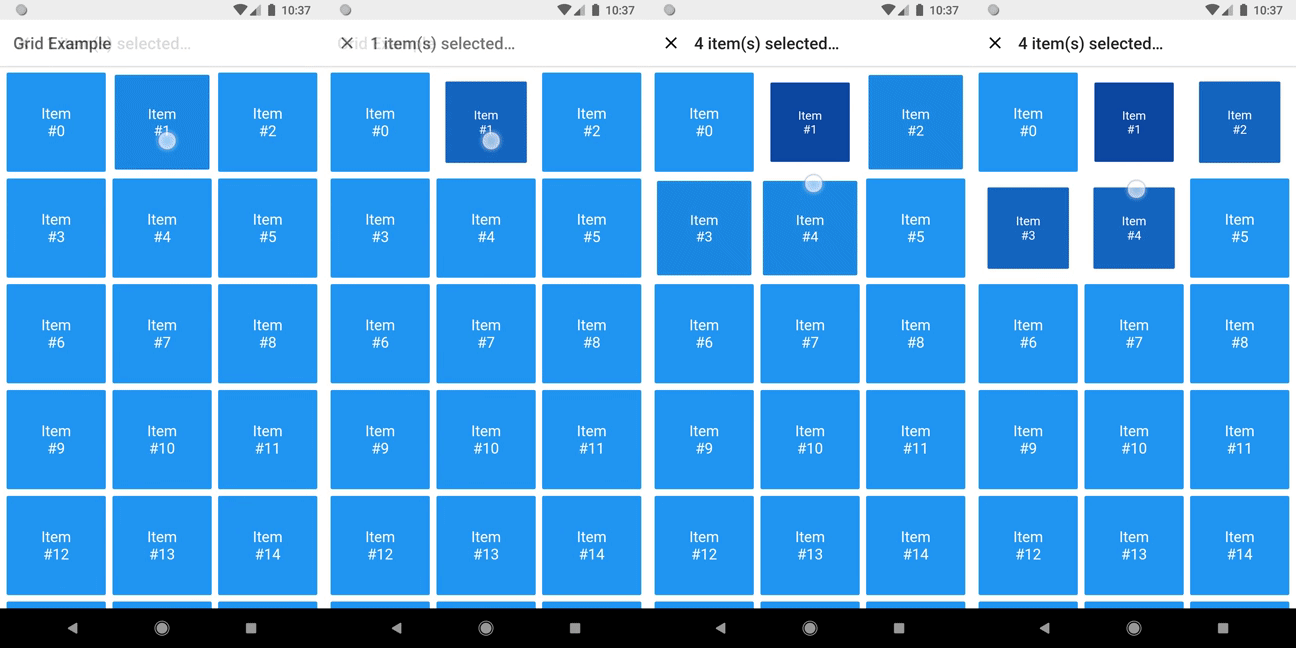
It allows this sort of interaction:
Directly changing selection
You can check the code here.
There are some other minor settings you can do to make DragSelectGridView fit your needs, like DragSelectGridView.autoScrollHotspotHeight. Those features are well documented, so I'll let you take your discovery time.
Hopefully, this is everything you need to know to use this library.
cd example
flutter create .
flutter run
Once upon a time I asked at Flutter Study Group how to implement a specific feature that I intended to add to this library. Simon Lightfoot offered to help me and effortlessly implemented what eventually became part of this library (check this gist). A big thanks to him.
I took a lot of inspiration from Aidan Follestad's Android implementation, drag-select-recyclerview. Also a big thanks to him.