
 v4.3.0
animated_text_kit
一個包含一組酷炫且美麗的文字動畫的 Flutter 套件專案。
5690喜歡 15.1萬近 30 天下載160Pub 分數
AndroidiOSWebmacOSWindowsLinux
編碼測驗將讓您的學習變得非常愉快。您不僅會在這裡學習,還會玩遊戲並學習。我們的測驗很有趣,能立刻激發您的知識潛能。
 v4.3.0
一個包含一組酷炫且美麗的文字動畫的 Flutter 套件專案。
受到 Animate.css 啟發的美觀動畫,提供可自訂的小部件動畫,無需外部依賴。
 v3.1.3
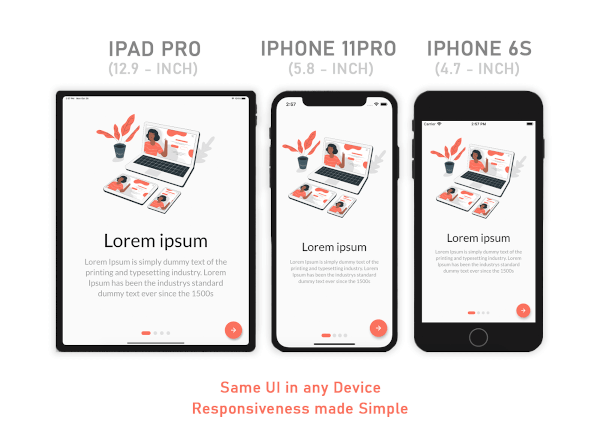
適用於行動裝置、網頁與桌面的響應式UI解決方案——讓適應性變得輕鬆無比。
在 Flutter 中檢測向上、向下、向左和向右滑動手勢的簡單方法。
依賴清單 16 項
{"sdk":"flutter"}^1.0.2^2.0.15^6.0.2^8.0.1^7.2.0^2.0.12^0.13.4^1.0.1^2.1.0^0.0.1^4.2.1^4.0.0^0.9.2^1.0.4{"sdk":"flutter"}以下為英文專案原文快照,最新內容請造訪 GitHub。
GitHub Workflow Status (branch) GitHub forks GitHub stars GitHub watchers GitHub contributors GitHub last commit GitHub top language
mockup
Besides the Flutter development setup on your computer, this project needs a
quizapi.io API key. The key is not stored in the repo — it is passed
in at build time and read via String.fromEnvironment:
flutter run   --dart-define=QUIZ_API_KEY=qa_sk_your_api_key
flutter build --dart-define=QUIZ_API_KEY=qa_sk_your_api_key
In VS Code, add it to .vscode/launch.json instead so you don't have to pass it every time:
{
  "configurations": [
    {
      "name": "code_quizzy",
      "request": "launch",
      "type": "dart",
      "toolArgs": ["--dart-define=QUIZ_API_KEY=qa_sk_your_api_key"]
    }
  ]
}
Without the key the app shows a "Missing API Key" screen rather than failing silently.
The app talks to the v1 API, which authenticates with an Authorization: Bearer <key> header
and returns its payloads inside a {success, data, meta} envelope. Topics are loaded at
runtime from GET /api/v1/categories, so the topic list never goes stale.
You've done entire steps correctly and I make sure that this project will have paramount effect on your progress learning Flutter