

v3.5.0
hooks_riverpod
一個反應式快取與資料繫結框架。Riverpod 讓處理非同步程式碼變得輕鬆自在。
932喜歡 70.1萬近 30 天下載150Pub 分數
AndroidiOSmacOSWindowsLinux
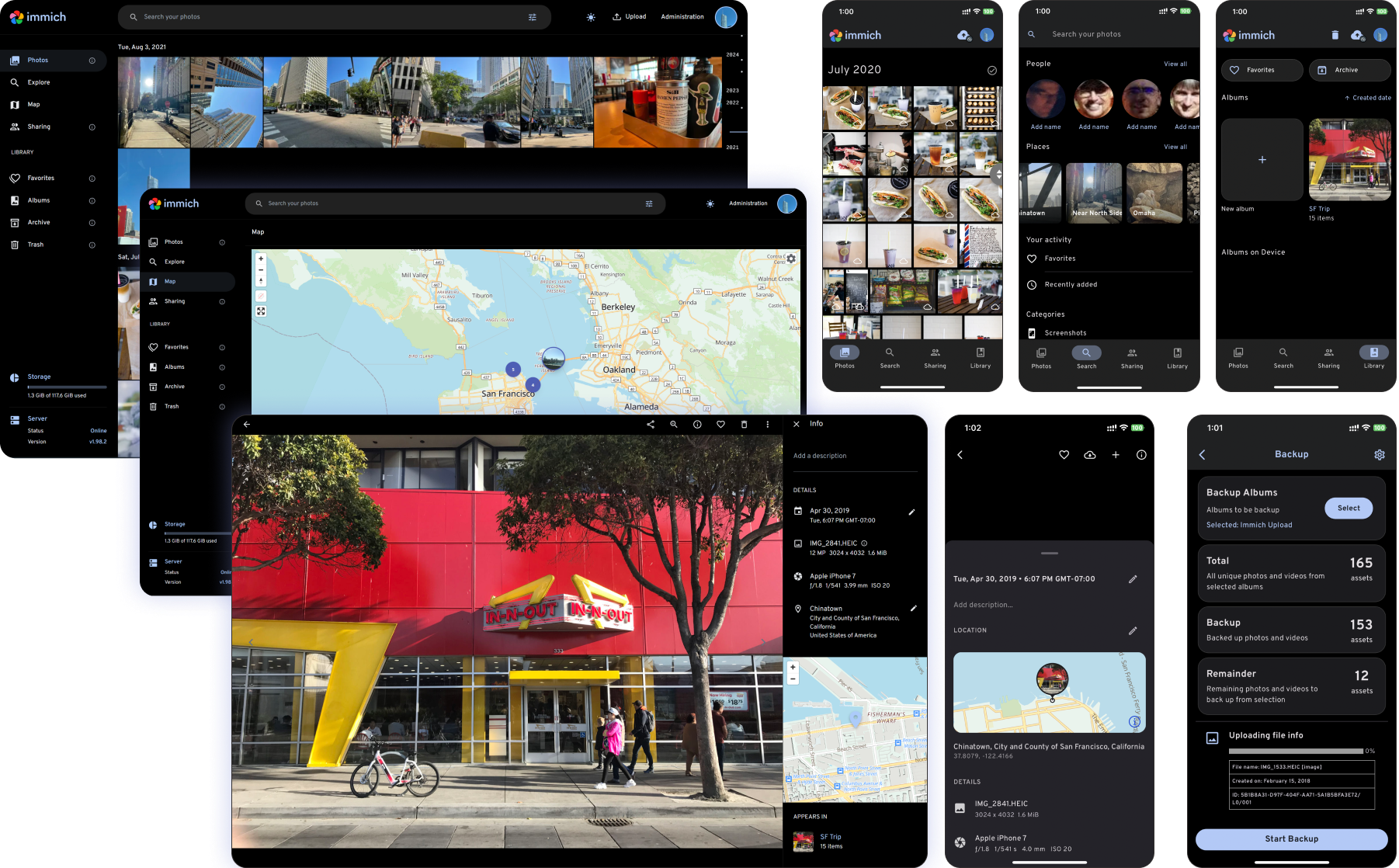
高性能自託管照片和影片管理解決方案。

以下為英文專案原文快照,最新內容請造訪 GitHub。


Català Español Français Italiano 日本語 한국어 Deutsch Nederlands Türkçe 简体中文 正體中文 Українська Русский Български Português Brasileiro Svenska العربية Tiếng Việt ภาษาไทย മലയാളം
[!WARNING] ⚠️ Always follow 3-2-1 backup plan for your precious photos and videos!
[!NOTE] You can find the main documentation, including installation guides, at https://immich.app/.
Access the demo here. For the mobile app, you can use https://demo.immich.app for the Server Endpoint URL.
| Password | |
|---|---|
| demo@immich.app | demo |
| Features | Mobile | Web |
|---|---|---|
| Upload and view videos and photos | Yes | Yes |
| Auto backup when the app is opened | Yes | N/A |
| Prevent duplication of assets | Yes | Yes |
| Selective album(s) for backup | Yes | N/A |
| Download photos and videos to local device | Yes | Yes |
| Multi-user support | Yes | Yes |
| Album and Shared albums | Yes | Yes |
| Scrubbable/draggable scrollbar | Yes | Yes |
| Support raw formats | Yes | Yes |
| Metadata view (EXIF, map) | Yes | Yes |
| Search by metadata, objects, faces, and CLIP | Yes | Yes |
| Administrative functions (user management) | No | Yes |
| Background backup | Yes | N/A |
| Virtual scroll | Yes | Yes |
| OAuth support | Yes | Yes |
| API Keys | N/A | Yes |
| LivePhoto/MotionPhoto backup and playback | Yes | Yes |
| Support 360 degree image display | No | Yes |
| User-defined storage structure | Yes | Yes |
| Public Sharing | Yes | Yes |
| Archive and Favorites | Yes | Yes |
| Global Map | Yes | Yes |
| Partner Sharing | Yes | Yes |
| Facial recognition and clustering | Yes | Yes |
| Memories (x years ago) | Yes | Yes |
| Offline support | Yes | No |
| Read-only gallery | Yes | Yes |
| Stacked Photos | Yes | Yes |
| Tags | No | Yes |
| Folder View | Yes | Yes |
Read more about translations here.


一個反應式快取與資料繫結框架。Riverpod 讓處理非同步程式碼變得輕鬆自在。
推薦用於 Flutter 應用程式、套件和外掛的程式碼檢查規則,以促進良好的程式設計習慣。
一個用於 Flutter 的 SVG 渲染和小部件庫,可讓您繪製和顯示可縮放向量圖形 1.1 檔案。
用於從 Android 和 iOS 圖像庫中選擇圖片,以及使用相機拍攝新照片的 Flutter 插件。
Flutter 插件,允許透過生物識別、密碼、PIN 碼或圖案進行本機驗證。
Flutter 插件,用於取得主機平台檔案系統中常見使用的目錄位置,例如暫存與應用程式資料目錄。
path_provider 插件的 iOS 與 macOS 實作
用於在 Flutter 與主機平台之間建立類型安全且更簡單的通訊之程式碼產生工具。
用於啟動 URL 的 Flutter 插件。支援網頁、電話、簡訊和電子郵件協定。
React hooks 的 Flutter 實作。它新增了一種具備增強程式碼重用功能的小部件類型。
Drift 是一個反應式庫,可用於在 Dart 和 Flutter 應用程式中儲存關聯資料。
適用於 drift 的開發相依性。包含產生器與開發工具。
先依使用情境篩選,再比較專案活躍情況,最後到原始儲存庫確認使用要求。
“A repository is the most basic element of GitHub.”
GitHub Docs — About repositories ↗