
 v1.0.0
boardview
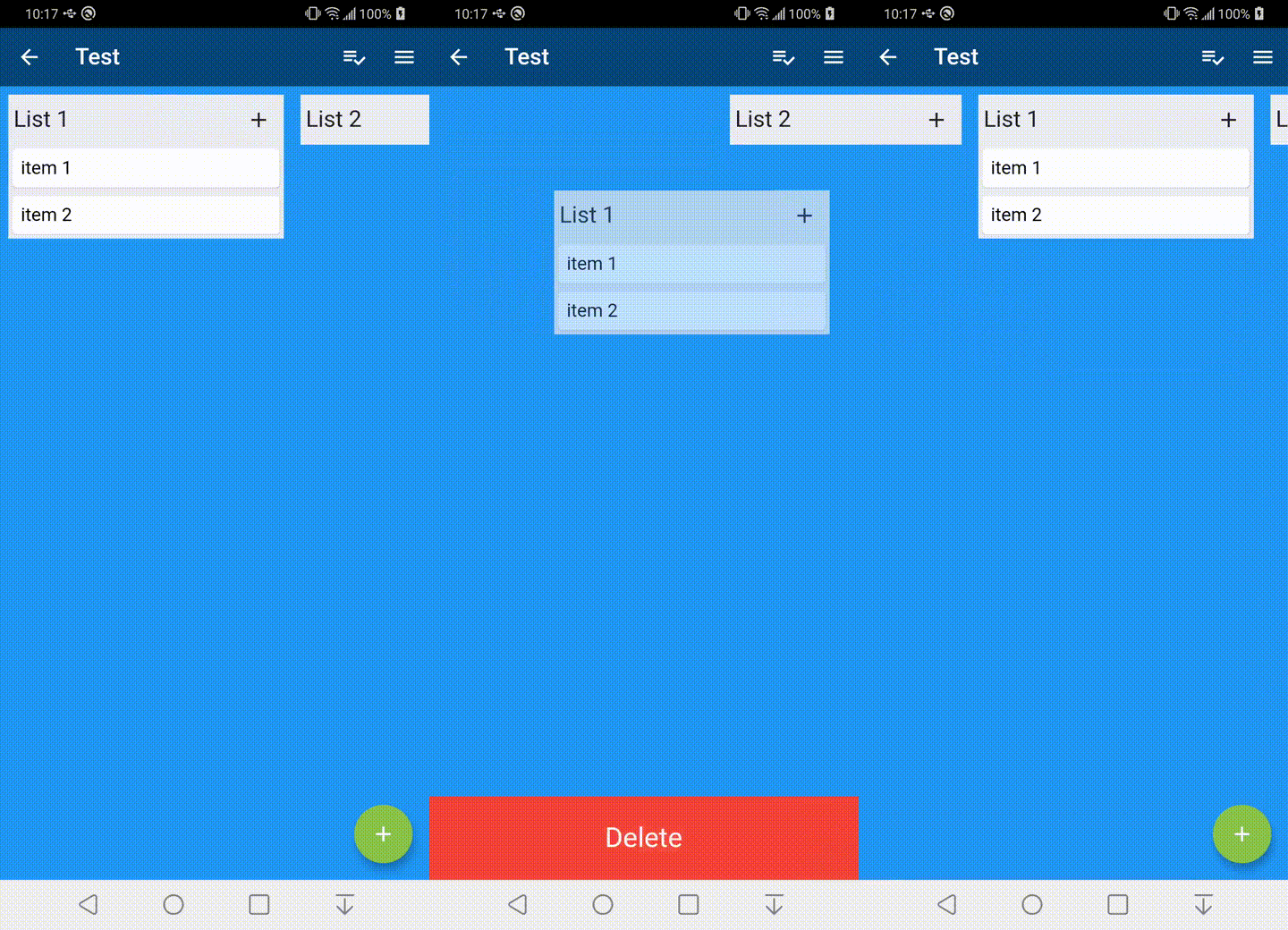
這是一個自訂的 Flutter 小部件,可建立可拖曳的 BoardView,亦稱為看板。此視圖可透過拖放進行重新排序。
146喜歡 3140近 30 天下載140Pub 分數
AndroidiOSWebmacOSWindowsLinux
用於 Flutter 框架的 BoardView。

{"sdk":"flutter"}^1.0.0{"sdk":"flutter"}以下為英文專案原文快照,最新內容請造訪 GitHub。
This is a custom widget that can create a draggable BoardView or also known as a kanban. The view can be reordered with drag and drop.
Just add boardview to the pubspec.yaml file.
To get started you can look inside the /example folder. This package is broken into 3 core parts
Example
The BoardView class takes in a List of BoardLists. It can also take in a BoardViewController which is can be used to animate to positions in the BoardView
BoardViewController boardViewController = new BoardViewController();

List<BoardList> _lists = List<BoardList>();

BoardView(
  lists: _lists,
  boardViewController: boardViewController,
);
The BoardList has several callback methods for when it is being dragged. The header item is a Row and expects a List as its object. The header item on long press will begin the drag process for the BoardList.
    BoardList(
      onStartDragList: (int listIndex) {

      },
      onTapList: (int listIndex) async {

      },
      onDropList: (int listIndex, int oldListIndex) {

      },
      headerBackgroundColor: Color.fromARGB(255, 235, 236, 240),
      backgroundColor: Color.fromARGB(255, 235, 236, 240),
      header: [
        Expanded(
            child: Padding(
                padding: EdgeInsets.all(5),
                child: Text(
                  "List Item",
                  style: TextStyle(fontSize: 20),
                ))),
      ],
      items: items,
    );
The BoardItem view has several callback methods that get called when dragging. A long press on the item field widget will begin the drag process.
    BoardItem(
        onStartDragItem: (int listIndex, int itemIndex, BoardItemState state) {

        },
        onDropItem: (int listIndex, int itemIndex, int oldListIndex,
            int oldItemIndex, BoardItemState state) {

        },
        onTapItem: (int listIndex, int itemIndex, BoardItemState state) async {

        },
        item: Card(
          child: Padding(
            padding: const EdgeInsets.all(8.0),
            child: Text("Board Item"),
          ),
        )
    );