v0.3.1
drift_flutter
在 Flutter 應用中輕鬆跨平台設定 drift 資料庫。
70喜歡 61.5萬近 30 天下載160Pub 分數
AndroidiOSWebmacOSWindowsLinux
一個用於控制 Valve Index® 輕型燈塔電源狀態的 Flutter 應用

以下為英文專案原文快照,最新內容請造訪 GitHub。

Power management app to control the Valve Index® lighthouses from your phone.
Inspired by lighthouse-v2-manager but that project is desktop only. And if your computer doesn't have a bluetooth adapter then it is useless. Sadly the Valve Index® doesn't provide it's bluetooth adapter to the system and thus can't be used for that. Fortunately most phones do have bluetooth support, so I made this app to easily change the power state of a Lighthouse.
The app also supports Vive Base stations.

This project gives no warranty that you won't brick your lighthouses!
It MOST probably won't actually brick your lighthouses, but I'm not liable in case that it does. Since the method used to change the power state of the lighthouses is the same as the one that Valve uses it is very unlikely to actually brick the lighthouse.
If for whatever reason your lighthouse does get bricked, please create an issue so we can prevent other users from bricking theirs.
Before you install this app, make sure that your phone supports bluetooth low energy (BLE). Almost all phones made after 2013 support this.
NOTE F-Droid will build the app from sources so it may be up to 24 hours behind on a release from Github. Also F-Droid sings the app with their own key, so you can't upgrade from a Github/ Google Play release to an F-Droid release.

NOTE The Google Play version may be behind by a version because of the approval process.

Google Play and the Google Play logo are trademarks of Google LLC.
Another way is to install the app using sideloading. Grab the APK from
the releases page
and sideload this onto your
device.
Since the app is made in Flutter it should be able to run on iOS device with a minimal amount of tweaking. I however don't have any Apple device so I can't test this.
If there is anyone who does want to pick this up and support that part then please look at contributing.
There has been a little bit of validating on the iOS version. So if you are able to and really want to you can try "sideloading" it onto your iDevice.
Because the app uses generated code you will first need to
run dart run build_runner build or dart run build_runner watch
before the app can be build.
While the app is in development there may be changes to the local database, there will not be any migrations written unless it's between actual versions. So you may need to clear the app storage before some new features start working.
For web builds you will need to download sqlite3.dart and drift_worker.js
and place these in the web folder. This can be done from
here for sqlite3.dart and
here for drift_worker.js.
If you want to debug with chrome on a platform where web bluetooth is behind a startup flag, then follow the tutorial provided by the flutter_web_bluetooth library here.
For linux builds you no longer need the sqlite3 dev library on your computer as it now comes with
the sqlite3_flutter_libs library.
The database for user settings is stored under ~/.local/share/lighthouse_pm/settings.sqlite feel
free to remove it if you need to reset the settings.
Sometimes before you can create a release build you will need to assemble the Android component
before an Android build can be created.
Run ./gradlew assemble inside the ./android folder before
running flutter build apk/ flutter build appbundle
在 Flutter 應用中輕鬆跨平台設定 drift 資料庫。
用於連接和與藍牙低功耗設備通訊的 Flutter 插件。
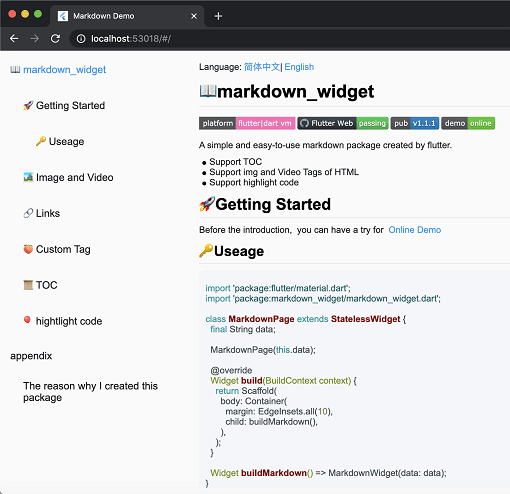
一個新的 markdown 套件。支援目錄(TOC)功能、程式碼強調,並支援所有平台。
一個用於在 iOS、Android、Web 和 OpenHarmony 上處理震動 API 的外掛程式。
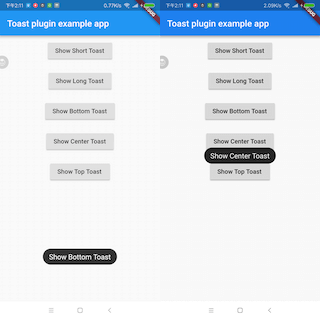
一個 Flutter Toast 插件。
一個以 Dart 寫成的可攜式 Markdown 庫,可用來將 Markdown 解析為 HTML。
互斥鎖,包含普通鎖和讀寫鎖的實現
一個基於 https://materialdesignicons.com/ 的社群版 Material Design 圖示 Flutter 套件。
一個用於在您的網頁專案中使用 Web Bluetooth API 的程式庫。在 IO 專案中使用時也能良好相容。
依賴清單 41 項
{"sdk":"flutter"}^0.28.0^9.0.0^12.0.1^2.2.1^6.3.25.9.55^1.8.1^3.1.0^3.1.2^3.1.4^0.3.0^2.28.2^0.2.5^2.1.5^1.9.1^1.3.0^6.1.5+1^2.0.2^0.20.2^12.1.0^1.16.0^7.3.0{"path":"lighthouse_provider/lighthouse_back_ends/flutter_blue_plus_back_end"}^1.1.0^2.2.0{"path":"lighthouse_provider/lighthouse_back_ends/flutter_web_bluetooth_back_end"}{"path":"lighthouse_provider/lighthouse_back_ends/bluez_back_end"}{"path":"lighthouse_provider/lighthouse_provider"}{"path":"lighthouse_provider/lighthouse_back_end"}{"path":"lighthouse_provider/lighthouse_providers"}{"path":"lighthouse_provider/lighthouse_back_ends/fake_back_end"}{"path":"shared/shared_platform"}{"path":"lighthouse_provider/lighthouse_logger"}^1.35.8^2.3.2+8{"sdk":"flutter"}^2.28.2^2.7.0^6.0.0{"path":"lighthouse_provider/lighthouse_test_helper"}先依使用情境篩選,再比較專案活躍情況,最後到原始儲存庫確認使用要求。
“A repository is the most basic element of GitHub.”
GitHub Docs — About repositories ↗