

 v1.0.0
audio_manager
一個用於音樂播放的 Flutter 外掛程式,包含通知處理。
150喜歡 308近 30 天下載160Pub 分數
AndroidiOSWeb
一個跨平台的 Flutter 音頻外掛程式,支援通知、鎖定畫面控制與桌面系統媒體控制。

以下為英文專案原文快照,最新內容請造訪 GitHub。






A Flutter plugin for music playback, notification handling, lock-screen controls, and desktop system media controls.
| Android | iOS | macOS |
|---|---|---|
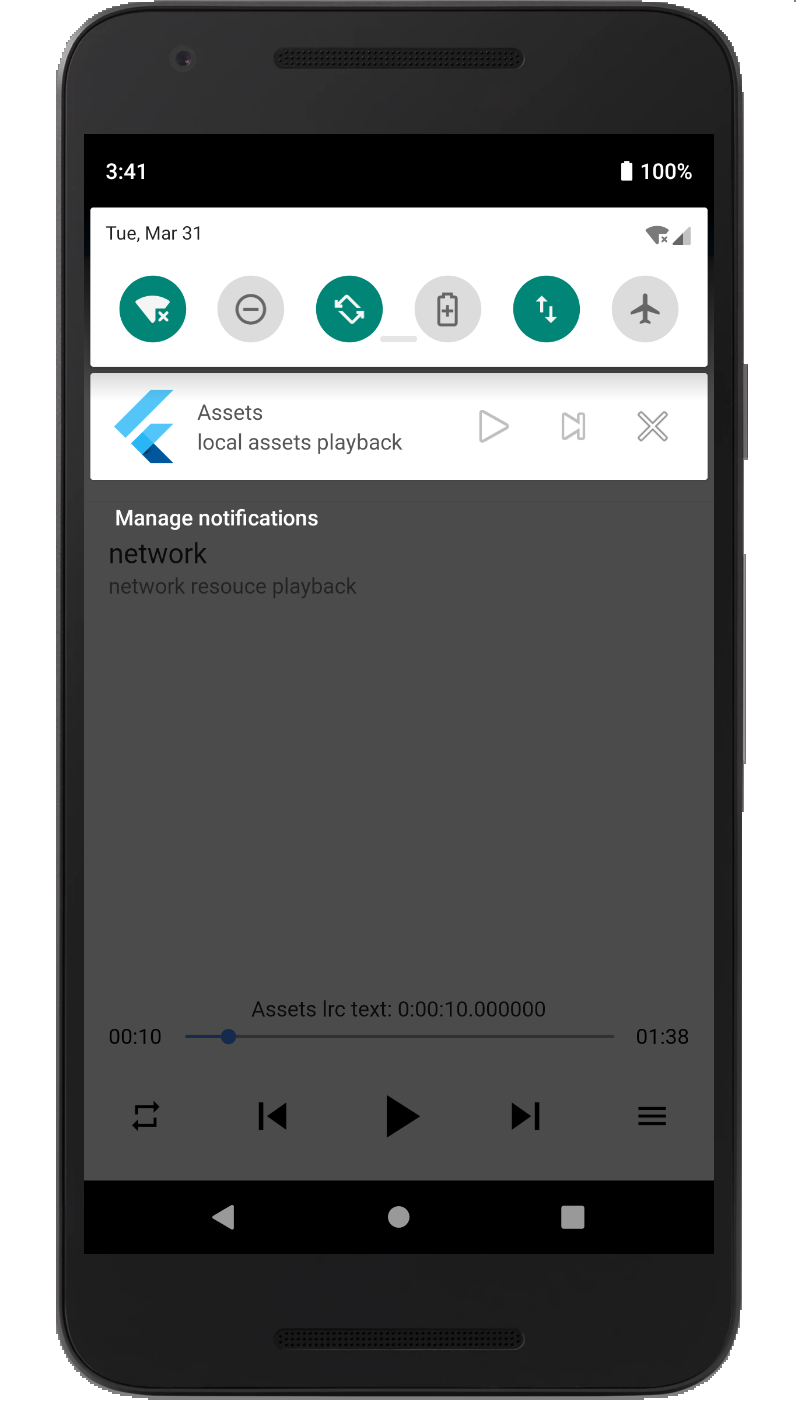 |
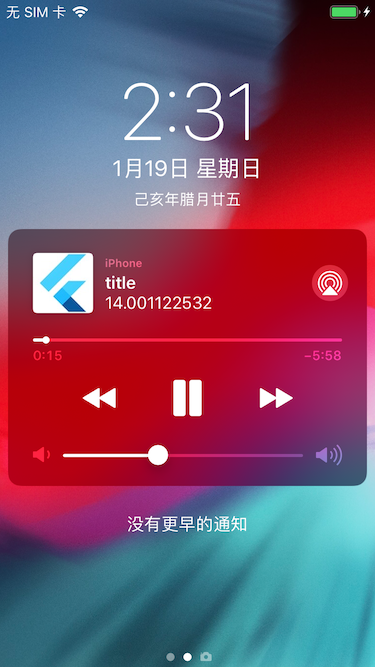 |
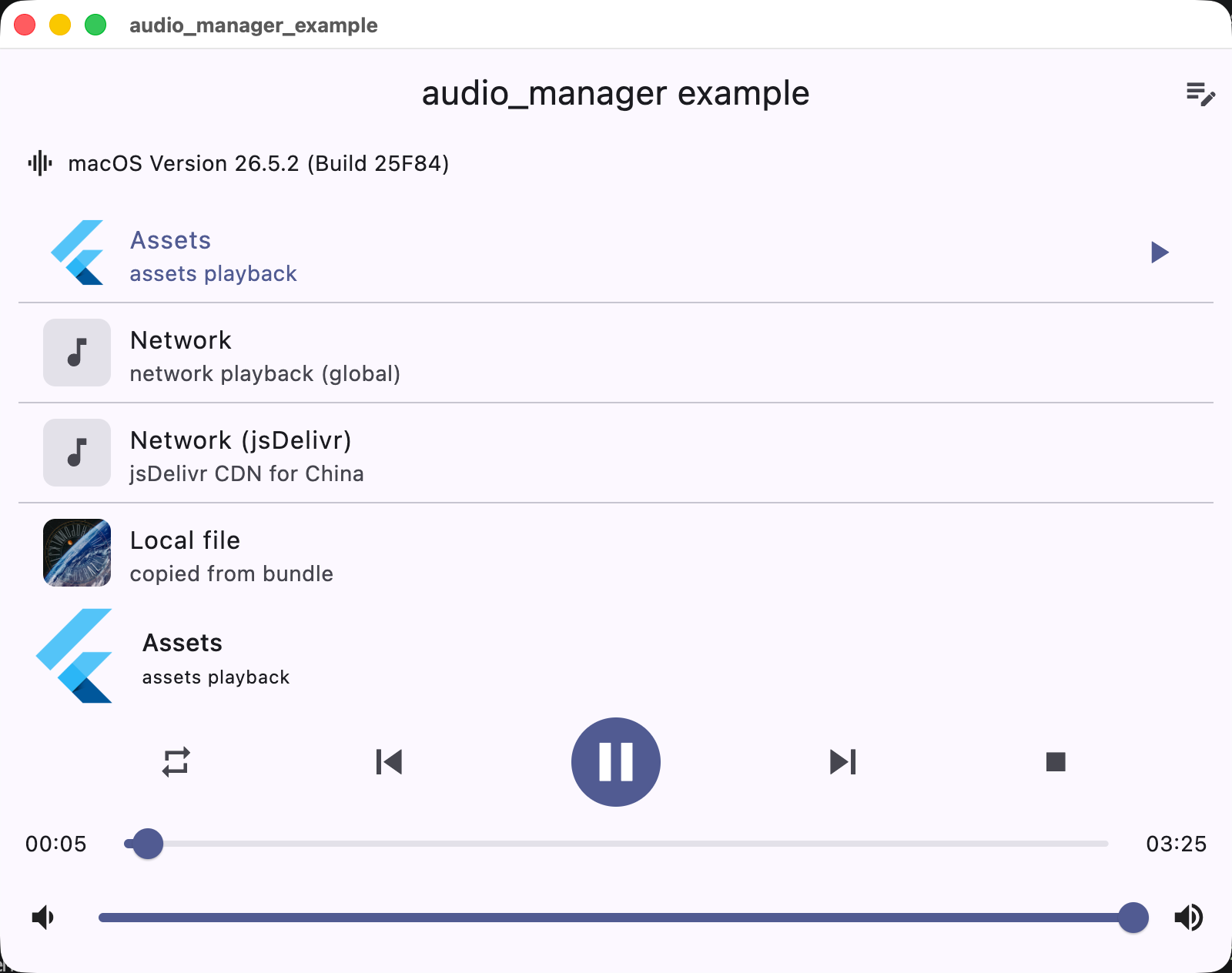 |
| Platform | Playback / integration |
|---|---|
| iOS | AVPlayer + lock screen / Control Center |
| Android | MediaPlayer + MediaSession notification |
| macOS | AVPlayer + Now Playing / Control Center |
| Windows | Windows.Media.Playback + SMTC |
| Linux | GStreamer + MPRIS |
| Web | HTMLAudioElement |
Add the dependency to pubspec.yaml:
dependencies:
  audio_manager: ^1.0.0
The plugin supports both CocoaPods and Swift Package Manager (SPM) on iOS. Flutter 3.24+ integrates it via SPM automatically; otherwise it falls back to CocoaPods.
Add the following permissions in the info.plist file
	<key>UIBackgroundModes</key>
	<array>
		<string>audio</string>
	</array>
	<key>NSAppTransportSecurity</key>
	<dict>
		<key>NSAllowsArbitraryLoads</key>
		<true/>
	</dict>
UIBackgroundModes -> audio when your app really keeps playing audio in the background. If the app does not provide background audio, App Store review may reject it with guideline 2.5.4.Since Android9.0 (API 28), the application disables HTTP plaintext requests by default. To allow requests, add android:usesCleartextTraffic="true" in AndroidManifest.xml
<application
	...
	android:usesCleartextTraffic="true"
	...
>
(app/build.gradle -> minSdkVersion: 23)PendingIntent flags, a media playback foreground service type, and Android 13+ receiver export flags.MediaSession / MediaStyle. Custom notification icons and full custom layouts are not exposed by the public API.Desktop playback integrates with the system media controls: macOS Now Playing / Control Center, Windows SMTC (taskbar media flyout), and Linux MPRIS.
com.apple.security.network.client entitlement to the app's entitlements files (DebugProfile.entitlements / Release.entitlements):<key>com.apple.security.network.client</key>
<true/>
gst_player lives in gst-plugins-bad):sudo apt install libgstreamer1.0-dev libgstreamer-plugins-base1.0-dev libgstreamer-plugins-bad1.0-dev
The plugin uses a singleton. Get AudioManager.instance and start playback directly.
You can use local assets, local files, or network resources.
import 'package:audio_manager/audio_manager.dart';
import 'package:flutter/foundation.dart';

final audio = AudioManager.instance;

// Initial playback. Preloaded playback information.
final error = await audio.start(
  'assets/audio.mp3',
  'Example title',
  desc: 'Example artist',
  // Network cover or asset cover.
  cover: 'assets/ic_launcher.png',
);

if (error.isNotEmpty) {
  debugPrint('Failed to start: $error');
}

// Play or pause; that is, pause if currently playing, otherwise play.
await audio.playOrPause();

// Events callback.
audio.onEvents((events, args) {
  debugPrint('$events $args');
});
await AudioManager.instance.updateInfo(
  title: "new title",
  desc: "new artist",
  coverUrl: "https://example.com/new-cover.png",
  titleMaxLines: 2,
  showPreviousButton: true,
  showStopButton: false,
);
Playback speed is supported through AudioManager.instance.setRate(AudioRate.rate150).
final audio = AudioManager.instance;
await audio.setRate(AudioRate.rate150);
await audio.setVolume(0.8);
Firebase background isolates cannot reliably receive AudioManager.onEvents. For short-lived checks, query the native state directly:
final state = await AudioManager.instance.currentState();
print(state["isPlaying"]);
print(state["title"]);
audio_manager 1.0.0 是首个全平台版本,正式支持 iOS、Android、macOS、Windows、Linux 和 Web。
Windows.Media.Playback,接入 SMTC 和任务栏媒体控制package:web 和 HTMLAudioElement,兼容 Web/WASMpackage:lints/recommended,静态分析和 pub.dev 评分达到满分^1.0.0flutter pub getpod install,或使用 Flutter 3.24+ 自动集成 SPMcom.apple.security.network.client entitlement原有核心 API 保持不变,AudioManager.instance、start、playOrPause、updateInfo、currentState 等仍可直接使用。
Publisher 仍显示为 unverified uploader,需要在 pub.dev 创建并验证 Publisher 后转移包完整说明见 RELEASE_NOTES.md。
先依使用情境篩選,再比較專案活躍情況,最後到原始儲存庫確認使用要求。
“A repository is the most basic element of GitHub.”
GitHub Docs — About repositories ↗