
 v1.0.7
flutter_titled_container
此組件在 Container 上方顯示標題。您可以指定標題、對齊方式、標題顏色、字體大小和背景顏色以進行顯示。
22喜歡 155近 30 天下載150Pub 分數
AndroidiOSWebmacOSWindowsLinux
johandb/flutter_titled_container open-source repository details.
以下為英文專案原文快照,最新內容請造訪 GitHub。
Display a title on top of the Container.
The widget works best with a child container : Container
You can set the following properties :
See the screenshot
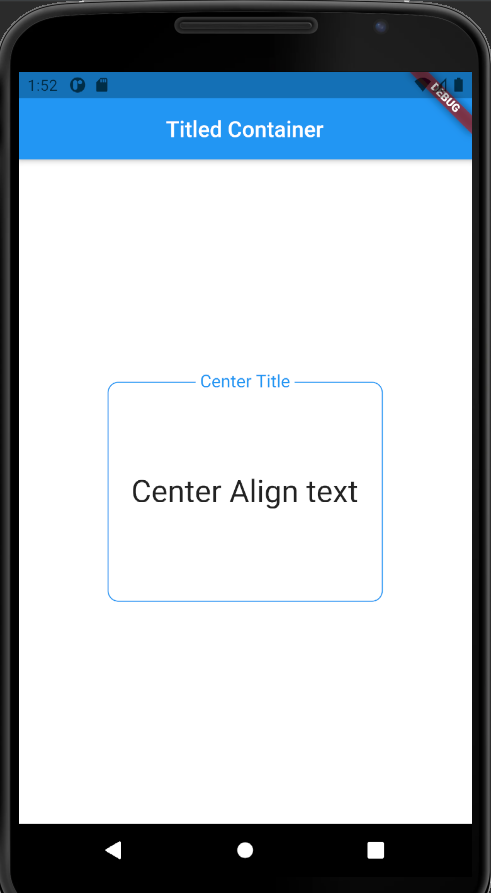
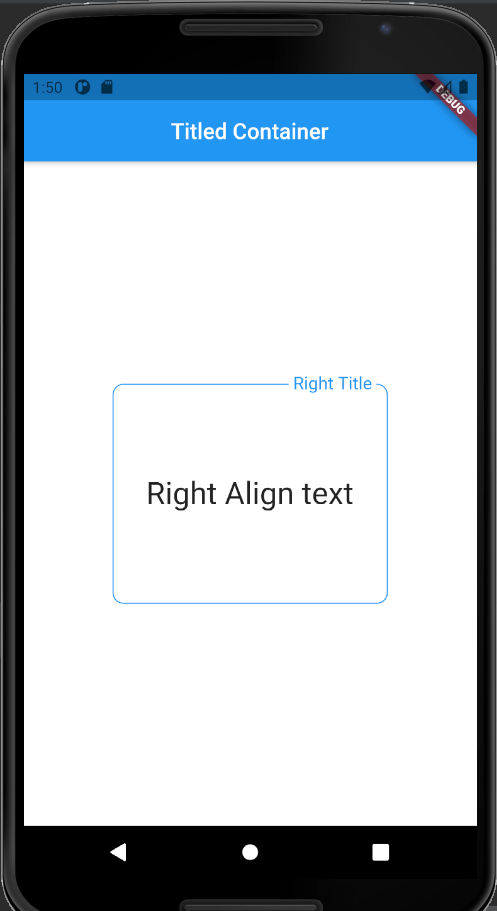
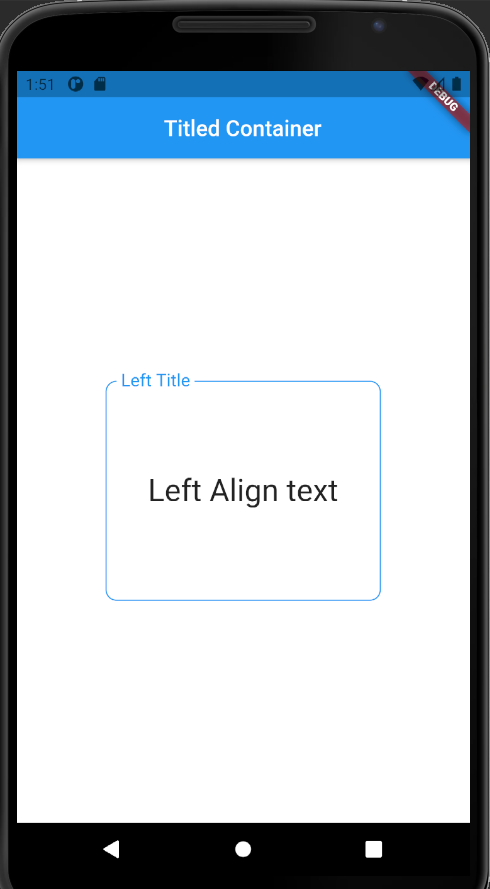
import 'package:flutter/material.dart';
import 'package:flutter_titled_container/flutter_titled_container.dart';

void main() {
  runApp(MyApp());
}

class MyApp extends StatelessWidget {
  @override
  Widget build(BuildContext context) {
    return MaterialApp(
      title: 'Flutter Demo',
      home: MyHomePage(),
    );
  }
}

class MyHomePage extends StatefulWidget {
  @override
  _MyHomePageState createState() => _MyHomePageState();
}

class _MyHomePageState extends State<MyHomePage> {
  @override
  Widget build(BuildContext context) {
    return Scaffold(
      backgroundColor: Colors.white,
      appBar: AppBar(
        centerTitle: true,
        title: Text('Titled Container'),
      ),
      body: Center(
        child: TitledContainer(
          titleColor: Colors.blue,
          title: 'Container Title',
          textAlign: TextAlignTitledContainer.Center,
          fontSize: 16.0,
          backgroundColor: Colors.white,
          child: Container(
            width: 250.0,
            height: 200.0,
            decoration: BoxDecoration(
              border: Border.all(
                color: Colors.blue,
              ),
              borderRadius: BorderRadius.all(
                Radius.circular(10.0),
              ),
            ),
            child: Center(
              child: Text(
                'Some text',
                style: TextStyle(fontSize: 28.0),
              ),
            ),
          ),
        ),
      ),
    );
  }
}

依賴清單 2 項
{"sdk":"flutter"}{"sdk":"flutter"}先依使用情境篩選,再比較專案活躍情況,最後到原始儲存庫確認使用要求。
“A repository is the most basic element of GitHub.”
GitHub Docs — About repositories ↗