
readmore
一個允許動態展開和收起文字的Flutter外掛
- 星標
- 272
- 分支
- 93
- 最近推送(UTC)
- 2024年8月6日
- 專案狀態
- 未封存
原始 README
以下為英文專案原文快照,最新內容請造訪 GitHub。
readmore
A Flutter plugin that allows for expanding and collapsing text with the added capability to style and interact with specific patterns in the text like hashtags, URLs, and mentions using the Annotation feature.
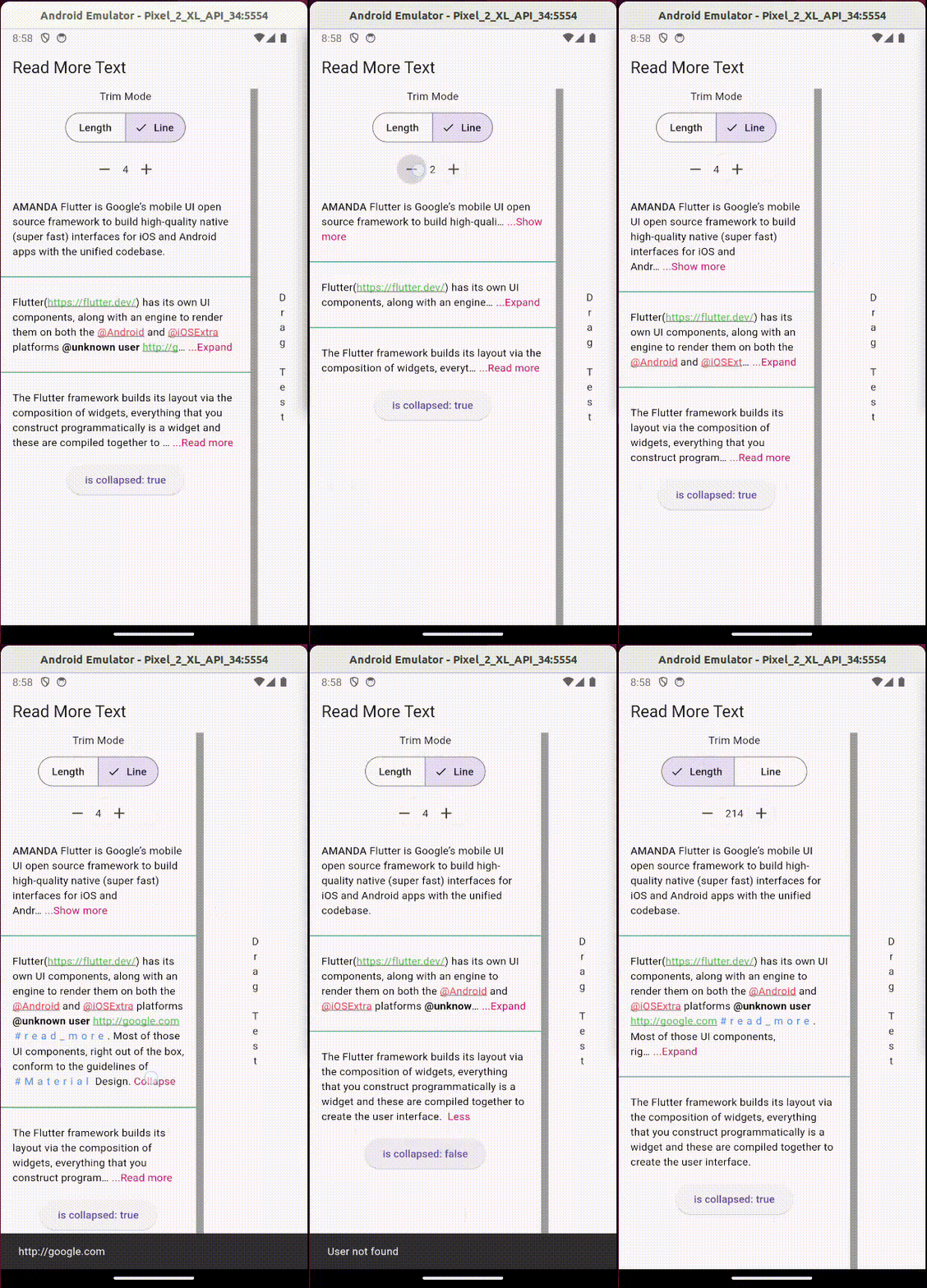
Usage:
Add the package to your pubspec.yaml:
readmore: ^3.0.0
Then, import it in your Dart code:
import 'package:readmore/readmore.dart';
Basic Example
ReadMoreText(
  'Flutter is Google’s mobile UI open source framework to build high-quality native (super fast) interfaces for iOS and Android apps with the unified codebase.',
  trimMode: TrimMode.Line,
  trimLines: 2,
  colorClickableText: Colors.pink,
  trimCollapsedText: 'Show more',
  trimExpandedText: 'Show less',
  moreStyle: TextStyle(fontSize: 14, fontWeight: FontWeight.bold),
);
Rich Text Example
With the ReadMoreText.rich constructor, you can create text with rich formatting, including different colors, decorations, letter spacing, and interactive elements within a single widget.
ReadMoreText.rich(
  TextSpan(
    style: const TextStyle(color: Colors.black),
    children: [
      const TextSpan(text: 'Rich '),
      const TextSpan(
        text: 'Text',
        style: TextStyle(
          color: Colors.blue,
          decoration: TextDecoration.underline,
          letterSpacing: 5,
          recognizer: TapGestureRecognizer()..onTap = () {
            // Handle tap
          },
        ),
      ),
    ],
  ),
  trimMode: TrimMode.Line,
  trimLines: 2,
  colorClickableText: Colors.pink,
  trimCollapsedText: '...Read more',
  trimExpandedText: ' Less',
);
Using Annotations
The Annotation feature enhances the interactivity and functionality of the text content. You can define custom styles and interactions for patterns like hashtags, URLs, and mentions.
ReadMoreText(
  'This is a sample text with a #hashtag, a mention <@123>, and a URL: https://example.com.',
  trimMode: TrimMode.Line,
  trimLines: 2,
  colorClickableText: Colors.pink,
  annotations: [
    Annotation(
      regExp: RegExp(r'#([a-zA-Z0-9_]+)'),
      spanBuilder: ({required String text, required TextStyle textStyle}) => TextSpan(
        text: text,
        style: textStyle.copyWith(color: Colors.blue),
      ),
    ),
    Annotation(
      regExp: RegExp(r'<@(\d+)>'),
      spanBuilder: ({required String text, required TextStyle textStyle}) => TextSpan(
        text: 'User123',
        style: textStyle.copyWith(color: Colors.green),
        recognizer: TapGestureRecognizer()..onTap = () {
          // Handle tap, e.g., navigate to a user profile
        },
      ),
    ),
    // Additional annotations for URLs...
  ],
  moreStyle: TextStyle(fontSize: 14, fontWeight: FontWeight.bold),
);
Note: This feature is not available with the ReadMoreText.rich constructor, as TextSpan gives you total control over styling and adding interactions to parts of the text.

Jonny Borges ↗
使用的依賴
依賴清單 1 項
- flutter
{"sdk":"flutter"}
如何選擇適合專案的儲存庫?
先依使用情境篩選,再比較專案活躍情況,最後到原始儲存庫確認使用要求。
- 透過儲存庫名稱、作者或描述搜尋,再依技術分類縮小範圍。
- 綜合星標、分支與最近推送比較專案;星標反映社群關注,不保證品質。
- 使用前在 GitHub 確認 README、授權條款與 Issues。
來源與維護
“A repository is the most basic element of GitHub.”
GitHub Docs — About repositories ↗