
v0.0.6
pwa_install
一個 Flutter 套件,可讓您提示行動網頁使用者將您的 Flutter 應用程式安裝為 PWA
100喜歡 3030近 30 天下載140Pub 分數
AndroidiOSWebmacOSWindowsLinux
一個 Flutter 套件,可讓您提示行動網頁使用者將您的 Flutter 應用程式安裝為 PWA
以下為英文專案原文快照,最新內容請造訪 GitHub。
A small Flutter package that allows you to prompt mobile web users to install your Flutter app as a progressive web application (PWA) on demand.
A very basic example can be found here: PWA Install
The contents of this package are based on this article by Pete LePage (@petele)
As of release 1.20, all Flutter apps can be installed as PWAs. Combine this with the fact that all Chromium based browsers support PWAs and it becomes clear that designing your Flutter application for a mobile browser can be the most effective way of reaching a large audience.
When a Flutter app is opened in a supported browser, the user will see an install prompt like this:
| Mobile Prompt | Web Prompt |
|---|---|
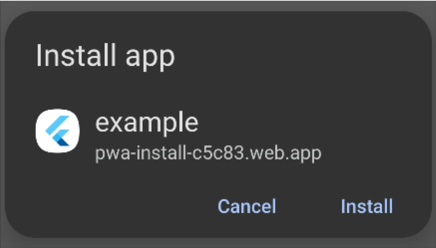 |
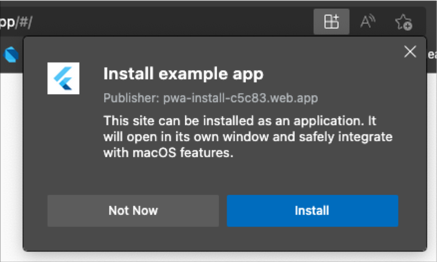 |
This is awesome, but there's a caveat. The browser will only show the install prompt to users the first time they open your app. If the user refreshes the page or returns to the app while it's still in their browser history, the prompt will not be shown.
With this package, you can prompt the user to install your app as a PWA on demand (e.g, on a button click). This package works by capturing the beforeinstallprompt event web browsers use to install PWAs. The event is captured when your app is launched and can be called anytime thereafter.
Add the following <script> tag to the body of web/index.html:
<!-- Capture PWA install prompt event -->
<script>
    let deferredPrompt;

    window.addEventListener('beforeinstallprompt', (e) => {
      deferredPrompt = e;
    });

    function promptInstall(){
       deferredPrompt.prompt();
    }

    // Listen for app install event
    window.addEventListener('appinstalled', () => {
      deferredPrompt = null;
      appInstalled();
    });

    // Track how PWA was launched (either from browser or as PWA)
    function getLaunchMode() {
      const isStandalone = window.matchMedia('(display-mode: standalone)').matches;
      if(deferredPrompt) hasPrompt();
      if (document.referrer.startsWith('android-app://')) {
        appLaunchedAsTWA();
      } else if (navigator.standalone || isStandalone) {
        appLaunchedAsPWA();
      } else {
        window.appLaunchedInBrowser();
      }
    }
</script>
The following method can be called in main.dart before calling runApp(). PWAInstall() is instantiated as a singleton so you can use the class directly.
Future<void> main() async {

  // Add this
  PWAInstall().setup(installCallback: () {
    debugPrint('APP INSTALLED!');
  });

  runApp(MaterialApp(home: App()));
}
Before calling the promptInstall_() method, you can check if the Install Prompt is available using PWAInstall().installPromptEnabled.
installPromptEnabled will be true if:
beforeinstallprompt event was captured.promptInstall_() won't do anything if installPromptEnabled is false so you should check this flag before attempting to call the prompt.
Finally, call PWAInstall().promptInstall_() to show the install prompt.
You can change the app name that's displayed in the prompt by updating the "name" field in web/manifest.json.
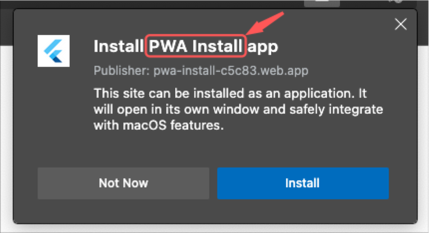
The logo displayed in the prompt also comes from the web/manifest.json file.

<link rel="icon" type="image/png" sizes="32x32" href="/icons/favicon-32x32.png">
<link rel="icon" type="image/png" sizes="16x16" href="/icons/favicon-16x16.png">
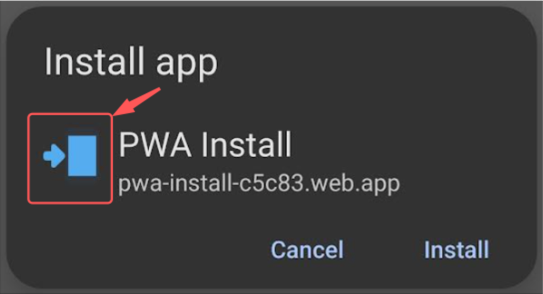
In addition to the name and logo, you can also add optional screenshots to the manifest.json file.
"screenshots": [{
    "src": "images/app_screenshot.webp",
    "platform": "windows",
    "label": "PWA is the way!"
  }],
Note that the screenshots will not appear in every browser. After they are added, your new install prompt will look like this:
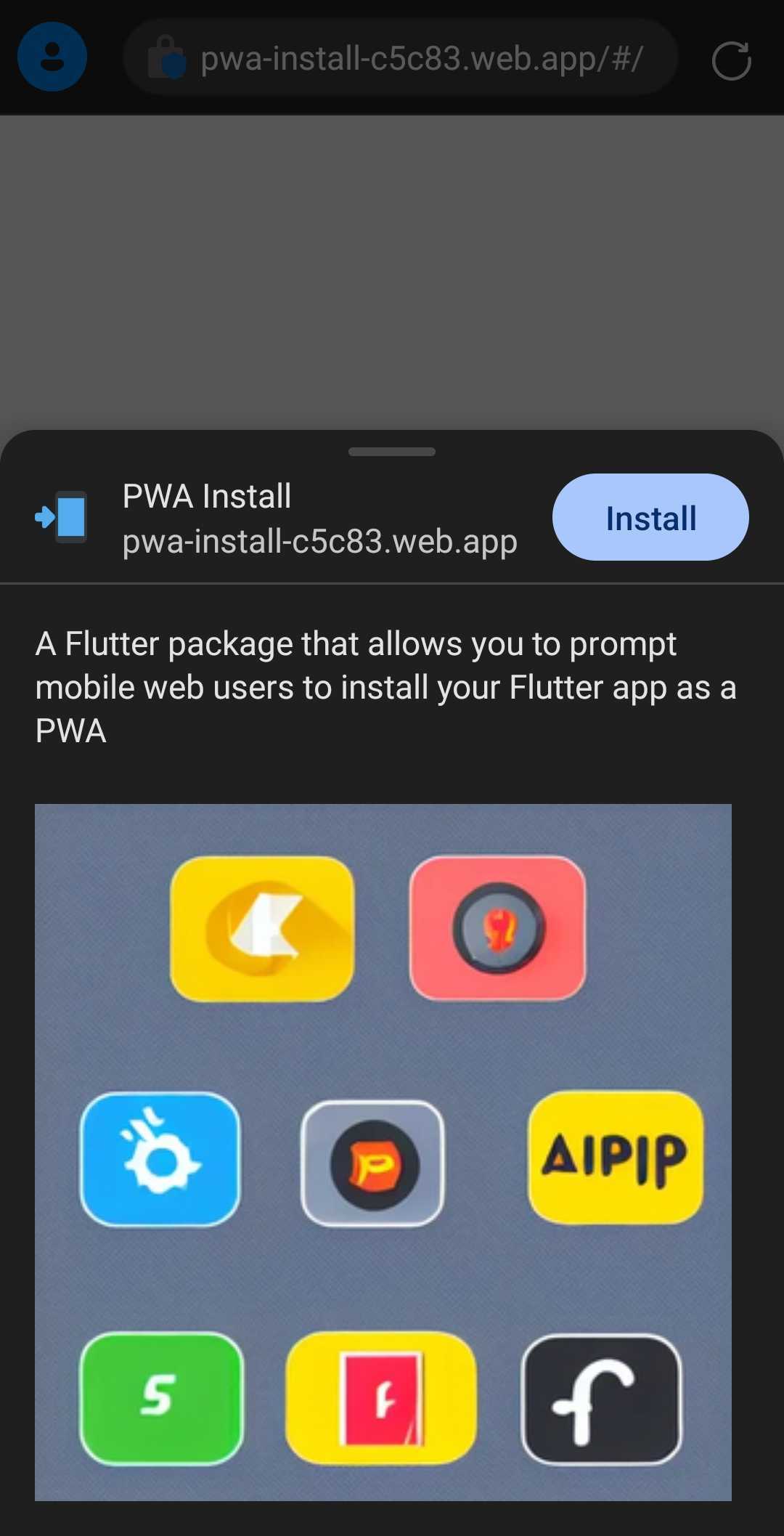
You can find all supported browsers here.



依賴清單 4 項
{"sdk":"flutter"}^0.6.4{"sdk":"flutter"}^2.0.0先依使用情境篩選,再比較專案活躍情況,最後到原始儲存庫確認使用要求。
“A repository is the most basic element of GitHub.”
GitHub Docs — About repositories ↗