

 v1.3.2
flutter_fortune_wheel
使用旋轉輪盤或運勢條等元件來可視化(隨機)選擇過程。
372喜歡 8380近 30 天下載115Pub 分數
AndroidiOSWebmacOSWindowsLinux
使用 Flutter 小部件(例如轉盤)可視化隨機選擇。

以下為英文專案原文快照,最新內容請造訪 GitHub。


This Flutter package includes wheel of fortune widgets, which allow you to visualize random selection processes. They are highly customizable and work across mobile, desktop and the web.
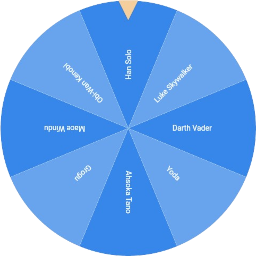
You can learn more about the wheel's implementation in this article and try an interactive demo here.
First install the package via pub.dev. Then import and use the FortuneWheel:
import 'package:flutter/material.dart';
import 'package:flutter_fortune_wheel/flutter_fortune_wheel.dart';
StreamController<int> controller = StreamController<int>();
FortuneWheel(
  selected: controller.stream,
  items: [
    FortuneItem(child: Text('Han Solo')),
    FortuneItem(child: Text('Yoda')),
    FortuneItem(child: Text('Obi-Wan Kenobi')),
  ],
)
The wheel of fortune is the most iconic visualization.
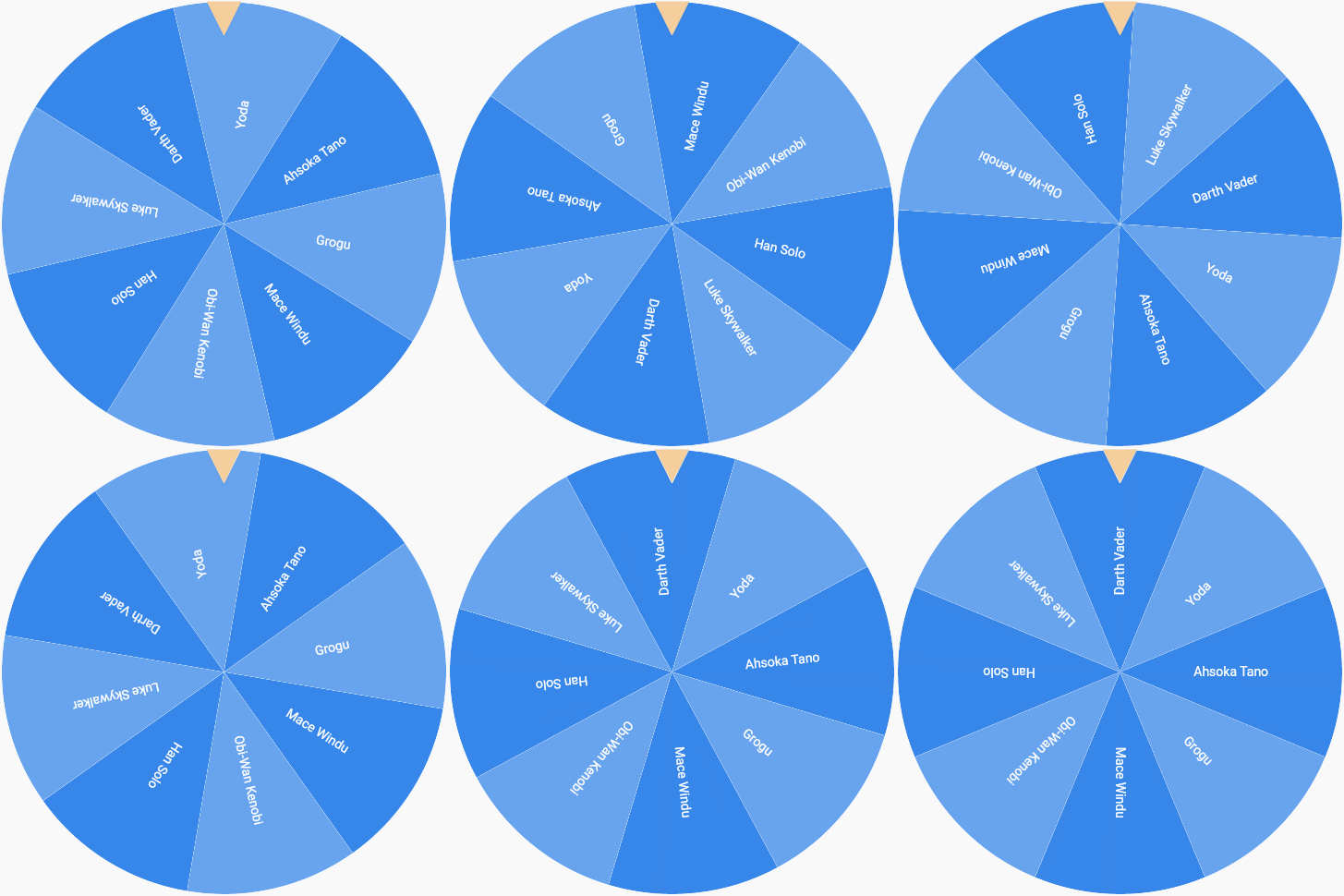
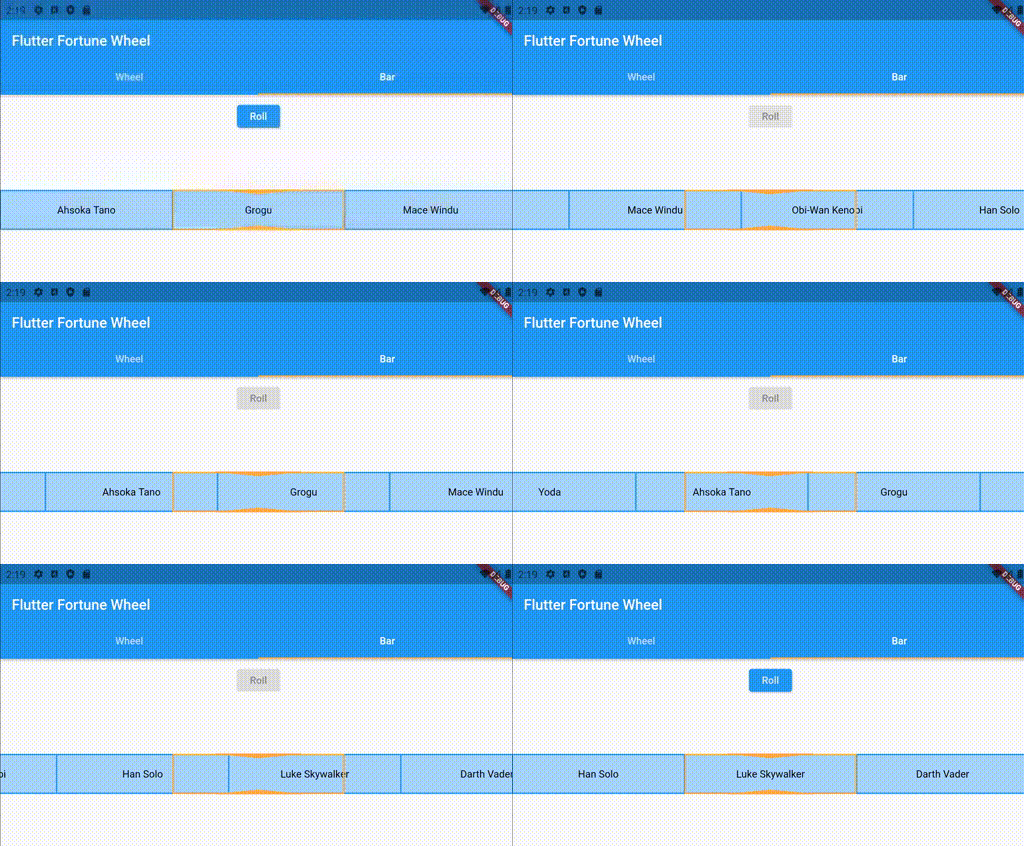
Unfortunately, a circular shape is not the best solution when vertical screen space is scarce. Therefore, the fortune bar, which is smaller in the vertical direction, is provided as an alternative. See below for an example:
import 'package:flutter/material.dart';
import 'package:flutter_fortune_wheel/flutter_fortune_wheel.dart';

StreamController<int> controller = StreamController<int>();
FortuneBar(
  selected: controller.stream,
  items: [
    FortuneItem(child: Text('Han Solo')),
    FortuneItem(child: Text('Yoda')),
    FortuneItem(child: Text('Obi-Wan Kenobi')),
  ],
)
By default, the fortune widgets react to touch and drag input. This behavior can be customized using the physics property, which expects an implementation
of the PanPhysics class.
If you want to disable dragging, simply pass an instance of NoPanPhysics.
For the FortuneWheel, CircularPanPhysics
is recommended, while the FortuneBar uses DirectionalPanPhysics.horizontal
by default. If none of the available implementations, suit your needs, you can always implement a subclass of PanPhysics.
The callback passed to onFling is called when the pan physics detects a fling gesture. This gives
you the opportunity to select a new random item.
StreamController<int> controller = StreamController<int>();
FortuneWheel(
  // changing the return animation when the user stops dragging
  physics: CircularPanPhysics(
    duration: Duration(seconds: 1),
    curve: Curves.decelerate,
  ),
  onFling: () {
    controller.add(1);
  }
  selected: controller.stream,
  items: [
    FortuneItem(child: Text('Han Solo')),
    FortuneItem(child: Text('Yoda')),
    FortuneItem(child: Text('Obi-Wan Kenobi')),
  ],
)
FortuneItems can be styled individually using their style property. Styling a FortuneWidget's
items according to a common logic is achieved by passing a StyleStrategy.
By default, the FortuneWheel uses the AlternatingStyleStrategy
and the FortuneBar uses the UniformStyleStrategy.
As with drag behavior, you can pass custom implementations to the styleStrategy property.
// styling FortuneItems individually
FortuneWheel(
  selected: Stream.value(0),
  items: [
    FortuneItem(
      child: Text('A'),
      style: FortuneItemStyle(
        color: Colors.red, // <-- custom circle slice fill color
        borderColor: Colors.green, // <-- custom circle slice stroke color
        borderWidth: 3, // <-- custom circle slice stroke width
      ),
    ),
    FortuneItem(child: Text('B')),
  ],
)

// common styling for all items of a FortuneWidget
FortuneBar(
  // using alternating item styles on a fortune bar
  styleStrategy: AlternatingStyleStrategy(),
  selected: Stream.value(0),
  items: [
    FortuneItem(child: Text('Han Solo')),
    FortuneItem(child: Text('Yoda')),
    FortuneItem(child: Text('Obi-Wan Kenobi')),
  ],
)
The position indicators can be customized by passing a list of FortuneIndicators to FortuneWidget.indicators. By default, the FortuneWheel uses a TriangleIndicator and the FortuneBar uses a RectangleIndicator. You may either pass styled versions of these existing widgets or create your own implementations, since indicators can be any kind of widget. Here is an example of using a customized indicator:
FortuneWheel(
  selected: Stream.value(0),
  indicators: <FortuneIndicator>[
    FortuneIndicator(
      alignment: Alignment.bottomCenter, // <-- changing the position of the indicator
      child: TriangleIndicator(
        color: Colors.green, // <-- changing the color of the indicator
        width: 20.0, // <-- changing the width of the indicator
        height: 20.0, // <-- changing the height of the indicator
        elevation: 0, // <-- changing the elevation of the indicator
      ),
    ),
  ],
  items: [
    FortuneItem(child: Text('A'))
    FortuneItem(child: Text('B')),
  ],
)
Contributions are much appreciated.
If you have any ideas for alternative visualizations, feel free to open a pull request or raise an issue. The same holds for any requests regarding existing widgets.
依賴清單 4 項
{"sdk":"flutter"}^3.2.2{"sdk":"flutter"}^1.3.2先依使用情境篩選,再比較專案活躍情況,最後到原始儲存庫確認使用要求。
“A repository is the most basic element of GitHub.”
GitHub Docs — About repositories ↗