v5.1.2
android_alarm_manager_plus
用於存取 Android AlarmManager 服務的 Flutter 外掛程式,當鬧鐘觸發時在背景執行 Dart 程式碼。
616喜歡 2.2萬近 30 天下載160Pub 分數
Android
一個簡單的基於正念的計時器,可在使用者定義的時間間隔顯示通知/提醒

以下為英文專案原文快照,最新內容請造訪 GitHub。
A mindfulness bell with configurable text notifications, schedules, and sound.
ARCHIVED: This repository is archived, there is a rewrite available at https://github.com/kmac/mindfulnotifier2
This app is a simple mindfulness-based timer which displays a notification/reminder at user-defined intervals. It is another take on a 'Mindfulness Bell', with the addition of accompanying text. The reminders are taken from a configurable list, and are chosen at random at a selected interval. The reminder interval can either be periodic (in intervals down to a 15 minute granularity) or random (between a selected range of minutes).
Some default reminders are provided as examples.
There are 5 bells included, and you can also configure a custom bell from your phone's local storage.
This app works very well in conjunction with a smartwatch. In this mode you can also mute the bell to have silent mindfulness prompts throughout your day.
The app is built using Flutter. It currently only runs on Android.
This app uses the following permissions:
ACCESS_NETWORK_STATE: Required by the library used to launch the github source code siteRECEIVE_BOOT_COMPLETED: Required by the underlying alarm service to restart after rebootWAKE_LOCK: Required by the underlying alarm service to wake up at the scheduled timeUSE_FULL_SCREEN_INTENT: Required to show app in foreground from the reminder notificationVIBRATE: Required to vibrate during notificationsSome phones will kill apps when running in the background after a relatively short period of time. Unfortunately, if your phone is killing the app then you will stop getting notifications. If this is happening, you must disable any 'battery optimization' settings for this app. This varies from phone-to-phone - generally you must go into the settings for the app on your phone and turn off any battery optimization. See https://dontkillmyapp.com/ for your phone type and android version for more information.
Bell 1: is from user 'steaq' via https://freesound.org/s/346328 and is licensed under the Creative Commons 0 License.
Bell 2: is from user 'itsallhappening' via https://freesound.org/people/itsallhappening/sounds/48795 and is licensed under the Creative Commons Sampling+ License
Bell 3: is from user 'suburban grilla' via https://freesound.org/people/suburban%20grilla/sounds/2166 and is licensed under the Creative Commons Sampling+ License
Bell 4: is from user 'kerri' via https://freesound.org/people/kerri/sounds/27421/ and is licensed under the Creative Commons Attribution License
Bell 5: is from user 'dobroide' via https://freesound.org/people/dobroide/sounds/436976/ and is licensed under the Creative Commons Attribution License
This app provides basic backup and restore functionality for the customized reminder list. Reminders can exported to a file (in JSON format), which can then be restored on this device, or another device. Note that if you ever uninstall the app, you will lose all of your customized reminders, so you may want to take a backup before uninstalling.
On export, the app saves a file called Mindful Notifier-reminders-<date>.json in the app's external storage directory, which is located in
your devices internal storage in the folder <Internal Storage>/Android/data/com.kmac5dev.mindfulnotifier/files. It also offers you a
chance to 'share' the file via the standard Android share menu (i.e. copy it to another location on your device, to Google Drive, to
Dropbox, etc).
The 'share' step is important if:
You can also use a file browser to access the <Internal Storage>/Android/data/com.kmac5dev.mindfulnotifier/files location.
Note: the exported file is a 'json' text file. It is possible to edit the contents, but if you mess it up that's on you ;-).
The import operation allows you to choose an exported backup file using the system's file chooser. The reminders will be restored from this file. You should then restart the app, and re-enable the reminder service.
Note: Previous 'backup/restore' functionality used a different file format. If you have an older backup file (named like
Mindful Notifier-backup-<date>.json), you can still import this file. The reminders will be pulled from it; however, the other settings in the file will not be restored.
This software is posted in the spirit of open-source software. I have created this app to fulfill my personal requirements, and I am sharing it in case others may find it useful as well. That said, my time is limited, and my approach to support is very much that I am happy if it works for me. I will try to help if you are having issues, but I just don't have the time to add every desired new feature or troubleshoot issues on hardware environments that I don't have access to.
I will consider pull requests for new features, and will always welcome bug fixes!
This project is licensed under the terms of the GNU General Public License v3.0.


用於存取 Android AlarmManager 服務的 Flutter 外掛程式,當鬧鐘觸發時在背景執行 Dart 程式碼。
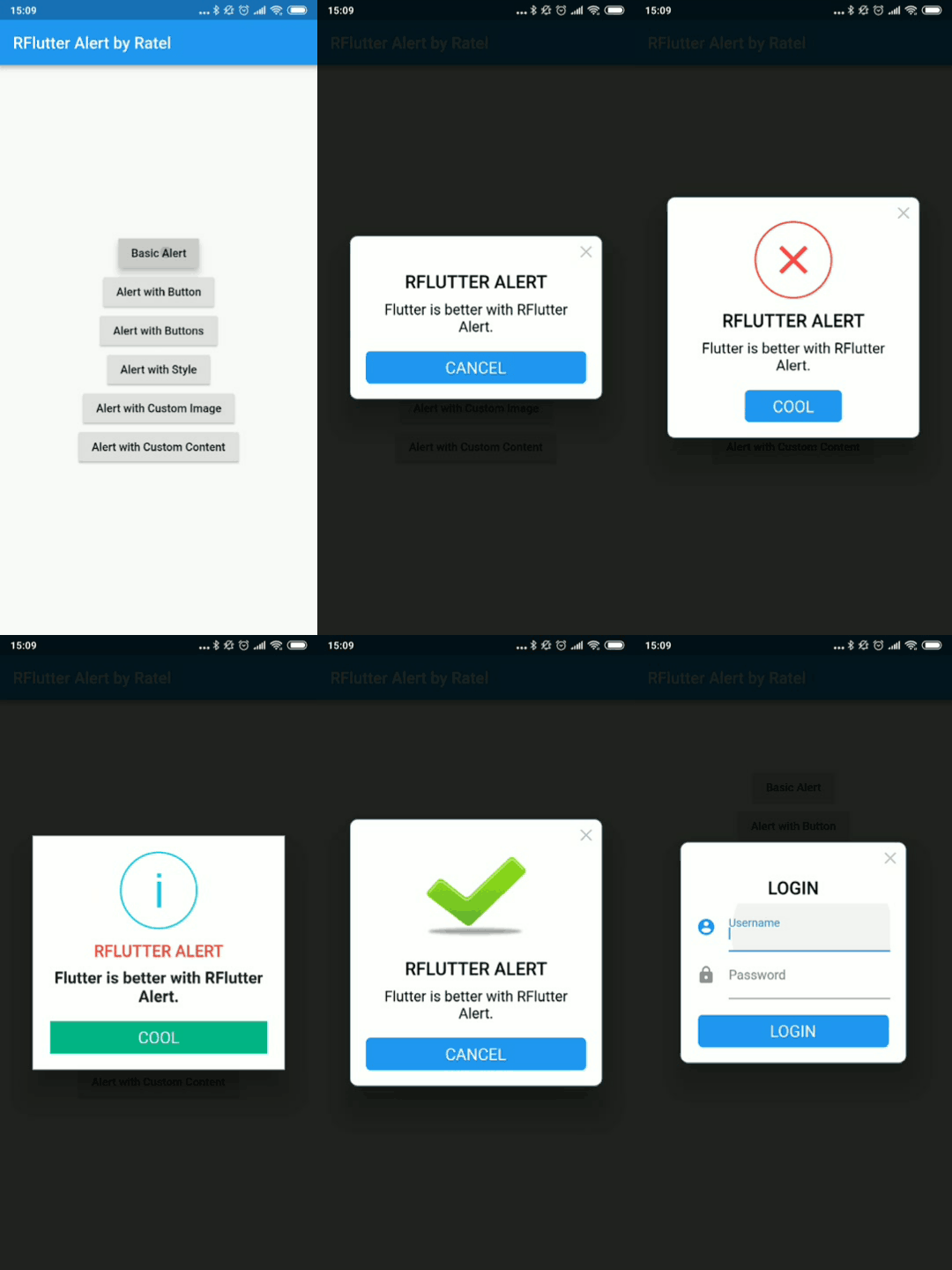
RFlutter Alert 是一個超級可自訂且易於使用的 Flutter 提示/彈出對話方塊。您可輕鬆建立可重複使用的提示樣式,或隨意新增任意數量的按鈕。
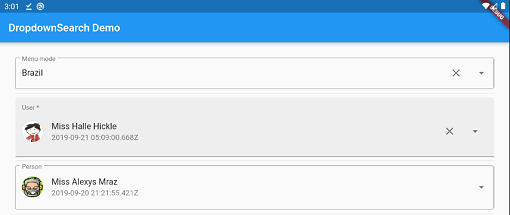
簡單、反應式且高度可自訂的 Flutter 下拉選單,具備許多功能(搜尋、彈出視窗平台、非同步/同步...)以及多種模式,例如選單、對話框、底端彈出窗等。
一個簡單的 API 用於格式化日期。提供各種常數來建立日期格式字串。使用 `formatDate` 方法根據格式字串格式化日期。
一個用於管理 Android 裝置音量模式的外掛程式。此外掛程式也支援請求修改裝置音量模式所需的權限,適用於 Android API 24 及以上版本。
一個用於取得作業系統本地時區的 Flutter 外掛程式。
一個用於最小化應用的 Flutter 插件
依賴清單 31 項
{"sdk":"flutter"}^1.0.4^2.0.5^9.5.2^2.0.6^3.2.3^0.27.3^2.0.0^2.0.13^2.0.11^4.6.1^1.1.0^2.0.3^2.1.0^1.1.0^0.9.21^0.1.6+1^2.0.2^4.5.1^1.4.2^2.0.9^2.0.13^4.0.4^3.0.1^2.0.4^0.6.10^6.1.0^0.0.5^0.1.1^1.0.4{"sdk":"flutter"}先依使用情境篩選,再比較專案活躍情況,最後到原始儲存庫確認使用要求。
“A repository is the most basic element of GitHub.”
GitHub Docs — About repositories ↗