
checkbox_formfield
Flutter 套件

- 星標
- 3
- 分支
- 9
- 最近推送(UTC)
- 2024年5月30日
- 專案狀態
- 未封存
原始 README
以下為英文專案原文快照,最新內容請造訪 GitHub。
checkbox_formfield

A few kinds of checkbox that can be used as FormField
Getting Started
This library currently has two Widgets.
- CheckboxListTileFormField: Use CheckboxListTile in Form
- CheckboxIconFormField: Use two Icons as if they consist a checkbox and also in Form
Demo
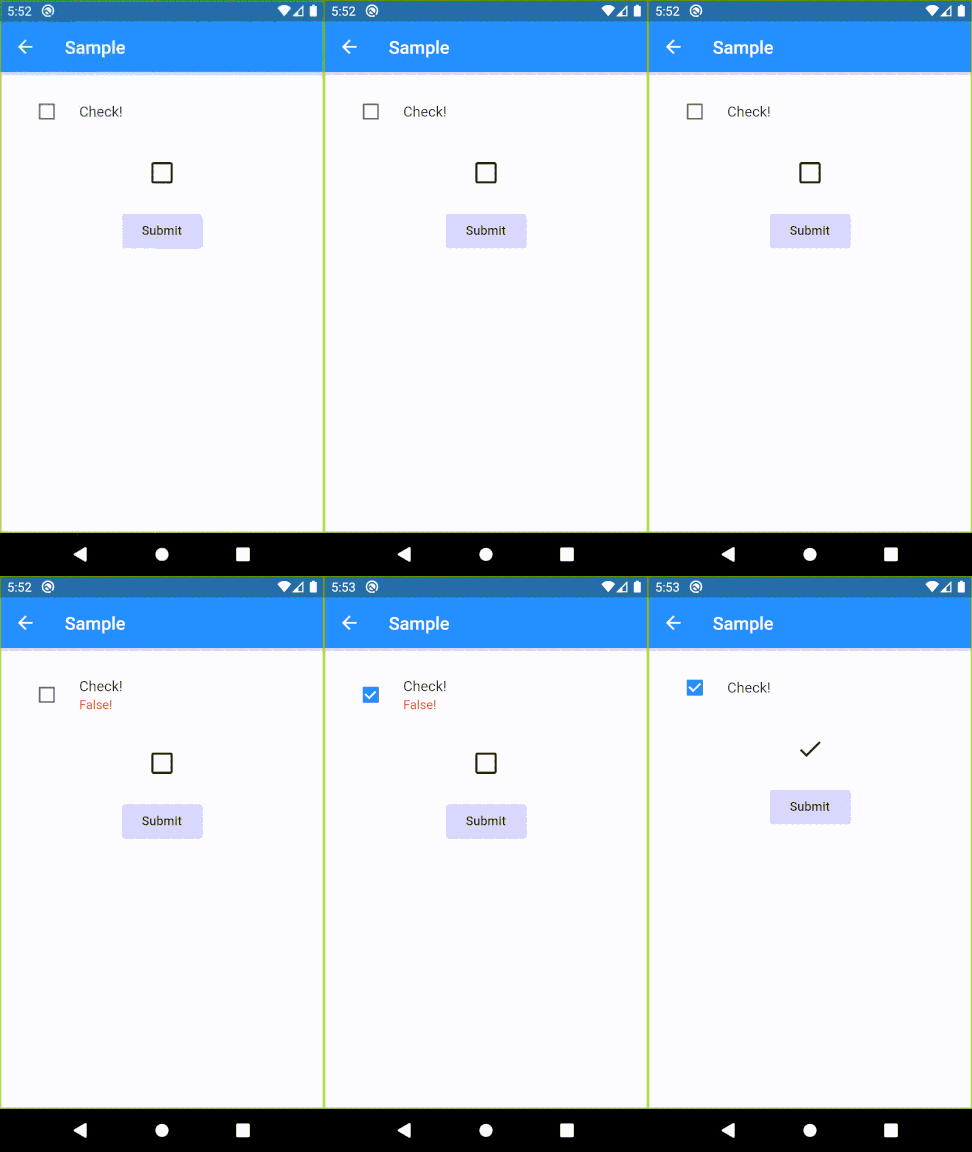
Usage sample
Please check example/lib in this library.
Specifications
CheckboxListTileFormField
| Parameter | Description |
|---|---|
| key | FormField.key |
| title | CheckboxListTile.title |
| context | Provide a default color to errorColor |
| onSaved | FormField.onSaved |
| validator | FormField.validator |
| initialValue | FormField.initialValue |
| autovalidateMode | FormField.autovalidateMode |
| enabled | Whether the checkbox is enabled |
| dense | CheckboxListTile.dense |
| errorColor | Color of error message Default: Theme.errorColor (context is given), Colors.red (otherwise) |
| activeColor | CheckboxListTile.activeColor |
| checkColor | CheckboxListTile.checkColor |
| controlAffinity | CheckboxListTile.controlAffinity |
| secondary | CheckboxListTile.secondary |
| contentPadding | CheckboxListTile.contentPadding |
| autofocus | CheckboxListTile.autofocus |
CheckboxIconFormField
| Parameter | Description |
|---|---|
| key | FormField.key |
| context | Provide a default color to errorColor |
| onSaved | FormField.onSaved |
| initialValue | FormField.initialValue |
| autovalidateMode | FormField.autovalidateMode |
| enabled | Whether the checkbox is enabled |
| trueIcon | IconData if true Default: Icons.check |
| falseIcon | IconData if false Default: Icons.check_box_outline_blank |
| trueIconColor | Color if true Default: Theme.colorScheme.secondary (if context is given), Theme.iconTheme.color (otherwise) |
| falseIconColor | Color if false Default: Theme.iconTheme.color |
| disabledColor | Color if disabled Default: Theme.disabledColor |
| padding | paddingDefault: 24.0 |
| iconSize | Icon.size |

GitHub 作者
K ↗
語言DartKotlinSwiftObjective-C
使用的依賴
依賴清單 2 項
- flutter
{"sdk":"flutter"} - flutter_test開發依賴
{"sdk":"flutter"}
如何選擇適合專案的儲存庫?
先依使用情境篩選,再比較專案活躍情況,最後到原始儲存庫確認使用要求。
- 透過儲存庫名稱、作者或描述搜尋,再依技術分類縮小範圍。
- 綜合星標、分支與最近推送比較專案;星標反映社群關注,不保證品質。
- 使用前在 GitHub 確認 README、授權條款與 Issues。
來源與維護
“A repository is the most basic element of GitHub.”
GitHub Docs — About repositories ↗