

v0.6.3
contacts_service
一個用於在 Android 和 iOS 設備上檢索和管理聯絡人的 Flutter 插件。
599喜歡 2880近 30 天下載140Pub 分數
AndroidiOS
一個用於在 Android 和 iOS 設備上檢索和管理聯絡人資料的 Flutter 外掛程式。維護者:@lukasgit

以下為英文專案原文快照,最新內容請造訪 GitHub。


A Flutter plugin to access and manage the device's contacts.
To use this plugin, add contacts_service as a dependency in your pubspec.yaml file.
For example:
dependencies:
    contacts_service: ^0.6.3
Add the following permissions to your AndroidManifest.xml:
<uses-permission android:name="android.permission.READ_CONTACTS" />
<uses-permission android:name="android.permission.WRITE_CONTACTS" />
Set the NSContactsUsageDescription in your Info.plist file
<key>NSContactsUsageDescription</key>
<string>This app requires contacts access to function properly.</string>
Note
contacts_service does not handle the process of asking and checking for permissions. To check and request user permission to access contacts, try using the following plugins: flutter_simple_permissions or permission_handler.
If you do not request user permission or have it granted, the application will fail. For testing purposes, you can manually set the permissions for your test app in Settings for your app on the device that you are using. For Android, go to "Settings" - "Apps" - select your test app - "Permissions" - then turn "on" the slider for contacts.
// Import package
import 'package:contacts_service/contacts_service.dart';

// Get all contacts on device
List<Contact> contacts = await ContactsService.getContacts();

// Get all contacts without thumbnail (faster)
List<Contact> contacts = await ContactsService.getContacts(withThumbnails: false);

// Android only: Get thumbnail for an avatar afterwards (only necessary if `withThumbnails: false` is used)
Uint8List avatar = await ContactsService.getAvatar(contact);

// Get contacts matching a string
List<Contact> johns = await ContactsService.getContacts(query : "john");

// Add a contact
// The contact must have a firstName / lastName to be successfully added
await ContactsService.addContact(newContact);

// Delete a contact
// The contact must have a valid identifier
await ContactsService.deleteContact(contact);

// Update a contact
// The contact must have a valid identifier
await ContactsService.updateContact(contact);

// Usage of the native device form for creating a Contact
// Throws a error if the Form could not be open or the Operation is canceled by the User
await ContactsService.openContactForm();

// Usage of the native device form for editing a Contact
// The contact must have a valid identifier
// Throws a error if the Form could not be open or the Operation is canceled by the User
await ContactsService.openExistingContact(contact);
Contact Model
// Name
String displayName, givenName, middleName, prefix, suffix, familyName;

// Company
String company, jobTitle;

// Email addresses
List<Item> emails = [];

// Phone numbers
List<Item> phones = [];

// Post addresses
List<PostalAddress> postalAddresses = [];

// Contact avatar/thumbnail
Uint8List avatar;
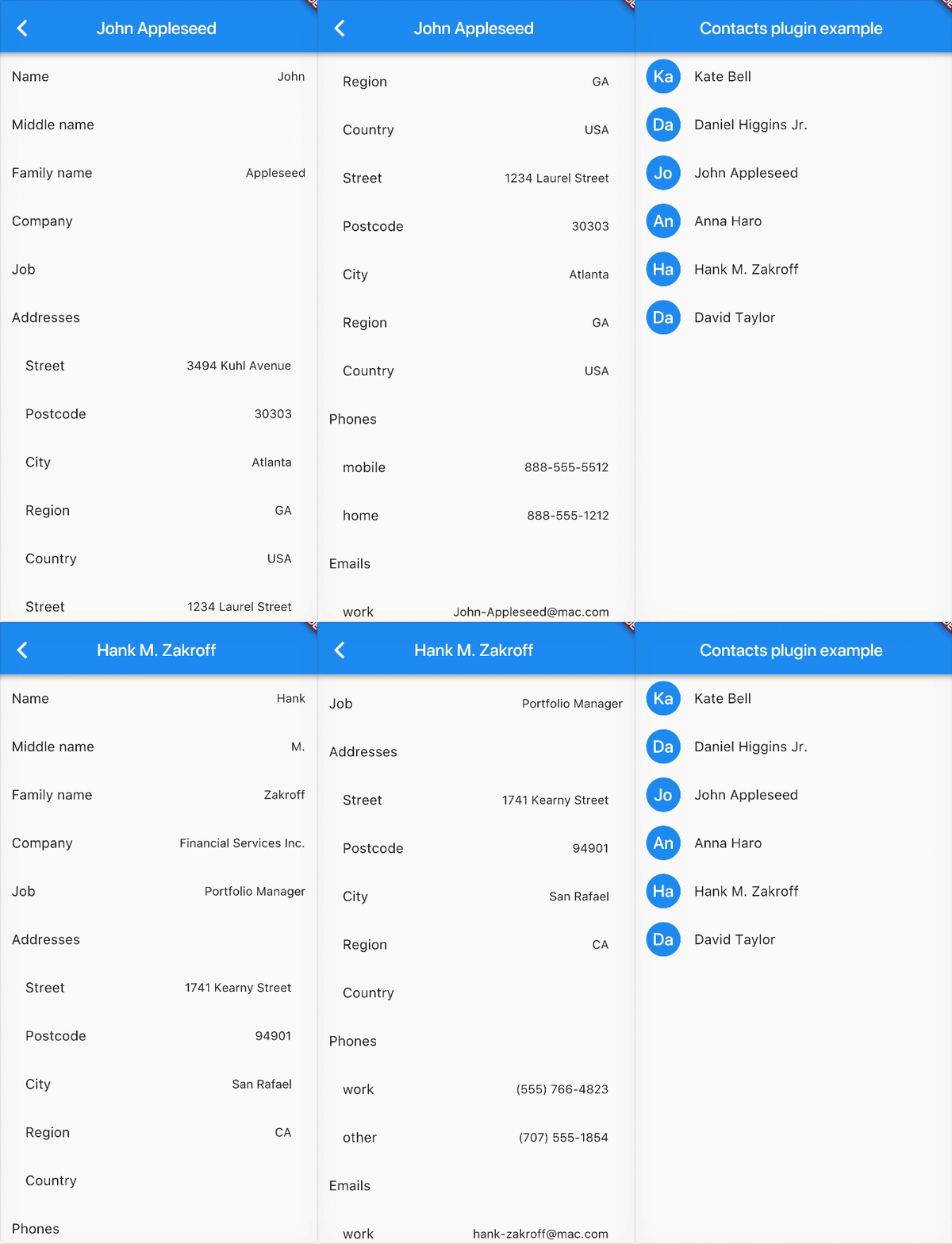
Contributions are welcome! If you find a bug or want a feature, please fill an issue.
If you want to contribute code please create a pull request under the staging branch.
Heavily inspired from rt2zz's react native plugin
依賴清單 5 項
{"sdk":"flutter"}^1.15.0^3.0.0{"sdk":"flutter"}^1.3.0先依使用情境篩選,再比較專案活躍情況,最後到原始儲存庫確認使用要求。
“A repository is the most basic element of GitHub.”
GitHub Docs — About repositories ↗