
 v3.3.0
cross_connectivity
一個用於在行動、Web 和桌面平台處理連接性與真實連接狀態的 Flutter 插件。支援 iOS、Android、Web、Windows、Linux 和 macOS。
128喜歡 1770近 30 天下載140Pub 分數
AndroidiOSWebmacOSWindowsLinux
一個用於在行動、Web 和桌面平台處理連接性與真實連接狀態的 Flutter 插件。支援 iOS、Android、Web、Windows、Linux 和 macOS。

{"sdk":"flutter"}^1.15.0^1.2.2^0.28.0^6.1.0{"sdk":"flutter"}^5.0.0以下為英文專案原文快照,最新內容請造訪 GitHub。
Build Pub GitHub GitHub stars
A Flutter plugin for handling Connectivity and REAL Connection state in the mobile, web and desktop platforms. Supports iOS, Android, Web, Windows, Linux and macOS.
In order to use this plugin, add dependency in the pubspec.yaml:
cross_connectivity: any
or
cross_connectivity:
    git:
      url: https://github.com/marchdev-tk/cross_connectivity
Add an import to dart file:
import 'package:cross_connectivity/cross_connectivity.dart';
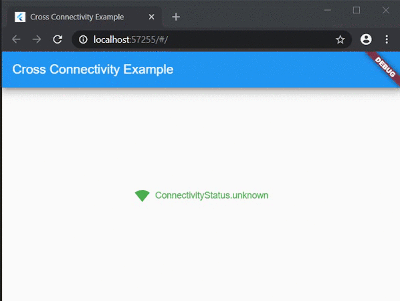
Web sample:
Web Sample
Desktop sample:
Desktop Sample
Mobile sample:
Mobile Sample
This plugin provides two streams:
isConnected that shows whether the device is REALLY connected to the network or not.onConnectivityChanged that it will not let you know about state of the REAL network connection. It only shows connectivity state.Also for one time check could be used following methods:
checkConnection() that is working like isConnected, but returns Future<bool> instread of Stream<bool>.checkConnectivity() that is working like onConnectivityChanged, but returns Future<ConnectivityStatus> instread of Stream<ConnectivityStatus>.There are no more methods (they are working only on Android/iOS/macOS):
getWifiName() - Obtains the wifi name (SSID) of the connected network.getWifiBSSID() - Obtains the wifi BSSID of the connected network.getWifiIP() - Obtains the IP address of the connected wifi network.They are removed to wifi_info_flutter.
If you don't use any of the above APIs, your code should work as is. In addition, you can also remove NSLocationAlwaysAndWhenInUseUsageDescription and NSLocationWhenInUseUsageDescription in ios/Runner/Info.plist
If you use any of the above APIs, you can find the same APIs in the wifi_info_flutter plugin.
For example, to migrate getWifiName, use the new plugin:
final WifiInfo _wifiInfo = WifiInfo();
final String wifiName = await _wifiInfo.getWifiName();
As an alteration to funcitonal approach could be used ConnectivityBuilder widget as follows:
ConnectivityBuilder(
  builder: (context, isConnected, status) => Row(
    mainAxisSize: MainAxisSize.min,
    children: <Widget>[
      Icon(
        isConnected == true
            ? Icons.signal_wifi_4_bar
            : Icons.signal_wifi_off,
        color: isConnected == true ? Colors.green : Colors.red,
      ),
      const SizedBox(width: 8),
      Text(
        '$status',
        style: TextStyle(
          color: status != ConnectivityStatus.none
              ? Colors.green
              : Colors.red,
        ),
      ),
    ],
  ),
)
Feel free to post a feature requests or report a bug here.