
v0.1.0
flutter_lazy_indexed_stack
一個 Flutter 套件,提供可延遲加載的 `IndexedStack`。
80喜歡 6650近 30 天下載160Pub 分數
AndroidiOSWebmacOSWindowsLinux
一個 Flutter 套件,公開可延遲加載的 IndexedStack。
以下為英文專案原文快照,最新內容請造訪 GitHub。



A Flutter package that exposes an IndexedStack that can be lazily loaded.
IndexedStack is a widget that shows its children one at a time, preserving the state of all the children. But it renders all the children at once.
With LazyIndexedStack, you can load the children lazily, and only when they are needed. This comes in handy if you have a lot of children, and you don't want to load them all at once or if you have a child that loads content asynchronously.
The LazyIndexedStack API is the same as IndexedStack. A basic implementation requires two parameters:
List<Widget> of children that are going to be lazy loaded under the hood.int index that indicates which child is going to be shown.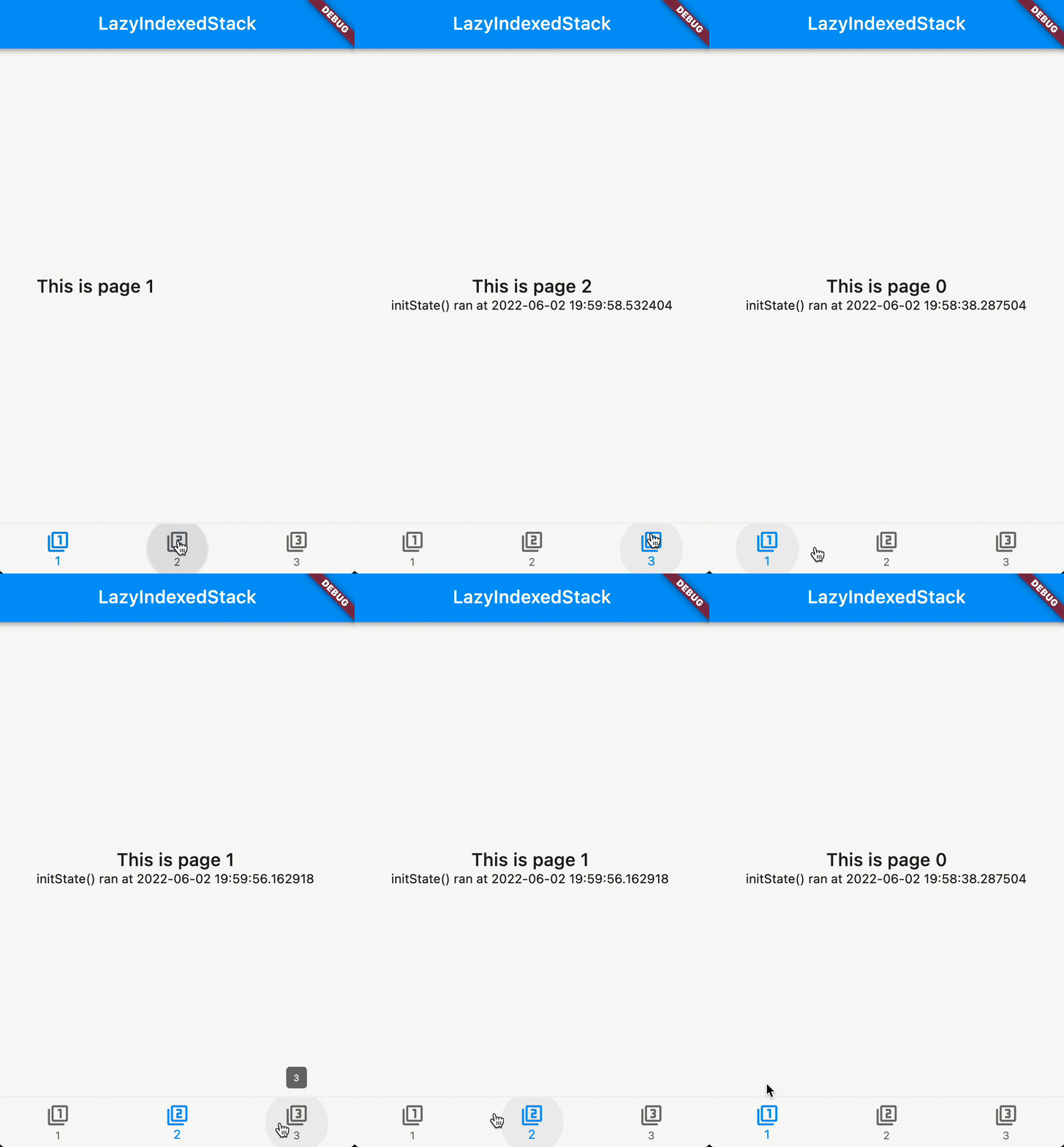
class HomePage extends StatefulWidget {
  const HomePage({super.key, required this.title});

  final String title;

  @override
  State<HomePage> createState() => _HomePageState();
}

class _HomePageState extends State<HomePage> {
  int index = 0;

  void changeIndex(int newIndex) => setState(() => index = newIndex);

  @override
  Widget build(BuildContext context) {
    return Scaffold(
      appBar: AppBar(
        title: Text(widget.title),
      ),
      body: Column(
        children: [
          Expanded(
            child: LazyIndexedStack(
              index: index,
              children: List.generate(3, (i) => Text('$i')),
            ),
          ),
          BottomNavigationBar(
            currentIndex: index,
            onTap: changeIndex,
            items: const [
              BottomNavigationBarItem(
                icon: Icon(Icons.filter_1),
                label: '1',
              ),
              BottomNavigationBarItem(
                icon: Icon(Icons.filter_2),
                label: '2',
              ),
              BottomNavigationBarItem(
                icon: Icon(Icons.filter_3),
                label: '3',
              ),
            ],
          ),
        ],
      ),
    );
  }
}
Refer to the example to see the usage of LazyIndexedStack.

依賴清單 3 項
{"sdk":"flutter"}{"sdk":"flutter"}^9.0.0先依使用情境篩選,再比較專案活躍情況,最後到原始儲存庫確認使用要求。
“A repository is the most basic element of GitHub.”
GitHub Docs — About repositories ↗