

 v1.0.1
alert_banner
一個強大且美觀的提醒橫幅,可動畫顯示訊息給使用者。
24喜歡 464近 30 天下載140Pub 分數
AndroidiOSWebmacOSWindowsLinux
一個強大且美觀的提醒橫幅,可動畫顯示訊息給使用者。Pub 套件。

以下為英文專案原文快照,最新內容請造訪 GitHub。
Submit an issue here.
Create a pull request here.
Contact me via email [here](mailto:me@matthewtrent.me).
Here is a quick example. Simply call showAlertBanner(...).
TextButton(
    onPressed: () =>  showAlertBanner( // <-- The function!
    context,
    () =>  print("TAPPED"),
    const  ExampleAlertBannerChild(), // <-- Put any widget here you want!
    alertBannerLocation:  AlertBannerLocation.bottom,
    ),
    child:  const  Text("Show alert"),
    // .. EDIT MORE FIELDS HERE ...
),
Install the package from the pub.
flutter pub add alert_banner
Import the package.
import 'package:alert_banner/exports.dart';
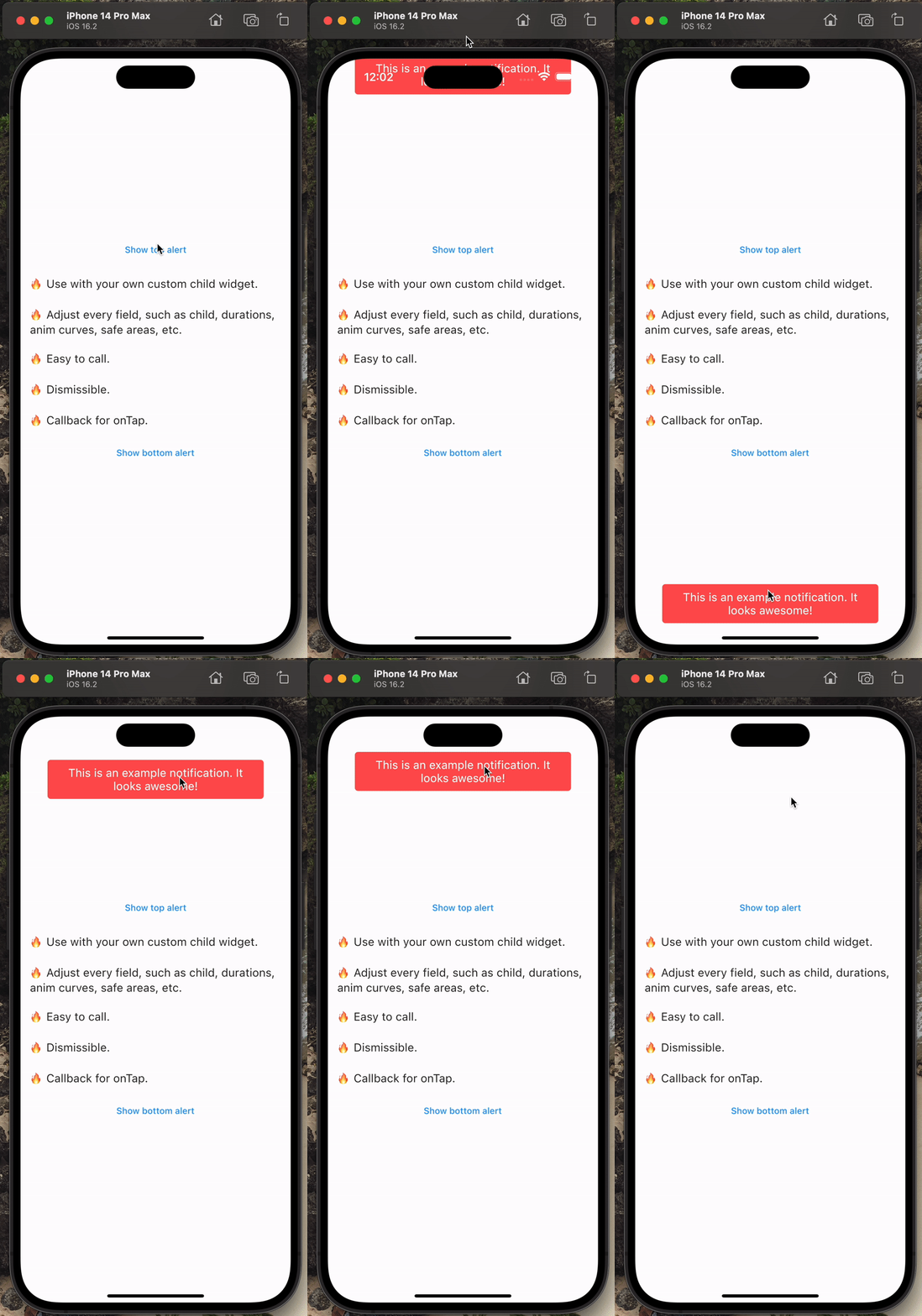
The package is always open to improvements, [suggestions](mailto:me@matthewtrent.me), and additions!
I'll look through PRs and issues as soon as I can!
依賴清單 3 項
{"sdk":"flutter"}{"sdk":"flutter"}^2.0.0先依使用情境篩選,再比較專案活躍情況,最後到原始儲存庫確認使用要求。
“A repository is the most basic element of GitHub.”
GitHub Docs — About repositories ↗