

 v0.2.0
flutter_interactive_keyboard
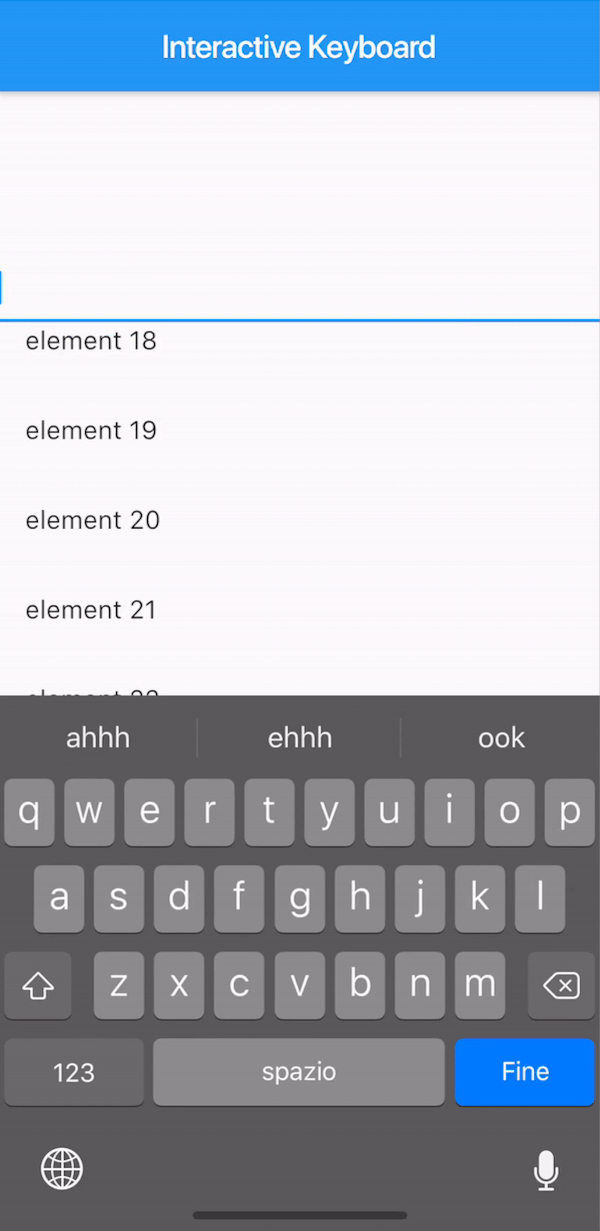
一個 Flutter 外掛,可互動式地關閉鍵盤,類似於 iOS 原生行為。在 Android 上,該功能透過無拖曳方式模擬實現。
33喜歡 56近 30 天下載140Pub 分數
AndroidiOS
更多內容請見 https://medium.com/@mattia_crovero/interactive-keyboard-in-flutter-5d7ac6ee096b

以下為英文專案原文快照,最新內容請造訪 GitHub。

This plugin is not under active development. If you'd like to contribute, PRs are welcomed.
A way to mimic the iOS interactive dismissable keyboard in Flutter. For Android, the behavior will still be applied without animation due to the Android keyboard limitations.

The KeyboardManagerWidget defines the area where the draggable keyboard is enabled. Gestures are passed to the widget in order to permit both scrolling and drag-to-dismiss behavior.
focusNode is required when using a TextField to manage the keyboard opening and closing.
See the full example to see a complete implementation.
KeyboardManagerWidget(
  focusNode: _focusNode,
  child: ListView.builder(
    itemCount: 100,
    itemBuilder: (context,index){
      return ListTile(
        title: Text("element $index"),
      );
    },
  ),
)
If your app has more than one TextField that should trigger the keyboard, you can change the current FocusNode from the KeyboardManagerWidgetState as follows:
// Init variable
GlobalKey<KeyboardManagerWidgetState> _key = GlobalKey();

// In the build method
KeyboardManagerWidget(
  key: _key,
  ...
)

// Wherever you like
_key.currentState.substituteFocusNode = newFocusNode;
依賴清單 2 項
{"sdk":"flutter"}{"sdk":"flutter"}先依使用情境篩選,再比較專案活躍情況,最後到原始儲存庫確認使用要求。
“A repository is the most basic element of GitHub.”
GitHub Docs — About repositories ↗