
icons_launcher
圖示啟動器 - 一個命令列工具,可簡化更新您的 Flutter 應用程式啟動圖示的任務。完全彈性,可依需求僅更新特定平台的啟動圖示。

- 星標
- 178
- 分支
- 16
- 最近推送(UTC)
- 2026年5月1日
- 專案狀態
- 未封存
原始 README
以下為英文專案原文快照,最新內容請造訪 GitHub。
🍃 Icons Launcher 🍃
A command-line tool that simplifies the task of updating your Flutter app's launcher icon. Full flexibility allows you to only update the launcher icon for specific platforms as needed.










Platform Support
| Android | iOS | macOS | Web | Linux | Windows |
|---|---|---|---|---|---|
| ✅ | ✅ | ✅ | ✅ | ✅ | ✅ |
Guide
1. Setup the config file
Add your Icons Launcher configuration to your pubspec.yaml or create a new config file called icons_launcher.yaml.
An example is shown below. More complex examples here.
Add config to pubspec.yaml or create a separate icons_launcher.yaml
icons_launcher:
  image_path: "assets/ic_logo_radius.png"
  platforms:
    android:
      enable: true
    ios:
      enable: true
Note For IOS 18 icons
darkandtintedalso supported. See more on example config below.
2. Run the package
After setting up the configuration, all that is left to do is run the package:
flutter pub get
dart run icons_launcher:create
If you name your configuration file something other than icons_launcher.yaml or pubspec.yaml you will need to specify the name of the file when running the package.
flutter pub get
dart run icons_launcher:create --path <your config file name here>
Note
If you are not using the existing
pubspec.yamlyour config file must still be located in the same directory as it.
If you encounter any issues please report them here.
In the above configuration, the package is setup to replace the existing launcher icons in both the Android and iOS project.
Attributes
Shown below is the full list of attributes which you can specify within your Icons Launcher configuration.
| Icons Launcher Option | Type | Default | Description |
|---|---|---|---|
image_path |
String | null |
The image file path |
platforms |
Object | null |
Use for specific platforms to generate icons |
| Platforms Option | Type | Default | Description |
|---|---|---|---|
android |
Object | null |
Use for specific Android platform |
ios |
Object | null |
Use for specific iOS platform |
macos |
Object | null |
Use for specific macOS platform |
windows |
Object | null |
Use for specific Windows platform |
web |
Object | null |
Use for specific Web platform |
linux |
Object | null |
Use for specific Linux platform |
| Android Option | Type | Default | Description |
|---|---|---|---|
enable |
Boolean | false |
Use for enable Android platform |
image_path |
String | null |
The image file path |
notification_image |
String | null |
Image for the notification icon |
adaptive_background_color |
String | null |
Color for fill out the background of the adaptive icon |
adaptive_background_image |
String | null |
Image for fill out the background of the adaptive icon |
adaptive_foreground_image |
String | null |
Image for the icon foreground of the adaptive icon |
adaptive_round_image |
String | null |
Image for the round icon of the adaptive icon |
adaptive_monochrome_image |
String | null |
Image for the monochrome version of the adaptive icon |
| iOS Option | Type | Default | Description |
|---|---|---|---|
enable |
Boolean | false |
Use for enable iOS platform |
image_path |
String | null |
The image file path |
dark_path |
String | null |
The dark image file path |
tinted_path |
String | null |
The tinted image file path |
| Web Option | Type | Default | Description |
|---|---|---|---|
enable |
Boolean | false |
Use for enable Web platform |
image_path |
String | null |
The image file path |
maskable_image_path |
String | null |
The maskable image file path for PWA |
favicon_path |
String | null |
The image file path |
favicon_output_extension |
String | .png |
Extension for favicon .png or .ico |
| macOS Option | Type | Default | Description |
|---|---|---|---|
enable |
Boolean | false |
Use for enable macOS platform |
image_path |
String | null |
The image file path |
| Windows Option | Type | Default | Description |
|---|---|---|---|
enable |
Boolean | false |
Use for enable Windows platform |
image_path |
String | null |
The image file path |
| Linux Option | Type | Default | Description |
|---|---|---|---|
enable |
Boolean | false |
Use for enable Linux platform with snapcraft |
image_path |
String | null |
The image file path |
Flavor support
Create a Icons Launcher configuration file for your flavor. The config file is called icons_launcher-<flavor>.yaml by replacing <flavor> by the name of your desired flavor.
Example: icons_launcher-dev.yaml and icons_launcher-prod.yaml
Run with flavor:
flutter pub get
# create for dev flavor
dart run icons_launcher:create --flavor dev

# create for prod flavor
dart run icons_launcher:create --flavor prod
Alternatively, you can run multiple flavors at the same time with the following command:
dart run icons_launcher:create --flavors dev,prod
The configuration file format is the same.
Example
icons_launcher:
  platforms:
    android:
      enable: true
      image_path: "assets/ic_logo_radius.png"
      notification_image: "assets/ic_foreground.png"
      # adaptive_background_color: "#ffffff"
      adaptive_background_image: "assets/ic_background.png"
      adaptive_foreground_image: "assets/ic_foreground.png"
      adaptive_round_image: "assets/ic_logo_round.png"
      adaptive_monochrome_image: "assets/ic_black_white.png"
    ios:
      enable: true
      image_path: "assets/ic_logo_rectangle_light.png"
      # For iOS 18+ (support dark and tinted)
      dark_path: "assets/ic_logo_rectangle_dark.png"
      tinted_path: "assets/ic_logo_rectangle_tinted.png"
    web:
      enable: false
      image_path: "assets/ic_logo_rectangle_light.png"
      maskable_image_path: "assets/ic_logo_radius.png"
      favicon_path: "assets/ic_logo_round.png"
      # favicon_output_extension: ".ico"
    macos:
      enable: false
      image_path: "assets/macos_icon.png"
    windows:
      enable: false
      image_path: "assets/ic_logo_radius.png"
    linux:
      enable: false
      image_path: "assets/ic_logo_radius.png"
Activities
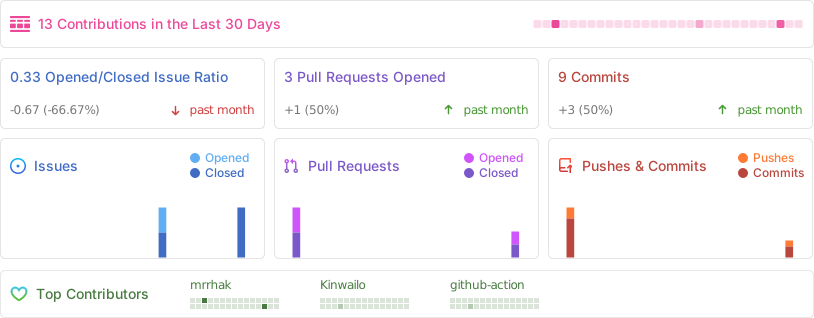

Mrr Hak ↗
分類
使用的依賴
依賴清單 9 項
- args
^2.7.0 - image
^4.8.0 - path
>=1.9.1 <2.0.0 - universal_io
^2.3.1 - yaml
^3.1.3 - build_runner開發依賴
^2.13.1 - build_version開發依賴
^2.1.3 - lints開發依賴
^6.1.0 - test開發依賴
^1.31.0
如何選擇適合專案的儲存庫?
先依使用情境篩選,再比較專案活躍情況,最後到原始儲存庫確認使用要求。
- 透過儲存庫名稱、作者或描述搜尋,再依技術分類縮小範圍。
- 綜合星標、分支與最近推送比較專案;星標反映社群關注,不保證品質。
- 使用前在 GitHub 確認 README、授權條款與 Issues。
來源與維護
“A repository is the most basic element of GitHub.”
GitHub Docs — About repositories ↗