
v2.0.0
reels_viewer
這是一個以 Instagram Reels 瀏覽器風格創建的套件,您可傳入影片 URL 並取得 Reels 視圖。
37喜歡 416近 30 天下載130Pub 分數
AndroidiOSWebmacOS
patildarshan66/reels_viewer open-source repository details.
以下為英文專案原文快照,最新內容請造訪 GitHub。
This is a package created in the style of the instagram reels viewer, with which you can pass video url and get reels view.
In the pubspec.yaml of your flutter project, add the following dependency:
dependencies:
  ...
  reels_viewer: ^1.0.0
In your library add the following import:
import 'package:reels_viewer/reels_viewer.dart';
For help getting started with Flutter, view the online documentation.
Initializing a List
List<ReelModel> reelsList = [
    ReelModel(
        'https://assets.mixkit.co/videos/preview/mixkit-tree-with-yellow-flowers-1173-large.mp4',
        'Darshan Patil',
        likeCount: 2000,
        isLiked: true,
        musicName: 'In the name of Love',
        reelDescription: "Life is better when you're laughing.",
        profileUrl:
        'https://opt.toiimg.com/recuperator/img/toi/m-69257289/69257289.jpg',
        commentList: [
            ReelCommentModel(
                comment: 'Nice...',
                userProfilePic:
                'https://opt.toiimg.com/recuperator/img/toi/m-69257289/69257289.jpg',
                userName: 'Darshan',
                commentTime: DateTime.now(),
            ),
            ReelCommentModel(
                comment: 'Superr...',
                userProfilePic:
                'https://opt.toiimg.com/recuperator/img/toi/m-69257289/69257289.jpg',
                userName: 'Darshan',
                commentTime: DateTime.now(),
            ),
            ReelCommentModel(
                comment: 'Great...',
                userProfilePic:
                'https://opt.toiimg.com/recuperator/img/toi/m-69257289/69257289.jpg',
                userName: 'Darshan',
                commentTime: DateTime.now(),
            ),
        ]
    ),
    ReelModel(
        'https://assets.mixkit.co/videos/preview/mixkit-father-and-his-little-daughter-eating-marshmallows-in-nature-39765-large.mp4',
        'Rahul',
        musicName: 'In the name of Love',
        reelDescription: "Life is better when you're laughing.",
        profileUrl:
        'https://opt.toiimg.com/recuperator/img/toi/m-69257289/69257289.jpg',
    ),
    ReelModel(
        'https://assets.mixkit.co/videos/preview/mixkit-mother-with-her-little-daughter-eating-a-marshmallow-in-nature-39764-large.mp4',
        'Rahul',
    ),
];
Simple implementation
ReelsViewer(
    reelsList: reelsList,
    appbarTitle: 'Instagram Reels',
    onShare: (url) {
        log('Shared reel url ==> $url');
    },
    onLike: (url) {
        log('Liked reel url ==> $url');
    },
    onFollow: () {
        log('======> Clicked on follow <======');
    },
    onComment: (comment) {
        log('Comment on reel ==> $comment');
    },
    onClickMoreBtn: () {
        log('======> Clicked on more option <======');
    },
    onClickBackArrow: () {
        log('======> Clicked on back arrow <======');
    },
    onIndexChanged: (index){
        log('======> Current Index ======> $index <========');
    },
    showProgressIndicator: true,
    showVerifiedTick: false,
    showAppbar: false,
);
| Name | Description | Default | Return |
|---|---|---|---|
| reelsList | For assign reels list | [] |
- |
| appbarTitle | For assign appbar title | Reels View |
- |
| showProgressIndicator | Hide/Show progress Indicator | true |
- |
| showVerifiedTick | Hide/Show profile verified tick | true |
- |
| showAppbar | Hide/Show appbar | true |
- |
| onShare | Trigger when click on Share btn | - | reels url |
| onLike | Trigger when click on Like btn | - | reels url |
| onFollow | Trigger when click on Follow btn | - | - |
| onComment | Trigger when click on Comment Bnt | - | string |
| onClickMoreBtn | Trigger when click on Three dot btn | - | - |
| onClickBackArrow | Trigger when click on Back Arrow | - | - |
| onIndexChanged | Trigger when Reel change | - | current reel index |
Click here for download demo app.
initial view
Screenshot 1
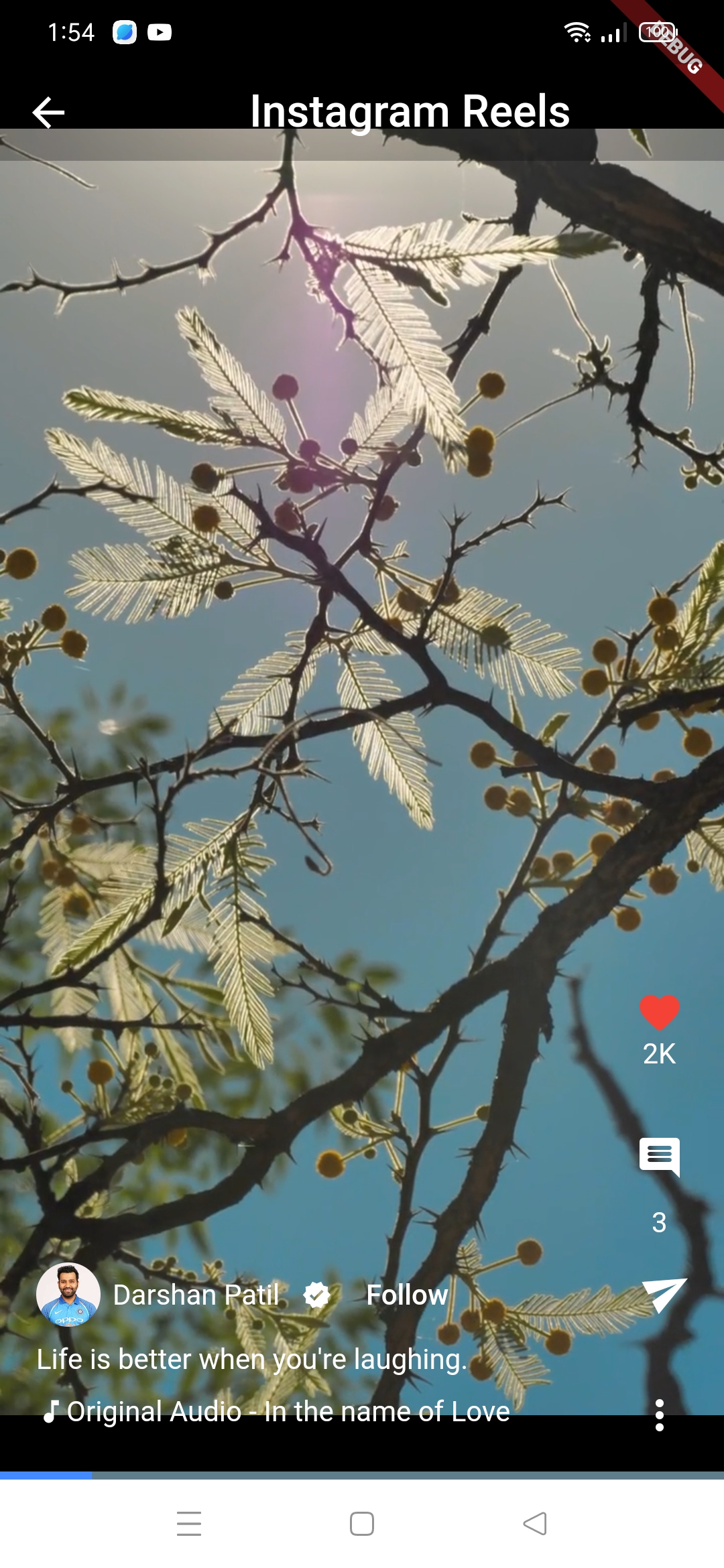
Screenshot 2
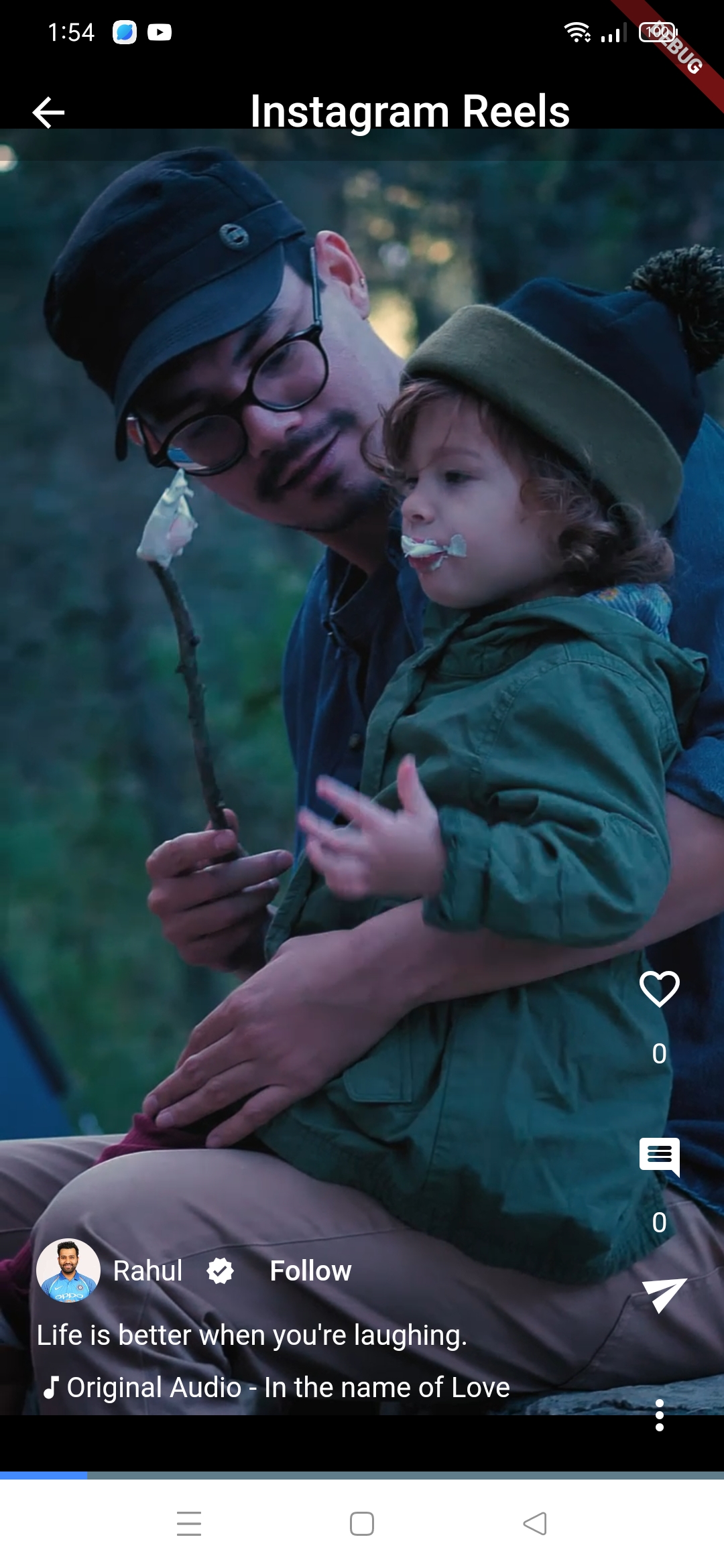
Screenshot 3

Click here for watch demo video.

依賴清單 8 項
{"sdk":"flutter"}^1.9.2^3.0.1^3.4.1^0.20.1^2.9.2{"sdk":"flutter"}^5.0.0先依使用情境篩選,再比較專案活躍情況,最後到原始儲存庫確認使用要求。
“A repository is the most basic element of GitHub.”
GitHub Docs — About repositories ↗