


 v1.0.1
flutter_breadcrumb
可在 Flutter 中輕鬆建立麵包屑的 Flutter 小部件。
130喜歡 18.4萬近 30 天下載140Pub 分數
AndroidiOSWebmacOSWindowsLinux
可在 Flutter 中輕鬆建立麵包屑的 Flutter 小部件。

以下為英文專案原文快照,最新內容請造訪 GitHub。

Flutter Widget that can easily create Breadcrumb in Flutter.
A breadcrumb or breadcrumb trail is a graphical control element frequently used as a navigational aid in user interfaces and on web pages. It allows users to keep track and maintain awareness of their locations within applications, documents, or websites.
| Show Case | Wrap Behavior | Scroll Behavior |
|---|---|---|
 |
 |
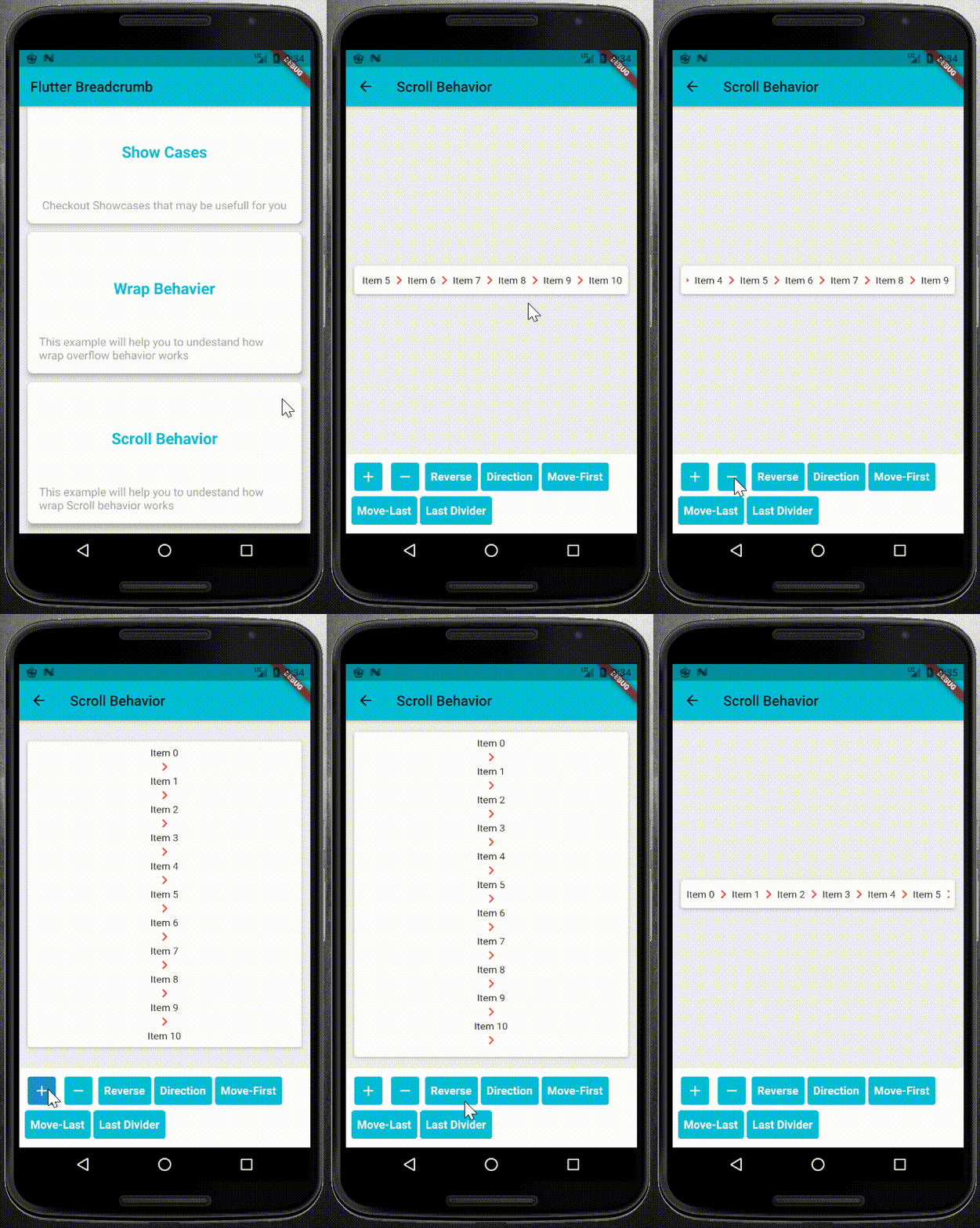 |
pubspec.yaml file as dependency:dependencies:
flutter_breadcrumb: ^1.0.1
flutter pub get
import 'package:flutter_breadcrumb/flutter_breadcrumb.dart';
BreadCrumb(
	items: <BreadCrumbItem>[
	//add your BreadCrumbItem here
	],
	divider: Icon(Icons.chevron_right),
)
primary constructor or builder named constructor.BreadCrumb(
items: <BreadCrumbItem>[
BreadCrumbItem(content: Text('Item1')),
BreadCrumbItem(content: Text('Item2')),
...
],
divider: Icon(Icons.chevron_right),
)
BreadCrumb.builder(
	itemCount: 8,
	builder: (index) {
		return BreadCrumbItem(content: Text('Item$index'));
	},
	divider: Icon(Icons.chevron_right),
)
BreadCrumb widget.BreadCrumb(
items: <BreadCrumbItem>[
//add your BreadCrumbItem here
],
divider: Icon(Icons.chevron_right),
overflow: WrapOverflow(
keepLastDivider: false,
direction: Axis.horizontal,
),
)
BreadCrumb(
	items: <BreadCrumbItem>[
		//add your BreadCrumbItem here
	],
	divider: Icon(Icons.chevron_right),
	overflow: ScrollableOverflow(
		keepLastDivider: false,
		reverse: false,
		direction: Axis.horizontal,
	),
)
class CustomOverflowBehavior extends BreadCrumbOverflow{
	@override
	Widget build(BuildContext context, List<BreadCrumbItem> items, Widget divider) {
		// TODO: implement build
	}

	@override
	// TODO: implement keepLastDivider
	bool get keepLastDivider => _keepLastDivider;

	@override
	List<Widget> widgetItems(List<BreadCrumbItem> items, Widget divider) {
		// TODO: implement widgetItems
	}
}
widgetItems method to create List<Widget> with items and divider parameters.build method to create your own widget behavior. for example wrap behavior uses Wrap widget. and you can use widgetItems method in your build method to create List<Widget> items.
依賴清單 3 項
{"sdk":"flutter"}^1.11.0{"sdk":"flutter"}先依使用情境篩選,再比較專案活躍情況,最後到原始儲存庫確認使用要求。
“A repository is the most basic element of GitHub.”
GitHub Docs — About repositories ↗