
 v3.6.0
pretty_qr_code
一個高度可自訂的 Flutter 小工具,可輕鬆呈現 QR 碼。
587喜歡 21.2萬近 30 天下載140Pub 分數
AndroidiOSWebmacOSWindowsLinux
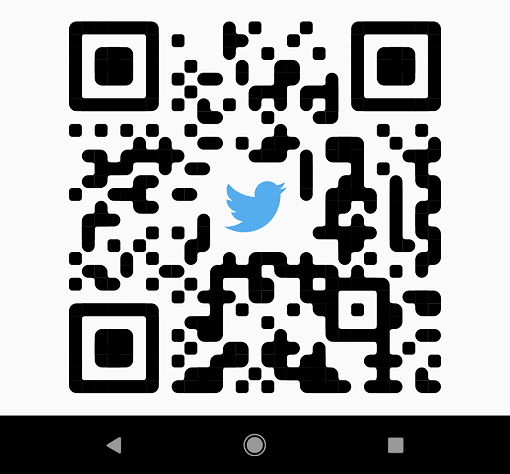
帶圓角的漂亮二維碼。

{"sdk":"flutter"}^3.0.1^1.7.0{"sdk":"flutter"}^2.0.1^2.24.0以下為英文專案原文快照,最新內容請造訪 GitHub。
https://raw.githubusercontent.com/promops/flutter_pretty_qr/master/resources/pretty-qr-code.png
Pub Likes on pub.dev Star on Github License: MIT
A highly customizable Flutter widget that makes it easy to render QR codes. Built on top of the qr package.
If you want to say thank you, star us on GitHub or like us on pub.dev.
First, follow the package installation instructions and add a PrettyQrView widget to your app:
PrettyQrView.data(
  data: 'lorem ipsum dolor sit amet',
  decoration: const PrettyQrDecoration(
    image: PrettyQrDecorationImage(
      image: AssetImage('images/flutter.png'),
    ),
    quietZone: PrettyQrQuietZone.standart,
  ),
)
If you want to pass non-string data or want to specify a QR version, consider using the default PrettyQrView constructor:
@protected
late QrImage qrImage;

@override
void initState() {
  super.initState();

  final qrCode = QrCode(
    8,
    QrErrorCorrectLevel.H,
  )..addData('lorem ipsum dolor sit amet');

  qrImage = QrImage(qrCode);
}

@override
Widget build(BuildContext context) {
  return PrettyQrView(
    qrImage: qrImage,
    decoration: const PrettyQrDecoration(),
  );
}
Note: Do not create QrImage inside the build method; otherwise, you may have an undesired jank in the UI thread.
To combine multiple styles in a single QR code, you can use PrettyQrCustomShape, as shown in the example below:
PrettyQrView.data(
  data: 'lorem ipsum dolor sit amet',
  decoration: const PrettyQrDecoration(
    shape: PrettyQrShape.custom(
      PrettyQrSquaresSymbol(),
      finderPattern: PrettyQrSmoothSymbol(),
      alignmentPatterns: PrettyQrDotsSymbol(),
    ),
  ),
)
You can save the QR code as an image using the toImage or toImageAsBytes extension methods that apply to QrImage. Optionally, the configuration parameter may be used to set additional saving options, such as pixel ratio or text direction.
final qrCode = QrCode.fromData(
  data: 'lorem ipsum dolor sit amet',
  errorCorrectLevel: QrErrorCorrectLevel.H,
);

final qrImage = QrImage(qrCode);
final qrImageBytes = await qrImage.toImageAsBytes(
  size: 512,
  format: ImageByteFormat.png,
  decoration: const PrettyQrDecoration(),
);
See the example folder for more code samples of the various possibilities.
Contributions are welcomed!
Here is a curated list of how you can help: