


 v1.0.7
media_picker_widget
一個從儲存中選擇媒體檔案的元件,並允許您將其放置在小部件樹中的任何位置。
61喜歡 65近 30 天下載35Pub 分數
平台暫無資料
一個從儲存中選擇媒體檔案的元件,並允許您將其放置在小部件樹中的任何位置。

以下為英文專案原文快照,最新內容請造訪 GitHub。

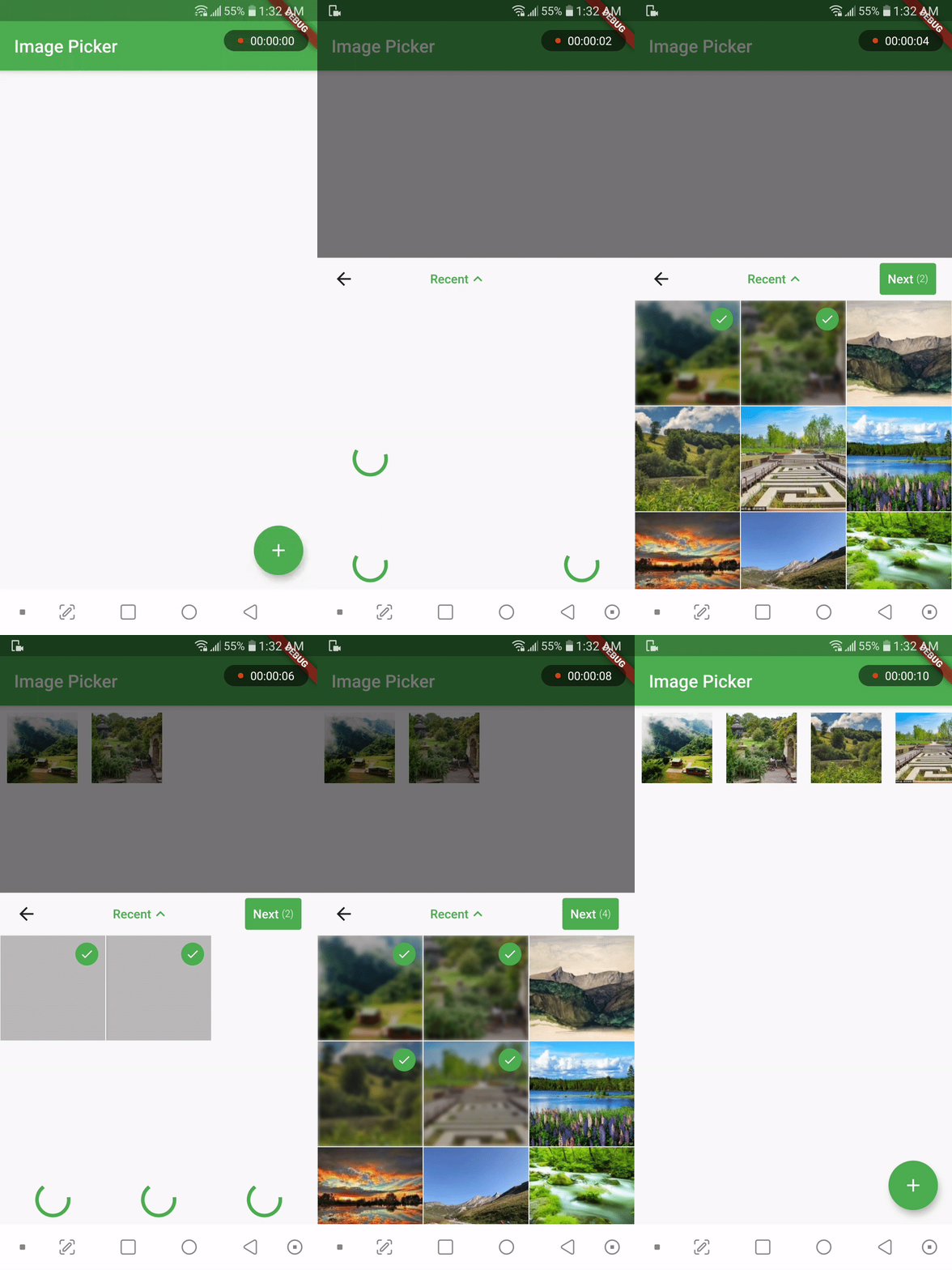
A widget that picks media files from storage and allows you to place it anywhere in the widget tree. You can use this widget in a dialog, bottom sheet, or anywhere else as you wish. It supports picking single or multiple images or videos. Use the PickerDecoration class to decorate the UI.
If you find this widget useful, consider supporting the developer by buying them a coffee.

Add the following line to your pubspec.yaml file:
media_picker_widget: $latest_version
The latest version of the package is
To use this widget on Android, you need to add the following permissions to your AndroidManifest.xml file, located in <project root>/android/app/src/main/AndroidManifest.xml:
<uses-permission android:name="android.permission.READ_EXTERNAL_STORAGE"/>
If your app targets Android SDK 33, as mentioned in the Android 13 Behavior changes, you have to add the following permissions as well:
<uses-permission android:name="android.permission.READ_MEDIA_IMAGES"/>
<uses-permission android:name="android.permission.READ_MEDIA_VIDEO"/>
This plugin requires iOS 9.0 or higher.
Starting with version 0.8.1 the iOS implementation uses PHPicker to pick (multiple) images on iOS 14 or higher. As a result of implementing PHPicker it becomes impossible to pick HEIC images on the iOS simulator in iOS 14+. This is a known issue. Please test this on a real device, or test with non-HEIC images until Apple solves this issue. 63426347 - Apple known issue
Add the following keys to your Info.plist file, located in <project root>/ios/Runner/Info.plist:
NSPhotoLibraryUsageDescription - describe why your app needs permission for the photo library. This is called Privacy - Photo Library Usage Description in the visual editor.NSCameraUsageDescription - describe why your app needs access to the camera. This is called Privacy - Camera Usage Description in the visual editor.NSMicrophoneUsageDescription - describe why your app needs access to the microphone, if you intend to record videos. This is called Privacy - Microphone Usage Description in the visual editor.Firstly, import in dart code:
import 'package:media_picker_widget/media_picker_widget.dart';
To use the media_picker_widget, follow these steps:
Make sure your app's minSdkVersion is set to 21 in the app/build.gradle file.
Within your Flutter widget tree, simply add the MediaPicker widget, which extends StatefulWidget. Here's an example:
MediaPicker(
  mediaList: mediaList, //let MediaPicker know which medias are already selected by passing the previous mediaList
  onPicked: (selectedList){
    print('Got Media ${selectedList.length}');
  },
  onCancel: ()=> print('Canceled'),
  mediaCount: MediaCount.single,
  mediaType: MediaType.image,
  decoration: PickerDecoration(),
)
Customize the widget as needed. You can use the PickerDecoration class to decorate the UI.
New header customization have been added. MediaPicker widget has HeaderBuilder property. You can pass a HeaderBuilder to customize the header. HeaderBuilder is a function that returns a Widget. You can use HeaderBuilder to customize the header as you wish. You can use MediaPickerHeader class to get the default header. MediaPickerHeader class has a MediaPickerHeaderProps class that takes MediaPicker properties as parameters. You can use MediaPickerHeaderProps class to customize the header.
Like this,
MediaPicker(
  mediaList: mediaList, //let MediaPicker know which medias are already selected by passing the previous mediaList
  onPick: (selectedList){
    print('Got Media ${selectedList.length}');
  },
  onCancel: ()=> print('Canceled'),
  mediaCount: MediaCount.single,
  mediaType: MediaType.image,
  decoration: PickerDecoration(),
  headerBuilder: (context, albumPicker, onDone, onCancel) {
   return SizedBox(
      height: 46.0,
      child: Row(
        mainAxisAlignment: MainAxisAlignment.center,
        children: [
          TextButton(onPressed: onDone, child: const Text('Back')),
          Expanded(child: Center(child: albumPicker)),
          TextButton(onPressed: onDone, child: const Text('Done')),
        ],
      ),
    );
  },
)
For more Information about the Classes, Enums, Functions etc, visit API Reference.
This package depends on the following packages :
依賴清單 5 項
{"sdk":"flutter"}^3.0.0-dev.2^2.0.0+1^1.0.4{"sdk":"flutter"}先依使用情境篩選,再比較專案活躍情況,最後到原始儲存庫確認使用要求。
“A repository is the most basic element of GitHub.”
GitHub Docs — About repositories ↗