

v2.1.0
datetime_picker_formfield_new
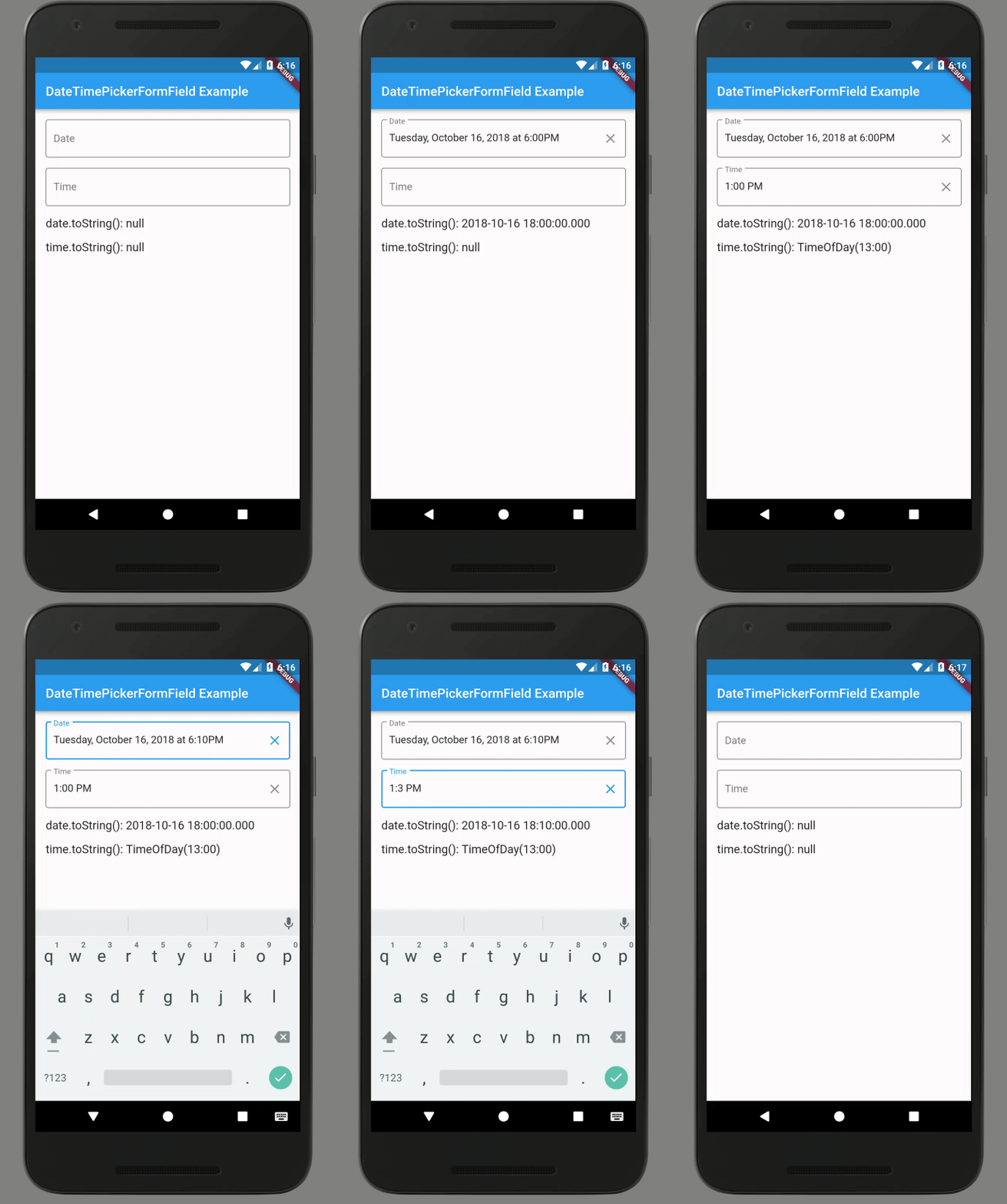
一個會發出 DateTime 的 TextFormField,可幫助顯示 Material、Cupertino 和其他樣式的選擇器對話方塊。
34喜歡 8350近 30 天下載140Pub 分數
AndroidiOSWebmacOSWindowsLinux
一個包裝 TextFormField 並整合日期和/或時間選擇器對話方塊的 Flutter 小部件。

以下為英文專案原文快照,最新內容請造訪 GitHub。
A TextFormField that emits DateTimes and helps show Material, Cupertino, and other style picker dialogs.
Fork with support for flutter >3.0.0
See the example tab (example/lib/main.dart) for more.
import 'package:flutter/material.dart';
import 'package:intl/intl.dart';
import 'package:datetime_picker_formfield/datetime_picker_formfield.dart';

// ...

class BasicDateField extends StatelessWidget {
  final format = DateFormat("yyyy-MM-dd");
  @override
  Widget build(BuildContext context) {
    return Column(children: <Widget>[
      Text('Basic date field (${format.pattern})'),
      DateTimeField(
        format: format,
        onShowPicker: (context, currentValue) {
          return showDatePicker(
            context: context,
            firstDate: DateTime(1900),
            initialDate: currentValue ?? DateTime.now(),
            lastDate: DateTime(2100),
          );
        },
      ),
    ]);
  }
}

class BasicTimeField extends StatelessWidget {
  final format = DateFormat("HH:mm");
  @override
  Widget build(BuildContext context) {
    return Column(children: <Widget>[
      Text('Basic time field (${format.pattern})'),
      DateTimeField(
        format: format,
        onShowPicker: (context, currentValue) async {
          final time = await showTimePicker(
            context: context,
            initialTime: TimeOfDay.fromDateTime(currentValue ?? DateTime.now()),
          );
          return DateTimeField.convert(time);
        },
      ),
    ]);
  }
}

class BasicDateTimeField extends StatelessWidget {
  final format = DateFormat("yyyy-MM-dd HH:mm");
  @override
  Widget build(BuildContext context) {
    return Column(children: <Widget>[
      Text('Basic date & time field (${format.pattern})'),
      DateTimeField(
        format: format,
        onShowPicker: (context, currentValue) async {
          return await showDatePicker(
            context: context,
            firstDate: DateTime(1900),
            initialDate: currentValue ?? DateTime.now(),
            lastDate: DateTime(2100),
          ).then((DateTime? date) async {
            if (date != null) {
              final time = await showTimePicker(
                context: context,
                initialTime:
                    TimeOfDay.fromDateTime(currentValue ?? DateTime.now()),
              );
              return DateTimeField.combine(date, time);
            } else {
              return currentValue;
            }
          });
        },
      ),
    ]);
  }
}
依賴清單 3 項
{"sdk":"flutter"}>=0.17.0 <1.0.0{"sdk":"flutter"}先依使用情境篩選,再比較專案活躍情況,最後到原始儲存庫確認使用要求。
“A repository is the most basic element of GitHub.”
GitHub Docs — About repositories ↗