

 v0.4.1
scrollable_panel
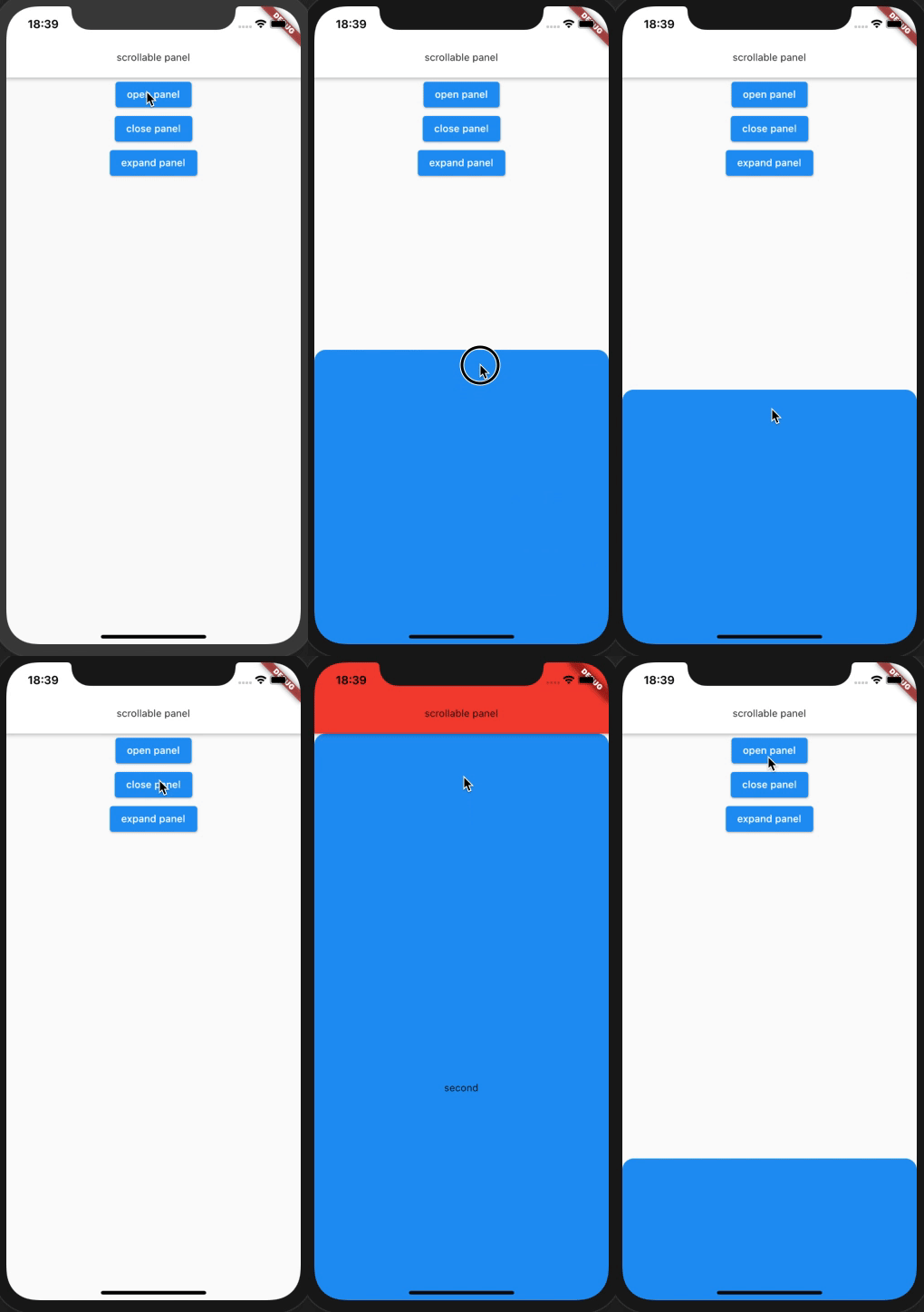
拖曳以展開,然後可滾動內容。類似於 Google 地圖應用程式中的「附近地點」面板。
62喜歡 84近 30 天下載150Pub 分數
AndroidiOSWebmacOSWindowsLinux
renoinn/scrollable_panel open-source repository details.

以下為英文專案原文快照,最新內容請造訪 GitHub。

drag to expand and then can scroll contents. similar "Nearby spots" panel on google map app.
https://pub.dev/packages/scrollable_panel
| Properties | Data Type | Description |
|---|---|---|
| builder | ScrollableWidgetBuilder | builder for inner panel view. ScrollableWidgetBuilder type define in draggable_scrollable_sheet.dart. provide PanelScrollController that extends ScrollController. |
| controller | PanelController | control panel from some interaction like button. |
| defaultPanelState | PanelState | set default panel state. (default value PanelState.open) |
| defaultPanelSize | double | set default panel height factor (default value 0.25) |
| minPanelSize | double | set minimum panel height factor. (default value 0) |
| maxPanelSize | double | set maximum panel height factor. (default value 1.0) |
| onOpen | VoidCallback | if non-null, this callback is called when panel state become open |
| onClose | VoidCallback | if non-null, this callback is called when panel state become close |
| onExpand | VoidCallback | if non-null, this callback is called when panel state become expand |
| Action | Data Type | Description |
|---|---|---|
| open | void | open panel. panel animate to defaultPanelSize. |
| expand | void | expand panel. panel animate to maxPanelSize. |
| close | void | close panel. panel animate to minPanelSize. |
| animateTo | double | animate panel to value height. |
class MyHomePage extends StatefulWidget {
  MyHomePage({Key key, this.title}) : super(key: key);

  final String title;

  @override
  _MyHomePageState createState() => _MyHomePageState();
}

class _MyHomePageState extends State<MyHomePage> {
  PanelController _panelController = PanelController();

  @override
  Widget build(BuildContext context) {
    return Scaffold(
      appBar: AppBar(
        title: Text('scrollable panel'),
      ),
      body: Stack(
        children: <Widget>[
          InkWell(
            onTap: () {
              _panelController.toDefault();
            },
            child: _FirstView(),
          ),
          ScrollablePanel(
            controller: _panelController,
            builder: (context, controller) {
              return SingleChildScrollView(
                controller: controller,
                child: _SecondView(),
              );
            },
          ),
        ],
      ),
    );
  }
}
List<double> anchor property to use multi snapping point.依賴清單 3 項
{"sdk":"flutter"}{"sdk":"flutter"}^1.11.0先依使用情境篩選,再比較專案活躍情況,最後到原始儲存庫確認使用要求。
“A repository is the most basic element of GitHub.”
GitHub Docs — About repositories ↗