

v1.0.3
flutter_counter
Flutter Counter 是一個以 Dart 編寫的簡單且可自訂的外掛,適用於 Flutter。像使用其他組件一樣建立它,根據您的需求加入參數,搞定!
9喜歡 42近 30 天下載40Pub 分數
平台暫無資料
Flutter Counter 是一個以 Dart 編寫的 Flutter 插件,非常簡單且可自訂。像建立其他任何組件一樣建立它,根據需求加入參數,完成!您就擁有一個高度可自訂的計數器,並帶有回呼函數。零樣板程式碼!

以下為英文專案原文快照,最新內容請造訪 GitHub。
Flutter Counter is a plugin written in dart for flutter which is really simple and customizeable. Create it like any other widget, add params according to your need and presto! You have got the highly customizeable counter with callbacks. Zero boilerplate!
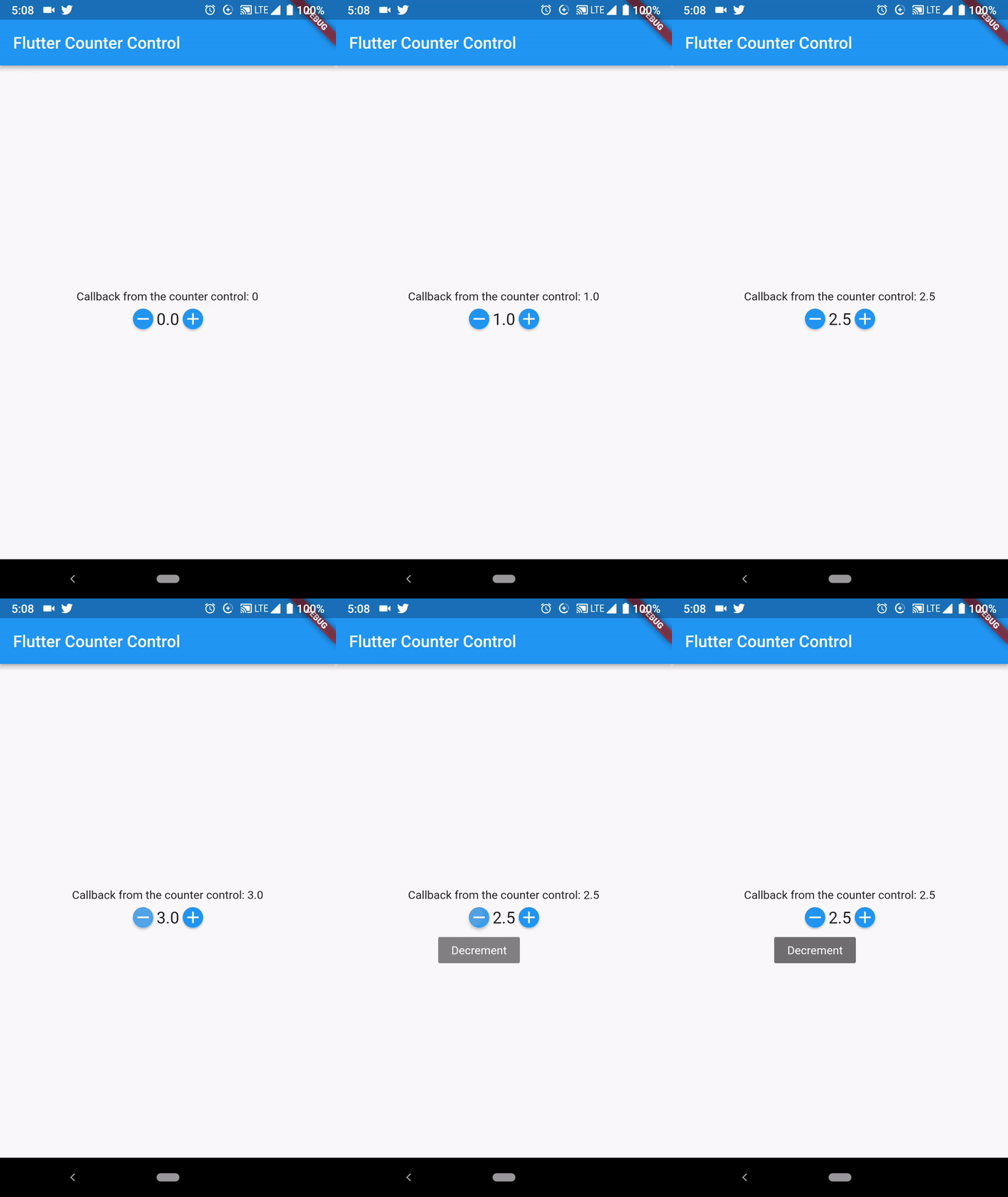
Create this widget as you do with other widgets
Counter(
  initialValue: _defaultValue,
  minValue: 0,
  maxValue: 10,
  step: 0.5,
  decimalPlaces: 1,
  onChanged: (value) { // get the latest value from here
    setState(() {
      _defaultValue = value;
    });
  },
),
There are some required values and other are for the customization
  @required num initialValue    // default value
  @required this.minValue       // minimum value
  @required this.maxValue       // maximum value
  @required this.onChanged      // callback
  @required this.decimalPlaces  // decimal places you want to show the value of
  this.color                    // color of the buttons
  this.textStyle                // text style which displays the value
  this.step = 1                 // step you want to set to change value
  this.buttonSize = 25          // if you want to change size of button
Beautify your widget with provided customization. You can also change color and size of both buttons and text. Very simple to implement and looks awesome. You can find more details in sample app.
FlutterCounter is available under the MIT license. See the LICENSE file for more info.
Pull requests are welcome! The best contributions will consist of substitutions or configurations for classes/methods known to block the main thread during a typical app lifecycle.
I would love to know if you are using Counter in your app, send an email to [Salmaan Ahmed](mailto:salmaan.ahmed@hotmail.com)
依賴清單 3 項
{"sdk":"flutter"}^0.1.2{"sdk":"flutter"}先依使用情境篩選,再比較專案活躍情況,最後到原始儲存庫確認使用要求。
“A repository is the most basic element of GitHub.”
GitHub Docs — About repositories ↗