

 v10.0.1
youtube_player_flutter
使用官方 iFrame 播放器 API 播放或串流內嵌 YouTube 影片的 Flutter 插件。此插件支援 Android 與 iOS。
1710喜歡 22.9萬近 30 天下載160Pub 分數
AndroidiOSWebmacOSWindows
一個用於在 Flutter 中使用官方 iFrame Player API 進行內嵌播放或串流 YouTube 影片的外掛程式。

以下為英文專案原文快照,最新內容請造訪 GitHub。


A Flutter monorepo for seamless YouTube video playback, powered by the official iFrame Player API.



| Package | Version | Demo | Description | Platforms |
|---|---|---|---|---|
| youtube_player_flutter |  |
 |
Batteries-included YouTube player with built-in controls, gestures, and live stream UI | Android, iOS, macOS, Web |
| youtube_player_iframe |  |
|
Full-control Flutter port of the YouTube iFrame API. Build your own UI. | Android, iOS, macOS, Web |
| youtube_player_iframe_web |  |
Web platform implementation for youtube_player_iframe (added automatically) |
Web |
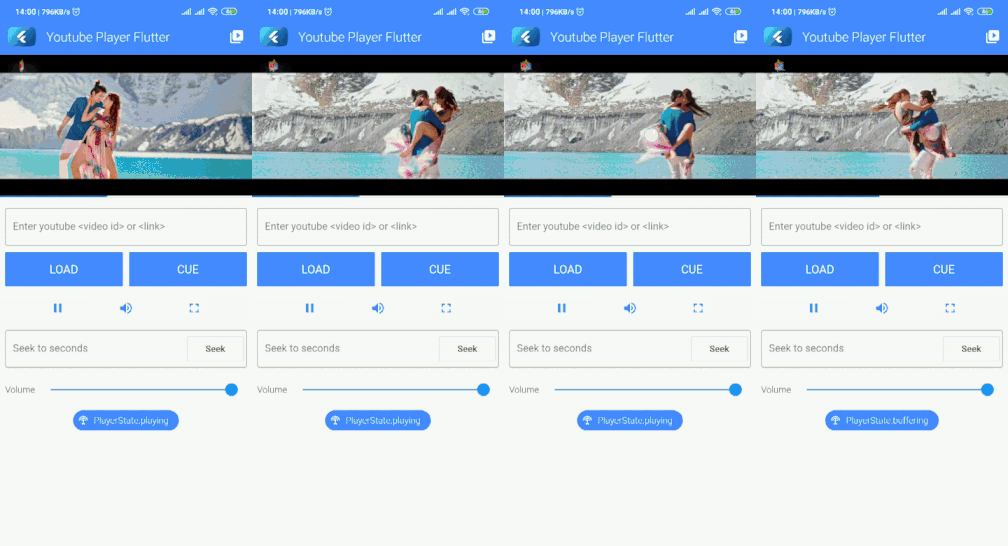
youtube_player_flutter: just want a player that worksThe quickest path to YouTube playback in your app. It ships with ready-made controls, a progress bar, drag-to-seek, pinch-to-fullscreen, and a live stream UI, all out of the box. Drop it in, point it at a video ID, and you're done.
flutter pub add youtube_player_flutter
Best for: apps that want a polished, functional player with minimal setup.
youtube_player_iframe: want full control over the playerA lower-level package that gives you the complete YouTube iFrame API. You own the UI; the package handles playback state, playlists, metadata, fullscreen transitions, thumbnails, and more. Includes a lazy-loading thumbnail widget perfect for video lists.
flutter pub add youtube_player_iframe
Best for: apps with a custom player design, complex playback logic, or playlist management needs.
youtube_player_iframe_web: you probably don't need to add thisThis is the web platform implementation consumed automatically by youtube_player_iframe. You only need to add it directly if you're building a platform plugin or working inside this monorepo.
BSD-3-Clause. See LICENSE for details.
This project uses the YouTube IFrame Player API. By using these packages, you agree to the YouTube API Services Terms of Service.
API method documentation is adapted from the YouTube IFrame Player API Reference, © Google LLC, licensed under CC BY 4.0. See NOTICE for details.
依賴清單 2 項
^7.8.0^6.0.0先依使用情境篩選,再比較專案活躍情況,最後到原始儲存庫確認使用要求。
“A repository is the most basic element of GitHub.”
GitHub Docs — About repositories ↗
