

 v1.1.0
google_map_custom_windows
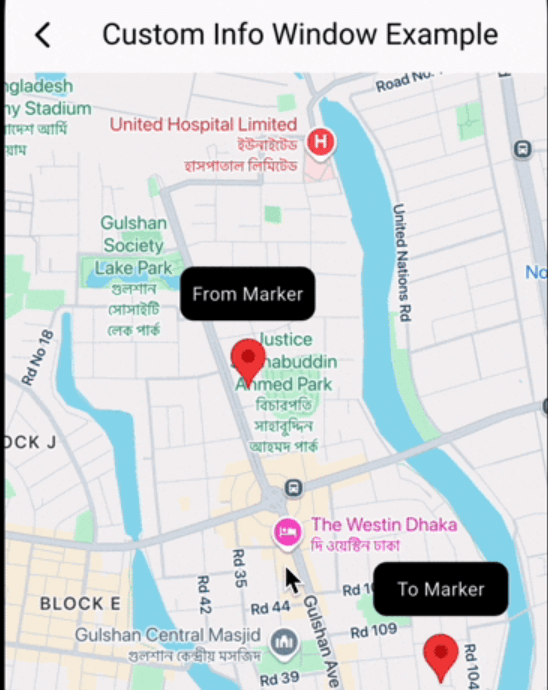
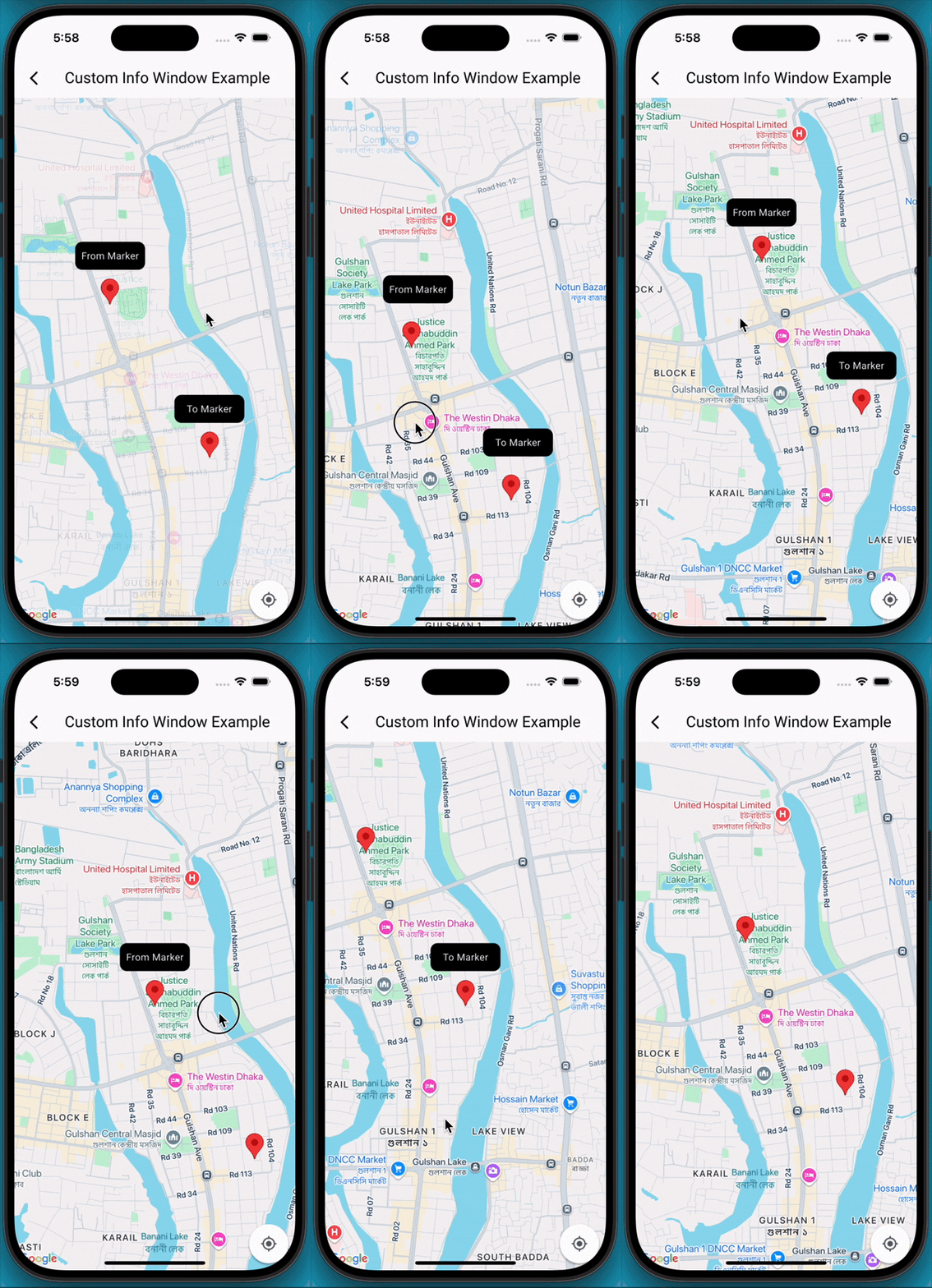
一個可自訂的 Google 地圖標記資訊視窗。您可以在 Google 地圖檢視中顯示多個資訊視窗。
2喜歡 1460近 30 天下載160Pub 分數
AndroidiOS
一個用於 Google 標記自定義視窗的套件。您可以在 Google 地圖標記上顯示多個視窗。

以下為英文專案原文快照,最新內容請造訪 GitHub。
A Flutter package that extends the capabilities of google_maps_flutter by allowing developers to display fully customizable info windows for markers, including the ability to show multiple info windows simultaneously on the map.
Add Dependencies
First, ensure you have google_maps_flutter integrated into your project. Then, add google_map_custom_windows to your pubspec.yaml:
 dependencies:
   google_map_custom_windows: ^1.0.1
Run flutter pub get to fetch the new dependencies.
Import
import 'package:google_map_custom_windows/google_map_custom_windows.dart';
Usage
To use the custom info windows, you'll primarily interact with the GoogleMapCustomWindowController and the CustomMapInfoWindow widget.
GoogleMapCustomWindowController, Create an instance of GoogleMapCustomWindowController in your StatefulWidget's initState.late GoogleMapCustomWindowController _googleMapCustomWindowController;
@override
void initState() {
super.initState();
_googleMapCustomWindowController = GoogleMapCustomWindowController();
}
info window widget for view. You can create multiple window as your requirement.class MyCustomInfoWidget extends StatelessWidget {
final String title;
const MyCustomInfoWidget({super.key, required this.title});
@override
Widget build(BuildContext context) {
return Container(
decoration: BoxDecoration(
borderRadius: BorderRadius.circular(10),
color: Colors.black,
),
alignment: Alignment.center,
child: Text(
title,
style: TextStyle(color: Colors.white, fontSize: 14),
),
);
}
}
List<Widget> infoWidgets = [
MyCustomInfoWidget(title: 'From Marker'),
MyCustomInfoWidget(title: 'To Marker'),
];

List<LatLng> infoPositions = [
LatLng(23.798054, 90.413459),
LatLng(23.789451, 90.419584),
];
@Stack(
     children: [
       GoogleMap(
         mapType: MapType.normal,
         markers: markers,
         initialCameraPosition: CameraPosition(target: initPosition, zoom: 15),
         onMapCreated: (GoogleMapController controller) {
           _setFromToMarker();
           _googleMapCustomWindowController.googleMapController = controller;
           _googleMapCustomWindowController.addInfoWindow!(infoWidgets, infoPositions);
         },
         onTap: (position) {
           _googleMapCustomWindowController.hideInfoWindow!();
         },
         onCameraMove: (CameraPosition cameraPosition) {
           _googleMapCustomWindowController.onCameraMove!();
         },
       ),

       CustomMapInfoWindow(
         controller: _googleMapCustomWindowController,
         offset: const Offset(0, 50),
         height: 40,
         width: 100,
       ),
     ],
   )
googleMapCustomWindowController@override
void dispose() {
_googleMapCustomWindowController.dispose();
super.dispose();
}
Contributions are welcome! If you find a bug or have a feature request, please open an issue on GitHub. If you'd like to contribute code, please fork the repository and submit a pull request.
依賴清單 4 項
{"sdk":"flutter"}^2.12.2{"sdk":"flutter"}^5.0.0先依使用情境篩選,再比較專案活躍情況,最後到原始儲存庫確認使用要求。
“A repository is the most basic element of GitHub.”
GitHub Docs — About repositories ↗