
sbp
smenateam/sbp open-source repository details.

- 星標
- 13
- 分支
- 17
- 最近推送(UTC)
- 2025年1月20日
- 專案狀態
- 未封存
原始 README
以下為英文專案原文快照,最新內容請造訪 GitHub。
sbp
Flutter plugin, with which you can get a list of banks installed on the device user, as well as launch a link to pay for the SBP of the form https://qr.nspk.ru/.../
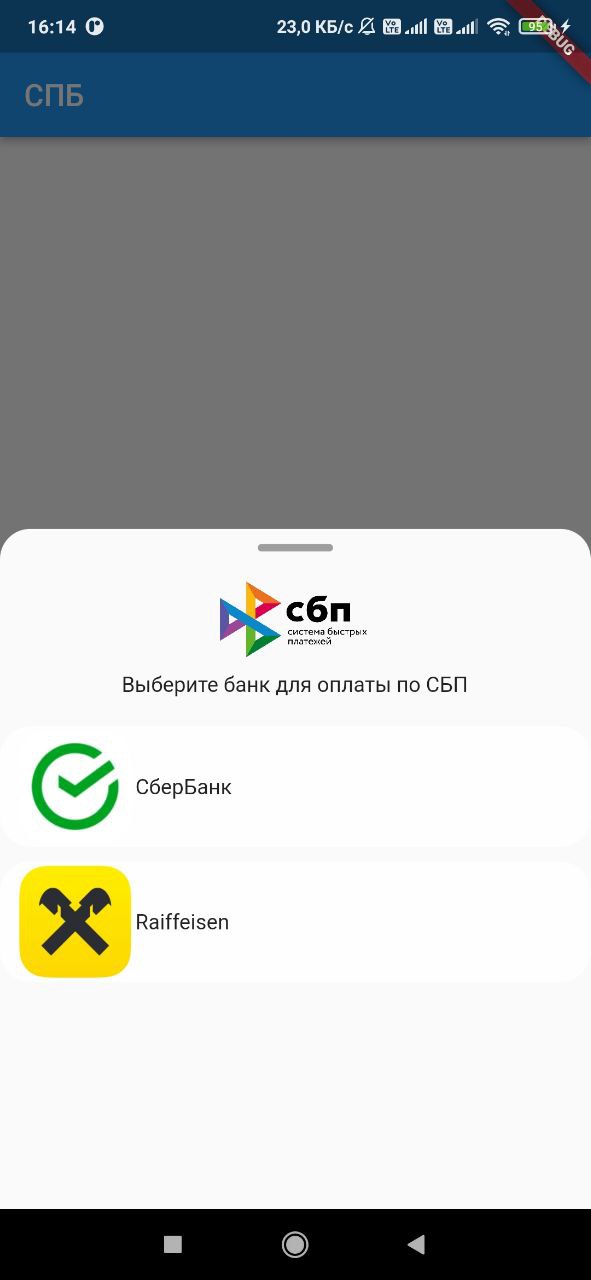
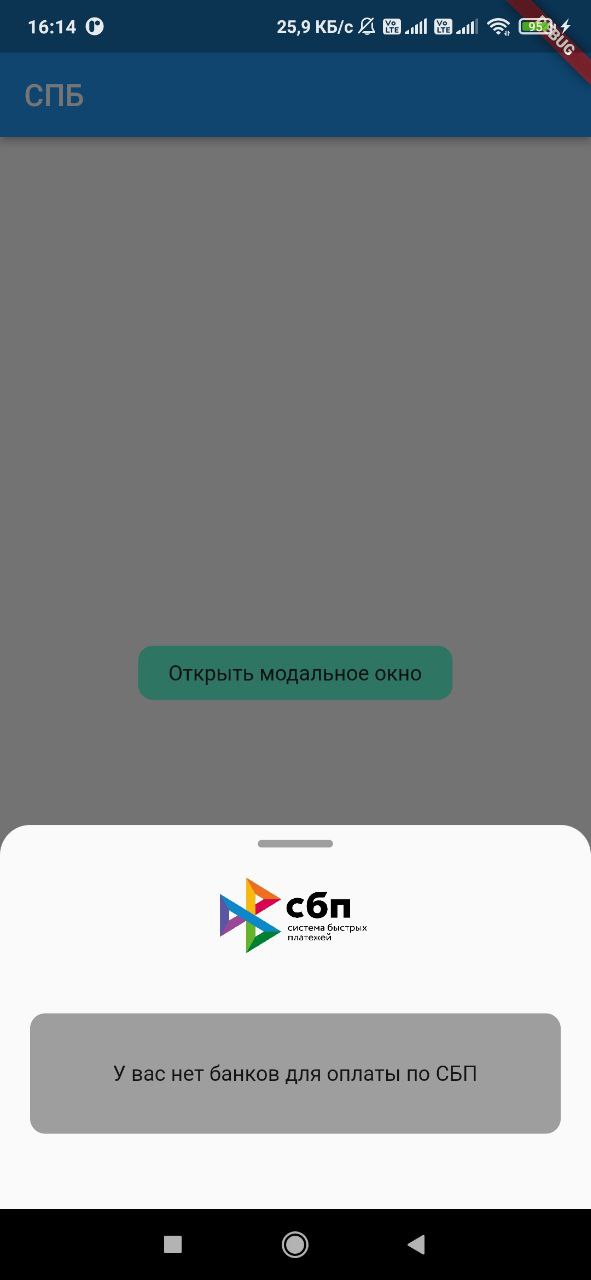
Adding dependencies
To use the plugin, add it to the pubspec.yaml file.
Installing
Android
Starting with android 11 in AndroidManifest.xml, you need to specify applications that our application can see
 <queries>
  <array>
    <package android:name="ru.sberbankmobile" />
    <package android:name="ru.gazprombank.android.mobilebank.app" />
    <package android:name="ru.letobank.Prometheus" />
    ...
    <package android:name="logo.com.mbanking" />
    <package android:name="com.openbank" />
  </queries>
IOS
Add URL schemes to LSApplicationQueriesSchemes in Info.plist file:
This list is needed in order to make it possible to open third-party installed applications on iOS.
The list of banks supported by SBP can be obtained
at c2bmembers.json.
 <key>LSApplicationQueriesSchemes</key>
  <array>
    <string>bank100000000000</string>
    <string>bank100000000001</string>
    ...
    <string>bank100000000999</string>
    <string>bank100000001000</string>
  </array>
Warning! Starting with iOS 15, the maximum number of the scheme list should not exceed 50.Detailed information can be obtained from this link
Description of functions with examples
To use sbp and get current information on supported banks, SBP needs to be raised own server, which will pull up new information on banks once in a while. Warning!If you use json, don't forget to change the links to images in the file /sbp/lib/data/c2bmembers_data.dart as they take a long time to load or not to load at all (IOS).
Links to current banks from the official website of the SBP
Or you can use the current json I added to the project on 17/07/2023:
- IOS/Android: /sbp/lib/data/c2bmembers_data.dart
Android
Sbp.openAndroidBank(String url, String packageName)
We pass the url of the form ('https://qr.nspk.ru/...' deprecated) schema://qr.nspk.ru/.... and the packageName of the application in which you want to open the SBP
IOS
Sbp.openIOSBank(String url, String schema)
We pass the url of the form https://qr.nspk.ru/.../ and the schema of the application in which you want to open the SBP
IOS/Android
List<C2bmemberModel> informations = await Sbp.getInstalledBanks(
  C2bmembersModel.fromJson(c2bmembersData),
  useAndroidLocalIcons:false,
  useAndroidLocalNames:false,
)
getInstalledBanks contains fields such as:
- C2bmembersModel - (/sbp/lib/models/c2bmembers_model.dart)
- useAndroidLocalIcons - if you want to use native android application icons, then put true and use the bitmap variable to display the bank icon
- useAndroidLocalNames - if you want to use the native name of the android application, then put true and use the localName variable to display the name of the bank
- A variable is passed c2bmembersData (json /sbp/lib/data/c2bmembers_data.dart), which is parsed and returns a C2bmembersModel.
C2bmembersModel contains fields such as:
- version - json version
- c2bmembersModel - List C2bmemberModel installed applications
- C2bmemberModel contains fields such as:
- bankName - bank name
- logoURL - link to picture
- schema - application schema
- packageName - application packageName
- icon - icon app from assets
- bitmap - bitmap app on device(only for Android)
- localName - local name app on device(only for Android)
- C2bmemberModel contains fields such as:
openBank(String url, C2bmemberModel c2bmemberModel)
We pass the url of the form https://qr.nspk.ru/.../ and the c2bmemberModel of the application in which you want to open the SBP
If you want to use local bank icons from assets , you need to include them in the project (see file /sbp/lib/data/c2bmembers_data.dart field icon):
flutter:
  assets:
    - packages/sbp/assets/sbp.png
    - packages/sbp/assets/...
    etc

Evolution digital ↗
使用的依賴
依賴清單 2 項
- flutter
{"sdk":"flutter"} - flutter_test開發依賴
{"sdk":"flutter"}
如何選擇適合專案的儲存庫?
先依使用情境篩選,再比較專案活躍情況,最後到原始儲存庫確認使用要求。
- 透過儲存庫名稱、作者或描述搜尋,再依技術分類縮小範圍。
- 綜合星標、分支與最近推送比較專案;星標反映社群關注,不保證品質。
- 使用前在 GitHub 確認 README、授權條款與 Issues。
來源與維護
“A repository is the most basic element of GitHub.”
GitHub Docs — About repositories ↗