

v1.0.7
loadmore_listview
提供一個易於使用的 ListView,支援載入更多項目和刷新功能
25喜歡 1520近 30 天下載140Pub 分數
AndroidiOSmacOSWindowsLinux
一個帶有載入更多項目和重新整理功能的 ListView

以下為英文專案原文快照,最新內容請造訪 GitHub。
An Widget with the Load more item and refresh
Base on ListView and CustomScrollListview
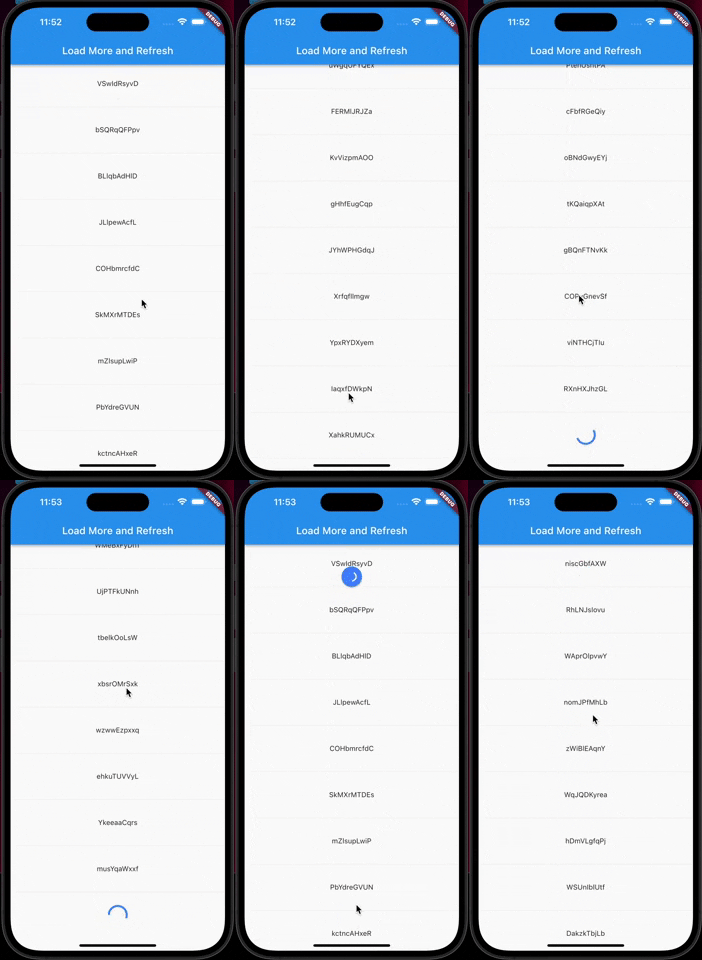
In the pubspec.yaml of your flutter project, add the following dependency:
dependencies:
  ...
  loadmore_listview: ^1.0.7
Import it:
import 'package:loadmore_listview/loadmore_listview.dart';
LoadMoreListView.builder(
    //is there more data to load
    haveMoreItem: true,
    //Trigger the bottom loadMore callback
    onLoadMore: () async{
      //wait for your api to fetch more items
      await Future.delayed(const Duration(seconds: 1));
    },
    //pull down refresh callback
    onRefresh: () async{
      //wait for your api to update the list
      await Future.delayed(const Duration(seconds: 1));
    },
    //you can set your loadMore Animation
    loadMoreWidget: Container(
        margin: const EdgeInsets.all(20.0),
        alignment: Alignment.center,
        child: const CircularProgressIndicator(
          valueColor: AlwaysStoppedAnimation(Colors.blueAccent),
        ),
    ),
    //ListView
    itemCount: 20,
    itemBuilder: (context, index) {
        return Container(
            margin: const EdgeInsets.all(30),
            width: double.infinity,
            alignment: Alignment.center,
            child: Text('$index'),
        );
    },
);
LoadMoreListView.separated(
    //...
    separatorBuilder: (context, index) {
      return const Divider();
    },
);
LoadMoreListView.customScrollView(
    //...
    slivers: [
        SliverList(
            delegate: SliverChildBuilderDelegate(
              (context, index) {
                return Container(
                  margin: const EdgeInsets.all(30),
                  width: double.infinity,
                  alignment: Alignment.center,
                  child: Text(list[index]),
                );
              },
              childCount: list.length,
            ),
        ),
    ],
);
依賴清單 2 項
{"sdk":"flutter"}{"sdk":"flutter"}先依使用情境篩選,再比較專案活躍情況,最後到原始儲存庫確認使用要求。
“A repository is the most basic element of GitHub.”
GitHub Docs — About repositories ↗