

 v0.0.2+3
calendar_agenda
具有多種可自訂樣式的日曆議程小部件,也可作為應用程式欄小部件使用。
57喜歡 34近 30 天下載130Pub 分數
AndroidiOSWebmacOSWindowsLinux
sud0su/calendar_agenda open-source repository details.

以下為英文專案原文快照,最新內容請造訪 GitHub。
Calendar agenda widget with a lot of customizable styles.


dependencies:
  flutter:
    sdk: flutter
  calendar_agenda: version
flutter pub get
import 'package:calendar_agenda/calendar_agenda.dart';
| SelectedDayPosition.center | SelectedDayPosition.Left | SelectedDayPosition.Right |
|---|---|---|
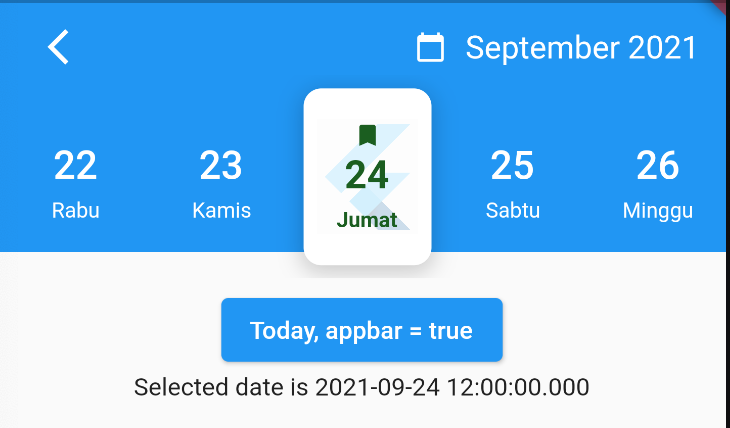 |
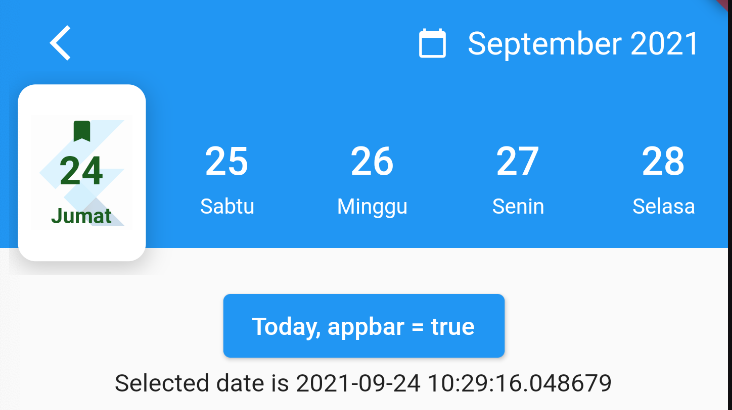 |
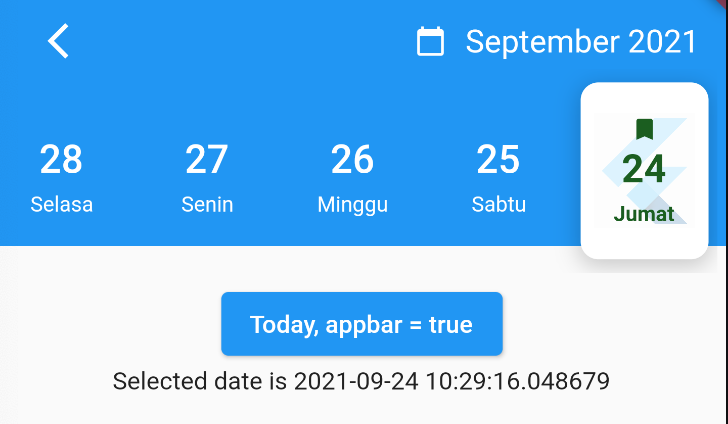 |
| FullCalendarScroll.vertical | FullCalendarScroll.horizontal |
|---|---|
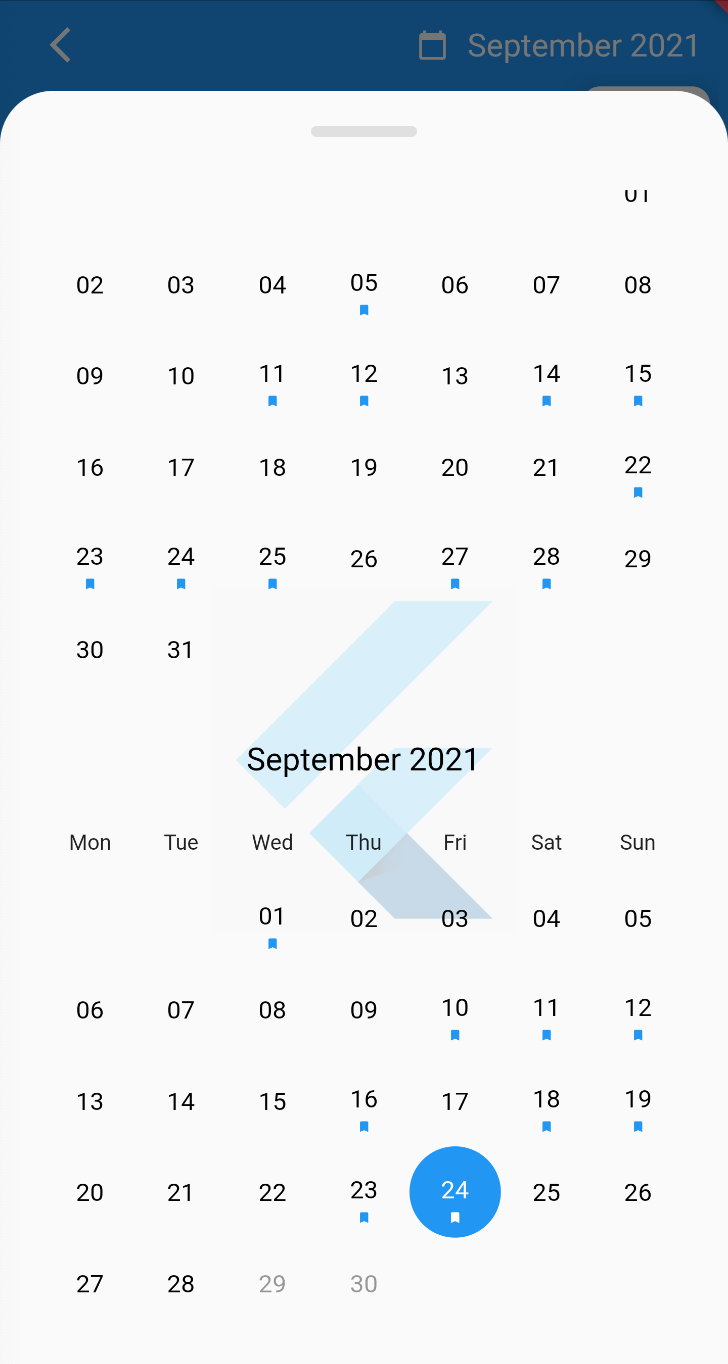 |
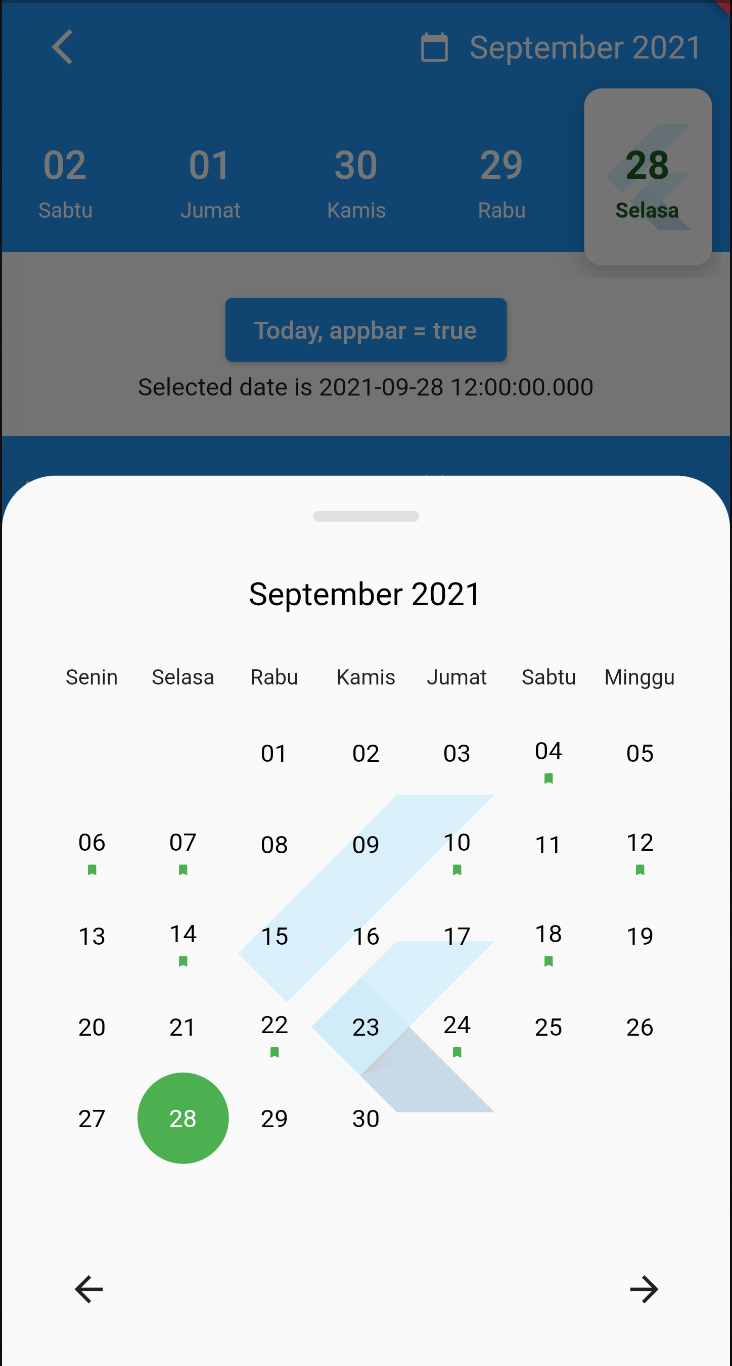 |
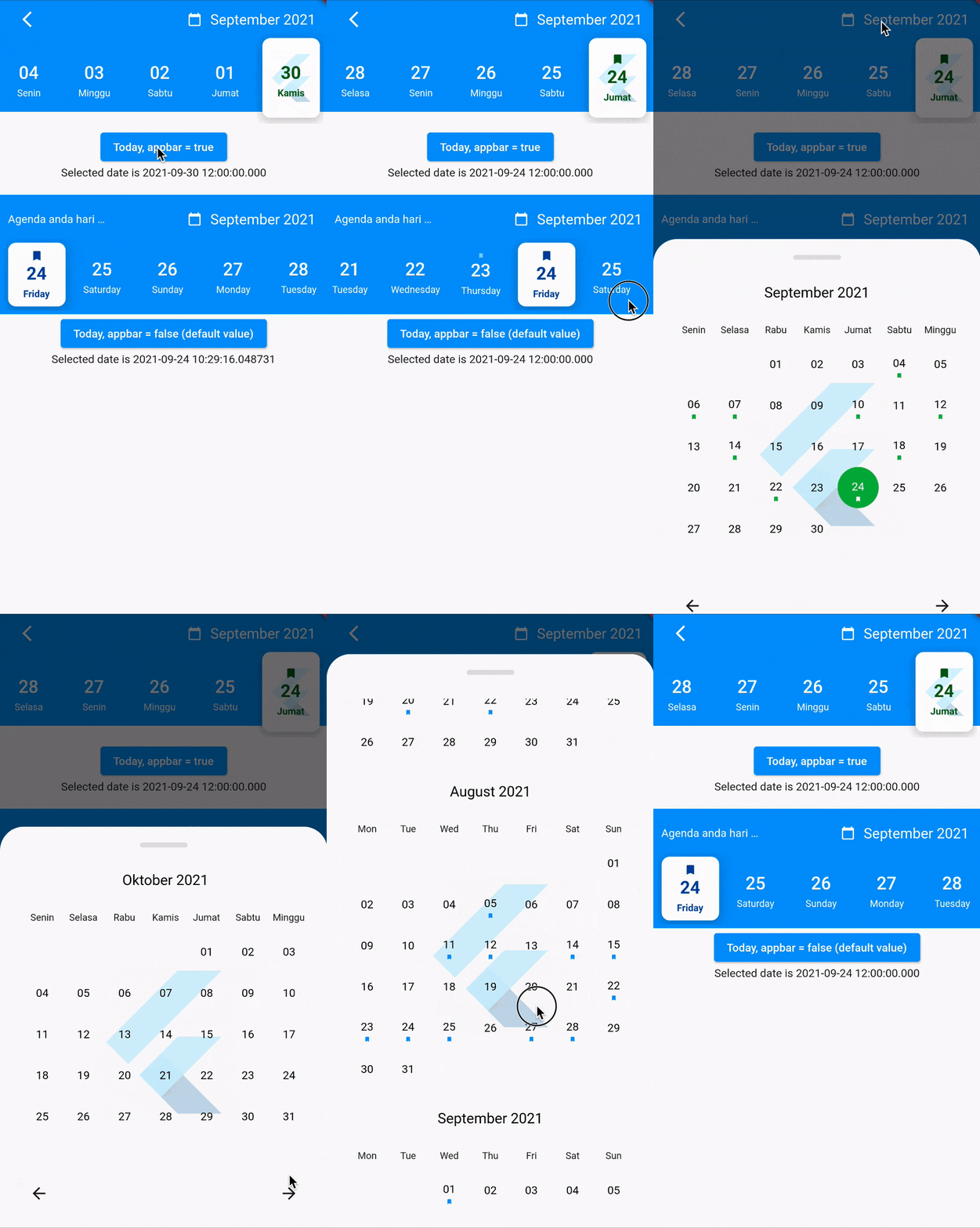
Use the CalendarAgenda Widget
CalendarAgenda(
initialDate: DateTime.now(),
firstDate: DateTime.now().subtract(Duration(days: 140)),
lastDate: DateTime.now().add(Duration(days: 4)),
onDateSelected: (date) {
print(date);
},
)
| Props | Types | Required | defaultValues |
|---|---|---|---|
| initialDate | DateTime | True | |
| firstDate | DateTime | True | |
| lastDate | DateTime | True | |
| onDateSelected | Funtion | False | |
| backgroundColor | Color? | False | |
| selectedDayLogo | ImageProvider<Object>? | False | |
| controller | CalendarAgendaController? | False | |
| selectedDateColor | Color? | False | Colors.black |
| dateColor | Color? | False | Colors.white |
| calendarBackground | Color? | False | Colors.white |
| calendarEventSelectedColor | Color? | False | Colors.white |
| calendarEventColor | Color? | False | Colors.blue |
| locale | String? | False | 'en' |
| leading | Widget? | False | |
| appbar | bool | False | False |
| events | List<DateTime>? | False | |
| fullCalendar | bool | False | True |
| fullCalendarScroll | FullCalendarScroll | False | FullCalendarScroll.vertical |
| fullCalendarDay | WeekDay | False | WeekDay.short |
| weekDay | WeekDay | False | WeekDay.short |
| selectedDayPosition | SelectedDayPosition | False | SelectedDayPosition.left |
Special thanks goes to all contributors to this package. Make sure to check them out.
You like the package ? Buy me a coffee :)


依賴清單 4 項
{"sdk":"flutter"}^0.18.0^0.3.2{"sdk":"flutter"}先依使用情境篩選,再比較專案活躍情況,最後到原始儲存庫確認使用要求。
“A repository is the most basic element of GitHub.”
GitHub Docs — About repositories ↗