
 v0.3.1
new_version
檢查您的使用者是否擁有您 Flutter 應用程式最新的版本。
618喜歡 456近 30 天下載130Pub 分數
AndroidiOSmacOSWindowsLinux
檢查您的使用者是否擁有您 Flutter 應用程式最新的版本。
以下為英文專案原文快照,最新內容請造訪 GitHub。
This plugin is relatively stable and feature-complete, but I won't be working on it or accepting pull requests going forward. If anyone is interested in taking over as maintainer, feel free to email me. I'm also happy to link to popular forks that have spun off. Thanks.
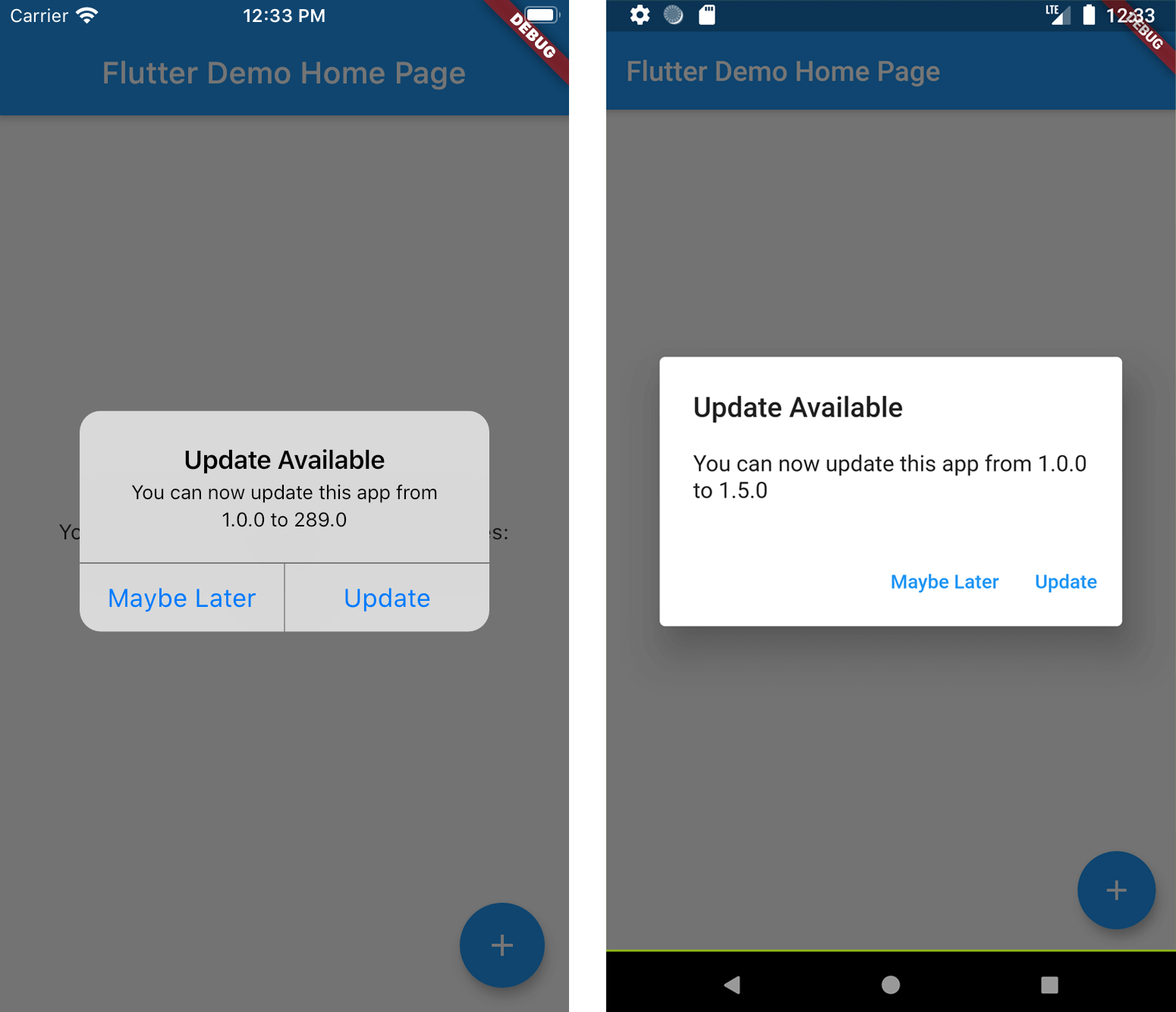
A Flutter plugin that makes it possible to:
See more at the Dart Packages page.
Add new_version as a dependency in your pubspec.yaml file.
dependencies:
  new_version: ^0.3.0
In main.dart (or wherever your app is initialized), create an instance of NewVersion.
final newVersion = NewVersion();
The plugin will automatically use your Flutter package identifier to check the app store. If your app has a different identifier in the Google Play Store or Apple App Store, you can overwrite this by providing values for androidId and/or iOSId.
For iOS: If your app is only available outside the U.S. App Store, you will need to set iOSAppStoreCountry to the two-letter country code of the store you want to search. See http://en.wikipedia.org/wiki/ISO_3166-1_alpha-2 for a list of ISO Country Codes.
You can then use the plugin in two ways.
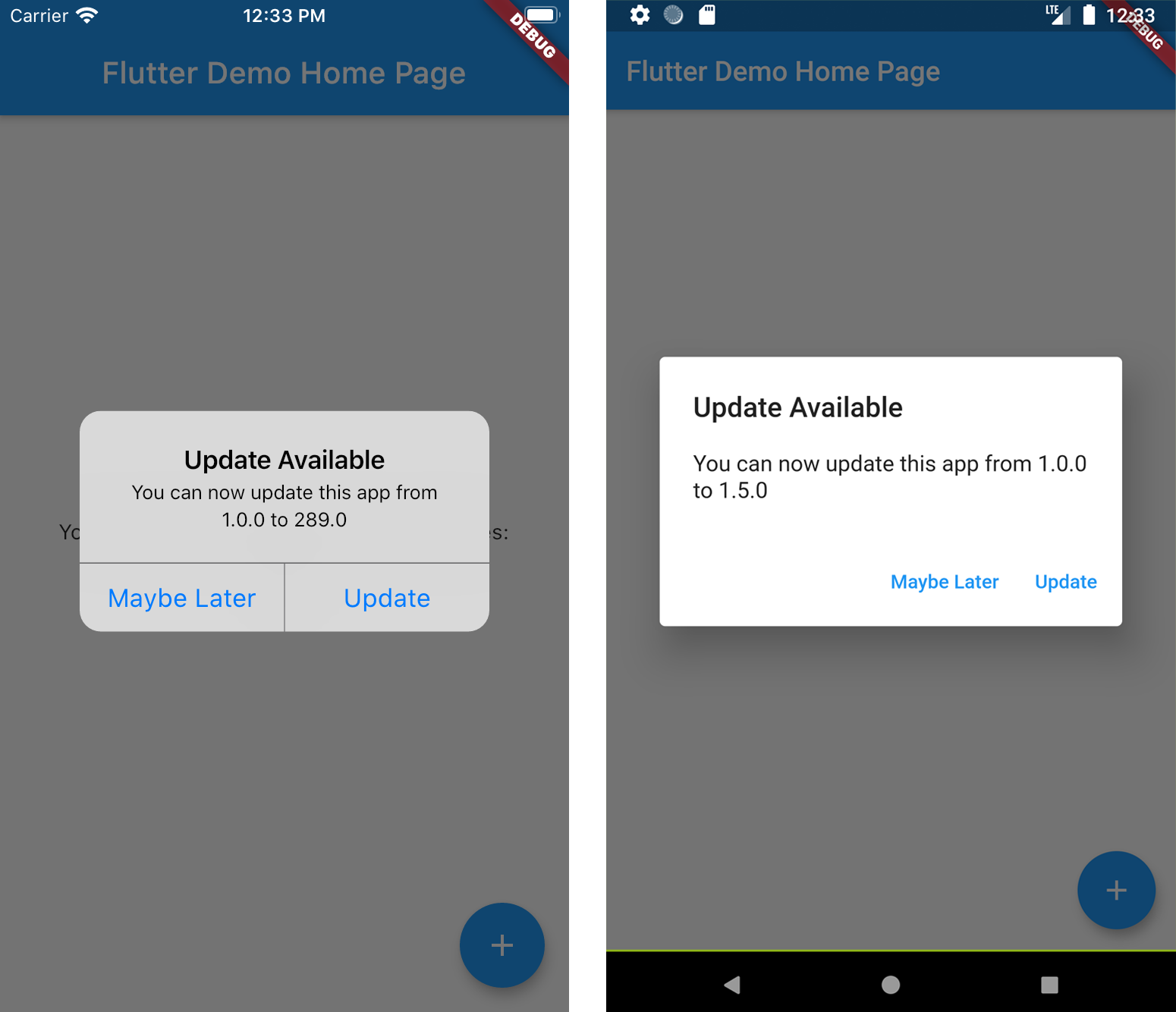
Calling showAlertIfNecessary with your app's BuildContext will check if the app can be updated, and will automatically display a platform-specific alert that the user can use to go to the app store.
newVersion.showAlertIfNecessary(context: context);
If you want to create a custom alert or use the app version information differently, call getVersionStatus. This will return a Future<VersionStatus> with information about the local and app store versions of the app.
final status = await newVersion.getVersionStatus();
status.canUpdate // (true)
status.localVersion // (1.2.1)
status.storeVersion // (1.2.3)
status.appStoreLink // (https://itunes.apple.com/us/app/google/id284815942?mt=8)
If you want to present a customized dialog, you can pass your VersionStatus to showUpdateDialog().
newVersion.showUpdateDialog(
  context: context,
  versionStatus: status,
  dialogTitle: 'Custom dialog title',
  dialogText: 'Custom dialog text',
  updateButtonText: 'Custom update button text',
  dismissButtonText: 'Custom dismiss button text',
  dismissAction: () => functionToRunAfterDialogDismissed(),
)

依賴清單 7 項
{"sdk":"flutter"}^1.0.0^0.13.1^0.15.0^6.0.2^1.15.0{"sdk":"flutter"}先依使用情境篩選,再比較專案活躍情況,最後到原始儲存庫確認使用要求。
“A repository is the most basic element of GitHub.”
GitHub Docs — About repositories ↗