
esc_pos_printer
適用於 Flutter 與 Dart 的 ESC/POS(熱敏、收據)列印

- 星標
- 400
- 分支
- 337
- 最近推送(UTC)
- 2024年8月19日
- 專案狀態
- 未封存
原始 README
以下為英文專案原文快照,最新內容請造訪 GitHub。
esc_pos_printer

The library allows to print receipts using an ESC/POS thermal WiFi/Ethernet printer. For Bluetooth printers, use esc_pos_bluetooth library.
It can be used in Flutter or pure Dart projects. For Flutter projects, both Android and iOS are supported.
To scan for printers in your network, consider using ping_discover_network package. Note that most of the ESC/POS printers by default listen on port 9100.
TODO (PRs are welcomed!)
- Print QR Codes using the
GS ( kcommand (printing QR code from an image already supported) - PDF-417 Barcodes using the
GS ( kcommand - Line spacing using the
ESC 3 <n>command
How to Help
- Test your printer and add it in the table: Wifi/Network printer or Bluetooth printer
- Test and report bugs
- Share your ideas about what could be improved (code optimization, new features...)
- PRs are welcomed!
Tested Printers
Here are some printers tested with this library. Please add the models you have tested to maintain and improve this library and help others to choose the right printer.
Generate a Receipt
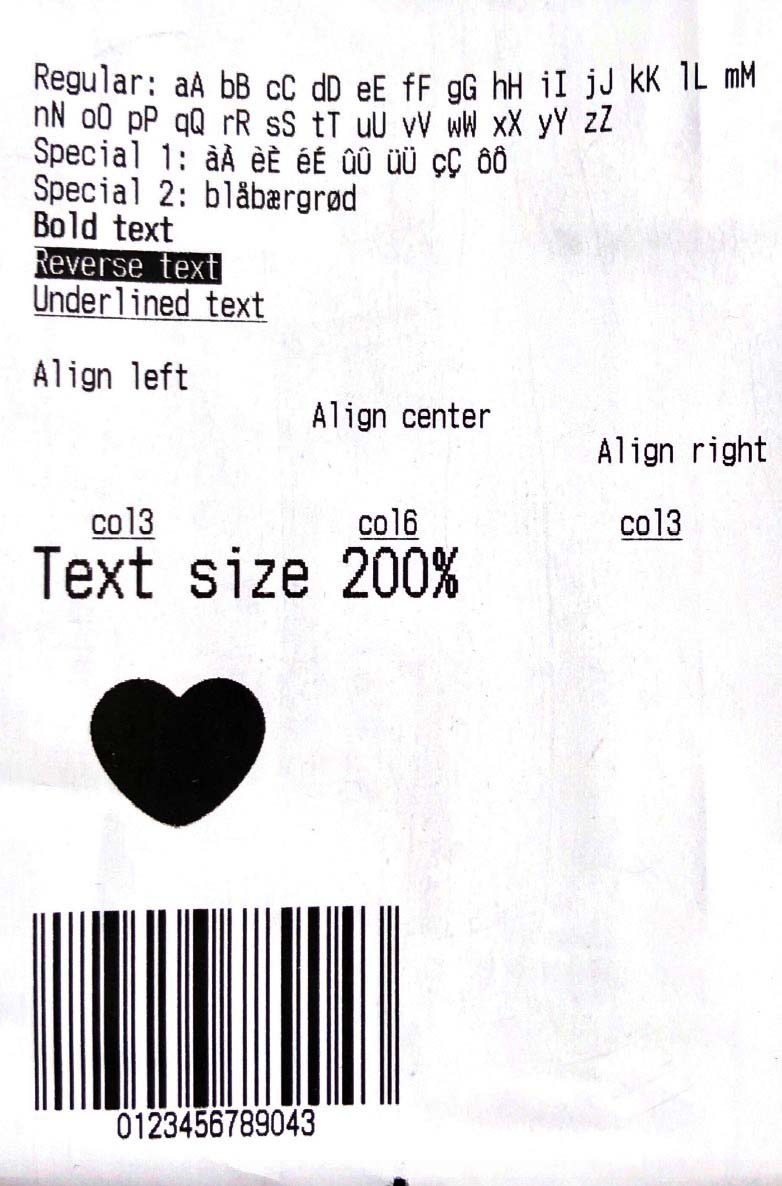
Simple Receipt with Styles:
void testReceipt(NetworkPrinter printer) {
  printer.text(
        'Regular: aA bB cC dD eE fF gG hH iI jJ kK lL mM nN oO pP qQ rR sS tT uU vV wW xX yY zZ');
  printer.text('Special 1: àÀ èÈ éÉ ûÛ üÜ çÇ ôÔ',
      styles: PosStyles(codeTable: 'CP1252'));
  printer.text('Special 2: blåbærgrød',
      styles: PosStyles(codeTable: 'CP1252'));

  printer.text('Bold text', styles: PosStyles(bold: true));
  printer.text('Reverse text', styles: PosStyles(reverse: true));
  printer.text('Underlined text',
      styles: PosStyles(underline: true), linesAfter: 1);
  printer.text('Align left', styles: PosStyles(align: PosAlign.left));
  printer.text('Align center', styles: PosStyles(align: PosAlign.center));
  printer.text('Align right',
      styles: PosStyles(align: PosAlign.right), linesAfter: 1);

  printer.text('Text size 200%',
      styles: PosStyles(
        height: PosTextSize.size2,
        width: PosTextSize.size2,
      ));

  printer.feed(2);
  printer.cut();
}
You can find more examples here: esc_pos_utils.
Print a Receipt
import 'package:esc_pos_printer/esc_pos_printer.dart';

const PaperSize paper = PaperSize.mm80;
final profile = await CapabilityProfile.load();
final printer = NetworkPrinter(paper, profile);

final PosPrintResult res = await printer.connect('192.168.0.123', port: 9100);

if (res == PosPrintResult.success) {
  testReceipt(printer);
  printer.disconnect();
}

print('Print result: ${res.msg}');
For a complete example, check example/example.dart and example/discover_printers.
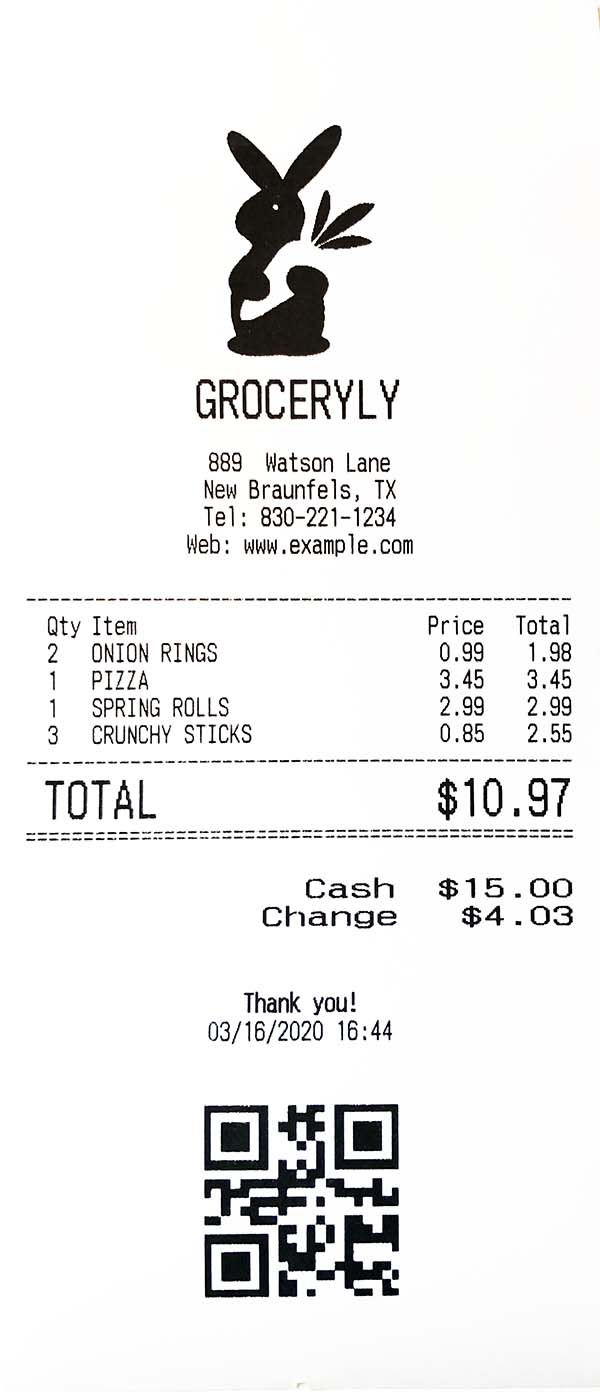
Test Print

wwandreww ↗
分類
使用的依賴
依賴清單 5 項
- charset_converter
^2.0.0 - esc_pos_utils
^1.1.0 - flutter
{"sdk":"flutter"} - image
^3.0.2 - flutter_test開發依賴
{"sdk":"flutter"}
如何選擇適合專案的儲存庫?
先依使用情境篩選,再比較專案活躍情況,最後到原始儲存庫確認使用要求。
- 透過儲存庫名稱、作者或描述搜尋,再依技術分類縮小範圍。
- 綜合星標、分支與最近推送比較專案;星標反映社群關注,不保證品質。
- 使用前在 GitHub 確認 README、授權條款與 Issues。
來源與維護
“A repository is the most basic element of GitHub.”
GitHub Docs — About repositories ↗