

 v0.0.7
dismissible_carousel_viewpager
這是一個視圖滑動器,提供輪播效果,並在頁面被移除時具有消失動畫。
31喜歡 85近 30 天下載160Pub 分數
AndroidiOSWebmacOSWindowsLinux
這是一個視圖滑動器,提供輪播效果,並在頁面被移除時具有消失動畫。

以下為英文專案原文快照,最新內容請造訪 GitHub。
This is a view pager provides carousel effect and dismissal animation when page was removed.
| Fade out & slide out | Fade out & scale | Fade out & circular hide |
|---|---|---|
 |
 |
 |
| Horizontal | Vertical |
|---|---|
 |
 |
This an example app of this plugin of web version.
https://zyzdev.github.io/dismissible_carousel_viewpager
More detail of usage see /example app.
More detail, please run demo Base Usage at /example app.
DismissibleCarouselViewPager(
  viewportFraction: 0.5,
  besidePageScale: 0.8,
  itemBuilder: (context, index) {
    return Container(
      alignment: Alignment.center,
      color: index.isEven
      ? Colors.blueAccent.withOpacity(0.1)
      : Colors.deepPurpleAccent.withOpacity(0.1),
      child: Text("Item:$index"),
    );
  },
  itemCount: 100,
);
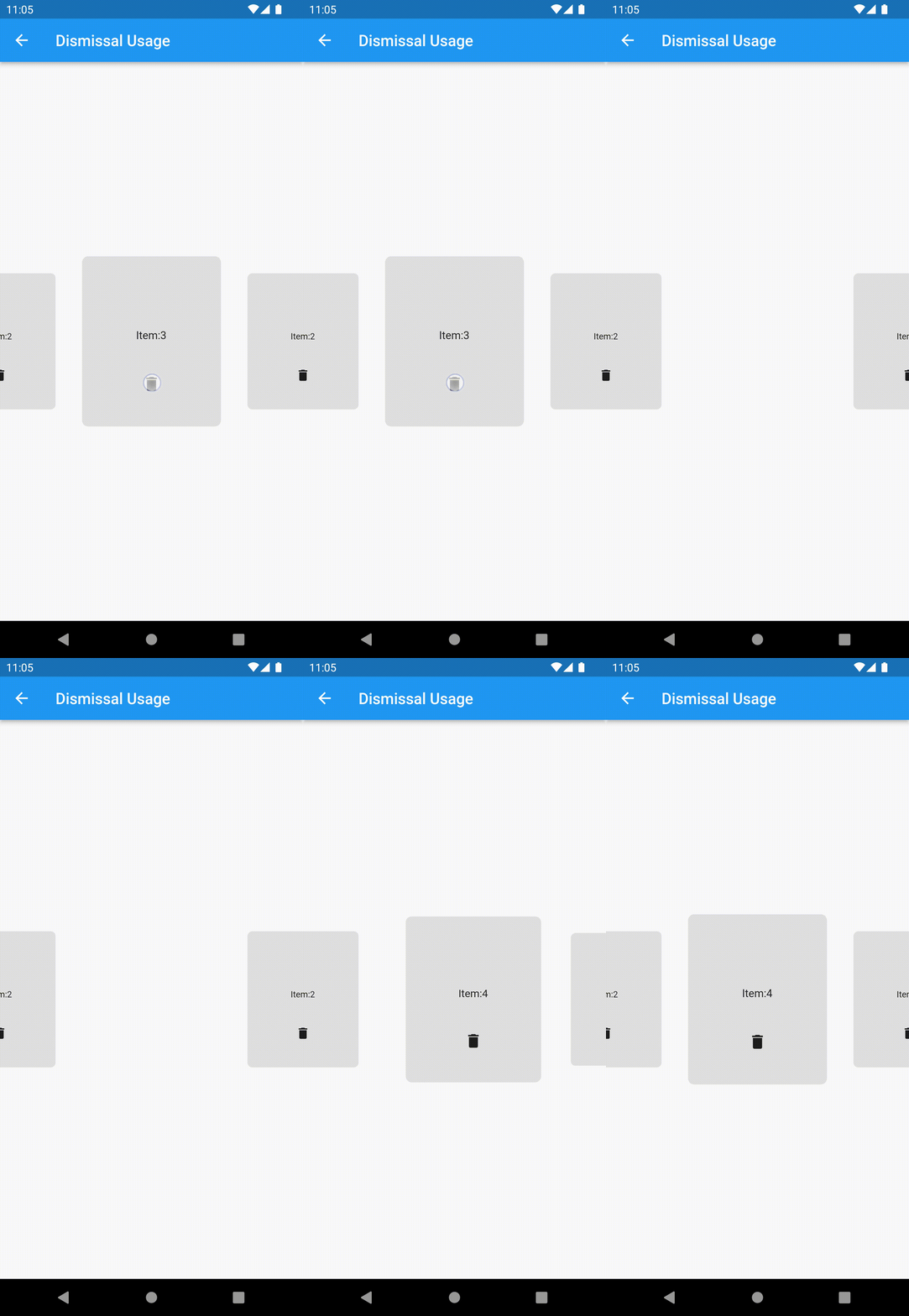
More detail please run demo Dismissal Usage at /example app.
dismissible_carousel_viewpager provides several kinds of animation(fade out, slide out, scale and circular hide) to make dismissal animation.
You can combine them to make your own style of dismissal animation.
The dismissal animation base on AnimatedSwitcher.
Remember add key to the page widget that created by DismissibleCarouselViewPager.itemBuilder.
I recommend using the data that preparing to create page widget to create Key("$data"), ValueKey(data) or ObjectKey(data) for the page widget.
####example:
late final List<int> _item = List.generate(1000, (index) => index);

DismissibleCarouselViewPager(
  itemCount: _item.length,
  itemBuilder: (context, index) {
    Object data = _item[index];
    return Container(
      // must add key
      key: Key("$data"),
      //key: ValueKey(data),
      //key: ObjectKey(data),
      alignment: Alignment.center,
      color: Colors.grey.withOpacity(0.1),
      child: Column(
        mainAxisSize: MainAxisSize.min,
        children: [
        Expanded(
          child: Container(
            alignment: Alignment.bottomCenter,
            child: Text("Item:$data"),
          ),
        ),
        Expanded(
          child: IconButton(
            icon: const Icon(Icons.delete),
            onPressed: () {
                setState(() {
                  _item.remove(data);
                });
              },
            ),
          ),
        ],
      ),
    );
  },
  dismissalConfig: DismissalConfig(
    dismissalTypes: [
      DismissalType.fadeOut(),
      DismissalType.slideOut(),
    ],
  ),
);
依賴清單 3 項
{"sdk":"flutter"}{"sdk":"flutter"}^1.0.0先依使用情境篩選,再比較專案活躍情況,最後到原始儲存庫確認使用要求。
“A repository is the most basic element of GitHub.”
GitHub Docs — About repositories ↗