
 v2.0.0
geofencing_api
Dieser Plugin wird verwendet, um kreisförmige und polygonale Geofencing-Dienste zu implementieren.
19Likes 743030-Tage-Downloads150Pub-Punkte
AndroidiOSWeb
Dieser Plugin wird verwendet, um kreisförmige und polygonale Geofencing-Dienste zu implementieren.

{"sdk":"flutter"}{"sdk":"flutter"}^2.1.8^1.12.0^2.1.4^5.0.0{"sdk":"flutter"}^3.0.1Englischer Projektschnappschuss. Aktuelle Inhalte auf GitHub.
This plugin is used to implement circular and polygon geofencing service.
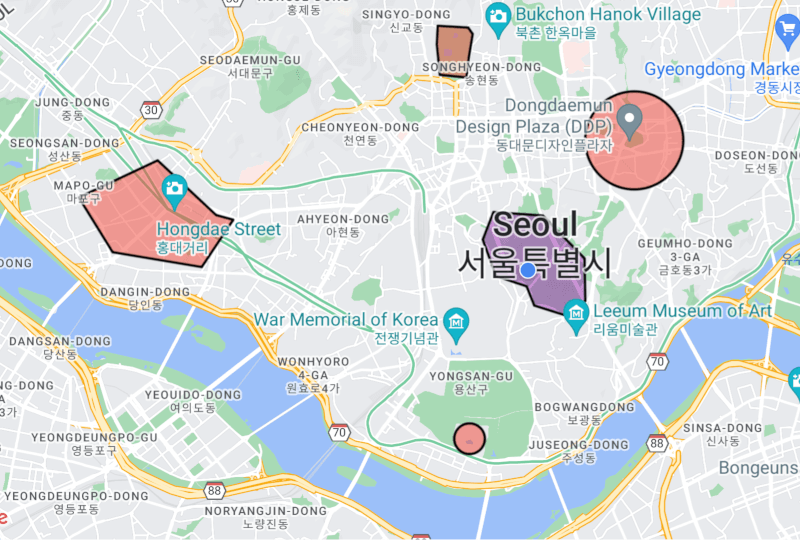
https://github.com/user-attachments/assets/b11c5728-43bc-4792-bc55-a8cd237944a4[!CAUTION] It does not use the geofencing api implemented in the platform. Therefore, battery efficiency cannot be guaranteed. Instead, this plugin can provide more accurate and real-time geofencing by navigating your location while your app is alive.
To use this plugin, add geofencing_api as a dependency in your pubspec.yaml file. For example:
dependencies:
  geofencing_api: ^2.0.0
After adding the plugin to your flutter project, we need to declare the platform-specific permissions to use for this plugin to work properly.
Since the geofencing service works based on location, we need to declare location permission.
Open the AndroidManifest.xml file and declare permission between the <manifest> and <application> tags.
<uses-permission android:name="android.permission.ACCESS_COARSE_LOCATION" />
<uses-permission android:name="android.permission.ACCESS_FINE_LOCATION" />
Open the ios/Runner/Info.plist file and declare description within the <dict> tag.
<key>NSLocationWhenInUseUsageDescription</key>
<string>Used to collect location data.</string>
To perform geofencing in the background, declare permissions and descriptions.
<uses-permission android:name="android.permission.ACCESS_BACKGROUND_LOCATION" />
<key>NSLocationAlwaysAndWhenInUseUsageDescription</key>
<string>Used to collect location data in the background.</string>
<key>NSLocationAlwaysUsageDescription</key>
<string>Used to collect location data in the background.</string>
<key>UIBackgroundModes</key>
<array>
    <string>fetch</string>
    <string>location</string>
</array>
Then use flutter_foreground_task to implement a background geofencing service.
demo: https://github.com/Dev-hwang/flutter_foreground_task_example/tree/main/geofencing_service
always or whileInUse.Future<bool> requestLocationPermission({bool background = false}) async {
if (!await Geofencing.instance.isLocationServicesEnabled) {
// Location services is disabled.
return false;
}
LocationPermission permission =
await Geofencing.instance.getLocationPermission();
if (permission == LocationPermission.denied) {
// Android: ACCESS_COARSE_LOCATION or ACCESS_FINE_LOCATION
// iOS 12-: NSLocationWhenInUseUsageDescription or NSLocationAlwaysAndWhenInUseUsageDescription
// iOS 13+: NSLocationWhenInUseUsageDescription
permission = await Geofencing.instance.requestLocationPermission();
}
if (permission == LocationPermission.denied ||
permission == LocationPermission.deniedForever) {
// Location permission has been ${permission.name}.
return false;
}
// Web: Only allow whileInUse permission.
if (kIsWeb || kIsWasm) {
return true;
}
// Android: You must request location permission one more time to access background location.
// iOS 12-: You can request always permission through the above request.
// iOS 13+: You can only request whileInUse permission through the above request.
// When the app enters the background, a prompt will appear asking for always permission.
if (Platform.isAndroid &&
background &&
permission == LocationPermission.whileInUse) {
// You need a clear explanation of why your app's feature needs access to background location.
// https://developer.android.com/develop/sensors-and-location/location/permissions#request-background-location
// Android: ACCESS_BACKGROUND_LOCATION
permission = await Geofencing.instance.requestLocationPermission();
if (permission != LocationPermission.always) {
// Location permission must always be granted to collect location in the background.
return false;
}
}
return true;
}
interval: The millisecond interval at which to update the geofence status. This value may be delayed by device platform limitations. The default is 5000.accuracy: The accuracy of the geofencing service in meters. The default is 100.statusChangeDelay: The status change delay in milliseconds. GeofenceStatus.enter and GeofenceStatus.exit events may be called frequently when the location is near the boundary of the geofence. If the option value is too large, real-time geofencing is not possible, so use it carefully. The default is 10000.allowsMockLocation: Whether to allow mock location. The default is false.printsDebugLog: Whether to print debug logs in plugin. The default is true.void setupGeofencing() {
Geofencing.instance.setup(
interval: 5000,
accuracy: 100,
statusChangeDelay: 10000,
allowsMockLocation: false,
printsDebugLog: true,
);
}
.circular or .polygon constructor.id: The unique id of the geofence region.data: The data of the geofence region.loiteringDelay: The delay between GeofenceStatus.enter and GeofenceStatus.dwell in milliseconds. The default is 30000.center: The center coordinates of the geofence. (circular)radius: The radius of the geofence. This value should be 10 meters or greater. (circular)polygon: The polygon coordinates of the geofence. This value must have size 3 or greater. (polygon)final Set<GeofenceRegion> _regions = {
GeofenceRegion.circular(
id: 'circular_region',
data: {
'name': 'National Museum of Korea',
},
center: const LatLng(37.523085, 126.979619),
radius: 250,
loiteringDelay: 60 * 1000,
),
GeofenceRegion.polygon(
id: 'polygon_region',
data: {
'name': 'Gyeongbokgung Palace',
},
polygon: [
const LatLng(37.583696, 126.973739),
const LatLng(37.583441, 126.979361),
const LatLng(37.582506, 126.980198),
const LatLng(37.579054, 126.979490),
const LatLng(37.576112, 126.979061),
const LatLng(37.576503, 126.974126),
const LatLng(37.580959, 126.973568),
],
loiteringDelay: 60 * 1000,
),
};
regions parameter.void startGeofencing() async {
Geofencing.instance.addGeofenceStatusChangedListener(_onGeofenceStatusChanged);
Geofencing.instance.addGeofenceErrorCallbackListener(_onGeofenceError);
// You can add listeners as needed.
Geofencing.instance.addLocationChangedListener(LocationChanged);
Geofencing.instance.addLocationServicesStatusChangedListener(LocationServicesStatusChanged);
await Geofencing.instance.start(regions: _regions);
}
Future<void> _onGeofenceStatusChanged(
GeofenceRegion geofenceRegion,
GeofenceStatus geofenceStatus,
Location location,
) async {
final String regionId = geofenceRegion.id;
final String statusName = geofenceStatus.name;
print('region(id: $regionId) $statusName');
}
void _onGeofenceError(Object error, StackTrace stackTrace) {
print('error: $error\n$stackTrace');
}
void addRegions() {
  Geofencing.instance.addRegion(GeofenceRegion);
  Geofencing.instance.addRegions(Set<GeofenceRegion>);
}

void removeRegions() {
  Geofencing.instance.removeRegion(GeofenceRegion);
  Geofencing.instance.removeRegions(Set<GeofenceRegion>);
  Geofencing.instance.removeRegionById(String);
  Geofencing.instance.clearAllRegions();
}
void pauseGeofencing() {
  Geofencing.instance.pause();
}

void resumeGeofencing() {
  Geofencing.instance.resume();
}
keepsRegions to true.void stopGeofencing() async {
Geofencing.instance.removeGeofenceStatusChangedListener(_onGeofenceStatusChanged);
Geofencing.instance.removeGeofenceErrorCallbackListener(_onGeofenceError);
Geofencing.instance.removeLocationChangedListener(LocationChanged);
Geofencing.instance.removeLocationServicesStatusChangedListener(LocationServicesStatusChanged);
Geofencing.instance.clearAllListeners();
await Geofencing.instance.stop(keepsRegions: true);
}
Go here to learn about the models provided by this plugin.
Go here to migrate to the new version.
If you find any bugs or issues while using the plugin, please register an issues on GitHub. You can also contact us at <hwj930513@naver.com>.