Englischer Projektschnappschuss. Aktuelle Inhalte auf GitHub.
Persistent Shopping Cart
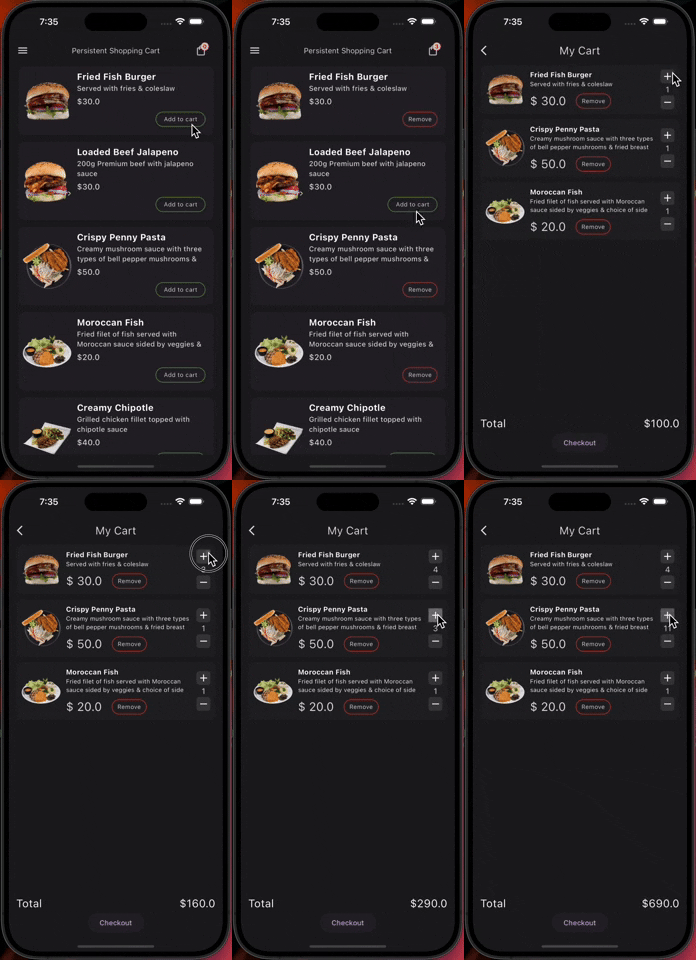
Persistent Shopping Cart is a Flutter package that provides a simple and persistent shopping cart functionality for your mobile application. It uses Hive for local storage, making the cart data persist across app sessions.
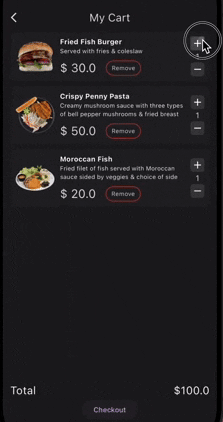
Demo Preview
Features
- Initialization: Easily initialize the shopping cart using
init() method.
- Add to Cart: Add products to the cart with the
addToCart method.
- Remove from Cart: Remove products from the cart using the
removeFromCart method.
- Increment/Decrement Quantity: Adjust the quantity of items in the cart with the
incrementCartItemQuantity and decrementCartItemQuantity methods.
- Calculate Total Price: Get the total price of items in the cart using the
calculateTotalPrice method.
- Get Cart Item Count: Retrieve the total number of items in the cart with the
getCartItemCount method.
- Clear Cart: Remove all items from the cart using the
clearCart method.
- Show Cart Items: Display the cart items using the
showCartItems method, providing flexible builders for customizing how the cart is displayed (e.g., ListView, GridView).
- Show Cart Item Count Widget: Show a widget displaying the current cart item count using the
showCartItemCountWidget method.
- Show Total Amount Widget: Display a widget showing the total amount of items in the cart with the
showTotalAmountWidget method.
- Show and Update Cart Item Widget: Show a widget that dynamically updates based on whether a product is in the cart or not, using the
showAndUpdateCartItemWidget method.
- Retrieve Cart Data and Total Price: Use
getCartData method in the PersistentShoppingCart class to get a list of cart items and the total price.
Getting Started
- Import the package in your Dart file:
import 'package:persistent_shopping_cart/persistent_shopping_cart.dart';
- Initialize the cart by calling the
init method:
await PersistentShoppingCart().init();
- Start using the shopping cart functionality in your application!
Example Usage
await PersistentShoppingCart().addToCart(PersistentShoppingCartItem());
await PersistentShoppingCart().removeFromCart(productId);
await PersistentShoppingCart().incrementCartItemQuantity(productId);
await PersistentShoppingCart().decrementCartItemQuantity(productId);
double totalPrice = PersistentShoppingCart().calculateTotalPrice();
int itemCount = PersistentShoppingCart().getCartItemCount();
PersistentShoppingCart().clearCart();
Map<String, dynamic> cartData = PersistentShoppingCart().getCartData();
List<PersistentShoppingCartItem> cartItems = cartData['cartItems'];
double totalPriceFromData = cartData['totalPrice'];
Widgets
Show Cart Items
The showCartItems method now provides flexibility to define how cart items are displayed (e.g., ListView, GridView) using a builder function.
PersistentShoppingCart().showCartItems(
cartItemsBuilder: (BuildContext context, List<PersistentShoppingCartItem> cartItems) {
if(cartItems.isEmpty){
return EmptyCartMsgWidget();
}
return ListView.builder(
itemCount: cartItems.length,
itemBuilder: (context, index) {
final item = cartItems[index];
return ListTile(
title: Text(item.name),
subtitle: Text('Quantity: ${item.quantity}'),
);
},
);
},
);
Show Cart Item Count Widget
PersistentShoppingCart().showCartItemCountWidget(
cartItemCountWidgetBuilder: (int itemCount) {
},
);
Show Total Amount Widget
PersistentShoppingCart().showTotalAmountWidget(
cartTotalAmountWidgetBuilder: (double totalAmount) {
},
);
Show and Update Cart Item Widget
PersistentShoppingCart().showAndUpdateCartItemWidget(
  inCartWidget: YourInCartWidget(),
  notInCartWidget: YourNotInCartWidget(),
  product: yourProduct,
);


 v0.0.8