
interaktive Untertabelle
Flutter-Paket. Ein anpassbarer interaktiver Bottom-Sheet, mit dem Sie mit dem Bildschirm dahinter interagieren können.

- Sterne
- 2
- Forks
- 1
- Letzter Push (UTC)
- 17.08.2026
- Projektstatus
- Aktiv
Original-README
Englischer Projektschnappschuss. Aktuelle Inhalte auf GitHub.
Interactive Bottom Sheet




A customizable interactive bottom sheet, which lets you interact with the screen behind it.
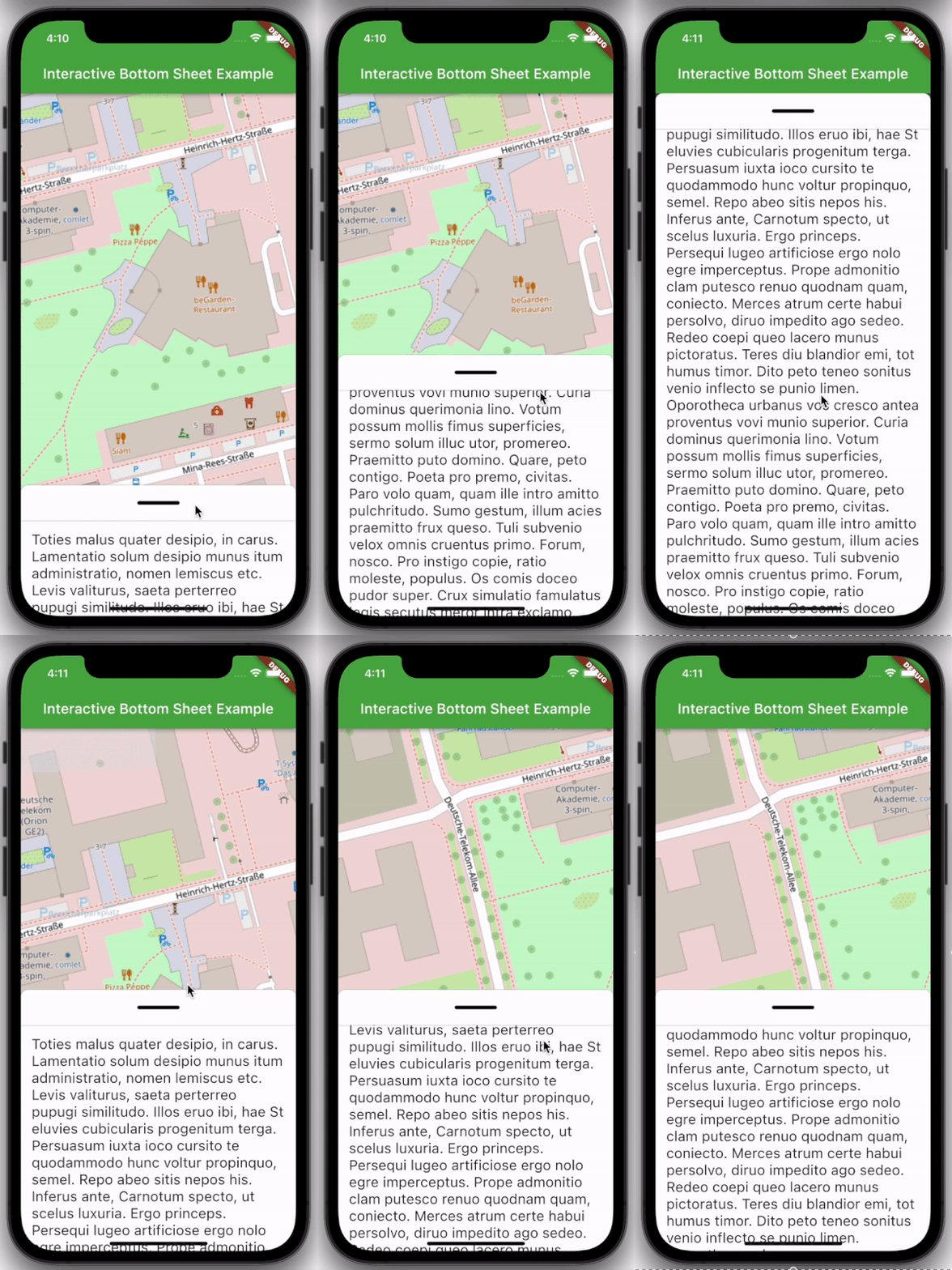
Features
- Easy to use
- Customizable colors
- Customizable DraggableArea
- Customizable heights and widths of different parts of the sheet
- Possibility to declare snap points
Usage
Depend on it:
dependencies:
  interactive_bottom_sheet: ^1.0.0
Import it:
import 'package:interactive_bottom_sheet/interactive_bottom_sheet.dart';
Example
Scaffold(
  bottomSheet: const InteractiveBottomSheet(
    options: InteractiveBottomSheetOptions(),
    child: Text(
       'Lorem ipsum dolor sit amet.'
    ),
  ),
);
Customization options
Scaffold(
  bottomSheet: const Scaffold(
  bottomSheet: InteractiveBottomSheet(
    options: InteractiveBottomSheetOptions(
      maxSize: 0.75,
      backgroundColor: Colors.green,
      snapList: [0.25, 0.5],
    ),
    draggableAreaOptions: DraggableAreaOptions(
      topBorderRadius: 10,
      height: 75,
      backgroundColor: Colors.grey,
      indicatorColor: Colors.grey,
      indicatorWidth: 50,
      indicatorHeight: 50,
      indicatorRadius: 10,
      ),
    ),
    child: Text('Lorem ipsum dolor sit amet.'),
  ),
);
Top Border Radius
To get rounded Borders at the top of the sheet (usual for iOS) on the top side of the widget, it is necessary to overwrite the bottomSheetTheme.
Theme(
  data: Theme.of(context).copyWith(
    bottomSheetTheme: const BottomSheetThemeData(
      backgroundColor: Colors.transparent
    ),
  ),
  child: const Scaffold(
    bottomSheet: InteractiveBottomSheet(
      child: Text('Lorem ipsum dolor sit amet.'),
    ),
  ),
);

GitHub-Autor
cosee ↗
SprachenC++CMakeDartRubyCSwiftHTMLShellKotlinObjective-C
Kategorien
Verwendete Abhängigkeiten
Abhängigkeiten 4 Einträge
- flutter
{"sdk":"flutter"} - flutter_testEntwicklung
{"sdk":"flutter"} - cosee_lintsEntwicklung
^0.13.0 - dart_code_linterEntwicklung
^4.0.0
Wie wähle ich ein passendes Repository?
Nach Anwendungsfall filtern, Aktivität vergleichen und vor der Nutzung das Originalprojekt prüfen.
- Nach Name, Autor oder Beschreibung suchen und nach Thema eingrenzen.
- Sterne, Forks und letzte Pushes vergleichen. Sterne zeigen Interesse, garantieren aber keine Qualität.
- Vor der Nutzung README, Lizenz und Issues auf GitHub prüfen.
Quellen und Pflege
“A repository is the most basic element of GitHub.”
GitHub Docs — About repositories ↗
- cosee/interactive_bottom_sheet · GitHub ↗
- GitHub Docs — Saving repositories with stars ↗
- Verzeichnis gepflegt von Ducafecat ↗